


An employee’s contract data governs how much they are meant to work, how much leave they receive and what their overtime account is measured against. It sits as a time slice in the employee detail manager under HR ▼ → Contract data and working hours. Every contract change creates a new slice — the previous one ends one day earlier, so that you can reconstruct the state for any given day.
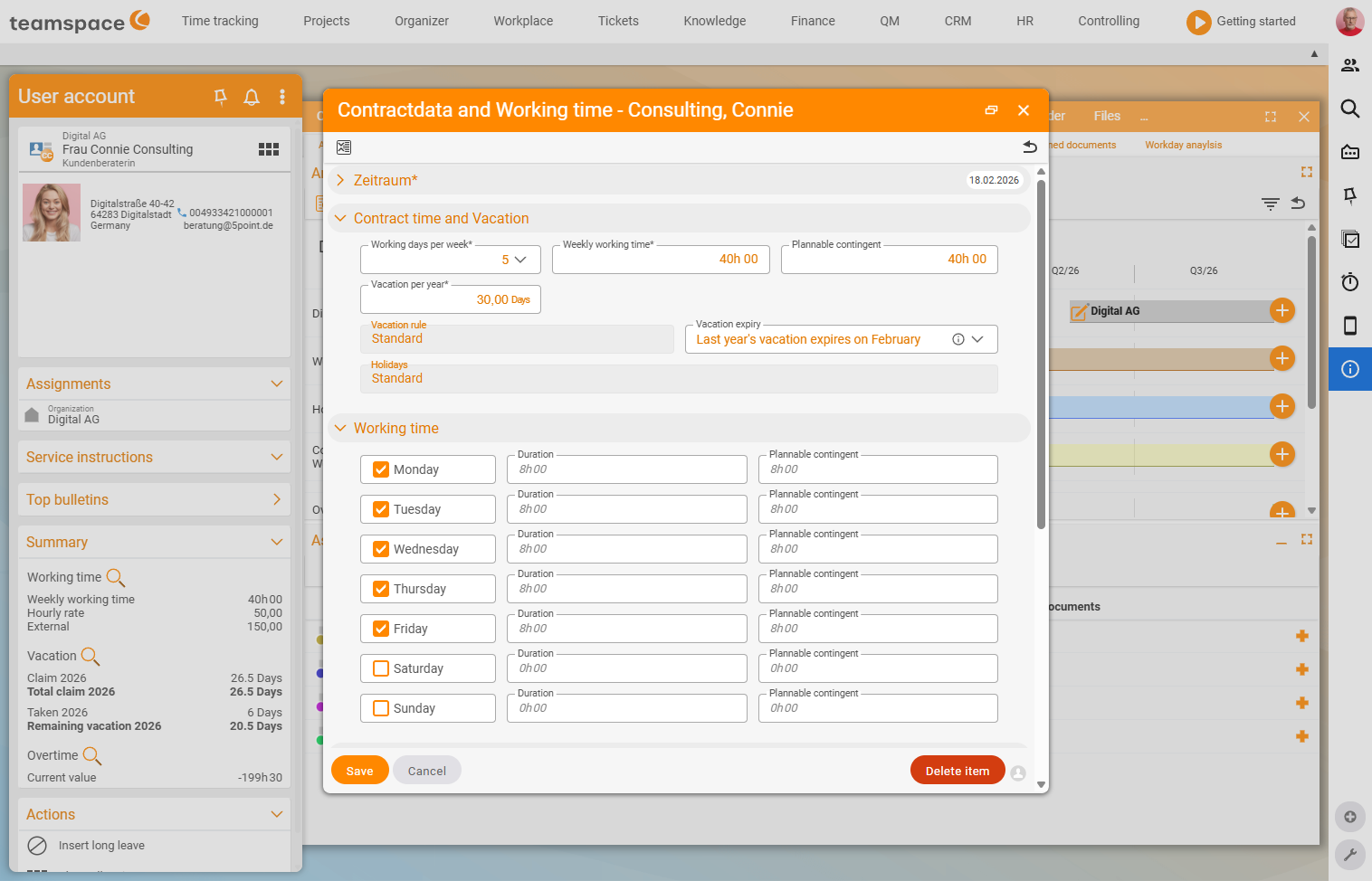
The working hours block
The dialog contains three blocks: the working hours, the time-tracking rules and the overtime rules. The working hours block contains:
- Weekly working hours: The number of hours the employee is meant to work per week.
- Working days: On which weekdays they regularly work. The system distributes the weekly working hours across these days automatically, and you can override the distribution per day manually. The total must add up to the weekly working hours again — otherwise the system reports an error.
- Annual leave entitlement: How many leave days they have per year.
- Public holiday calendar: Which regional public holiday list applies to this employee (more under Set up leave).
- Schedulable allocation: How much of the contractual time is available for project planning. If an employee has a 32-hour contract and an allocation of 28, capacity planning only schedules 28 hours — the remaining 4 hours stay free for internal tasks.
ℹ Info: Weekly working hours, working days and leave entitlement are interconnected. With a four-day week, an employee normally receives fewer leave days than with five. teamspace shows a note indicating how the leave entitlement compares to a five-day week.
How weekly working time is distributed across weekdays
In the Working hours section you select the weekdays on which work is done. Each weekday has a tick, which means: does the employee have to request leave for this day? For Saturday and Sunday it is normally switched off.
The distribution has consequences for how many hours a leave, public holiday or sick day offsets. By default, a full leave day is deducted from the account even for a shorter working day. With a 38-hour week, a leave day on Friday then only offsets 6 hours — whereas on a Thursday it offsets 8 hours. If the difference is large enough, the next step is worth it: half working days.
Half working days
Half working days are a tool for mapping weekdays of differing length more cleanly.
Example: Anna works 12 hours per week — 8 hours on Mondays, 4 hours on Tuesdays. A normal leave day would count the same on Mondays and Tuesdays, even though Anna’s Tuesday is only half as long. If you switch on the Half working days function in the configuration, you can mark Anna’s Tuesday as a half working day. A leave day then always corresponds to 8 hours, and for Tuesdays the system only deducts half a leave day (4 hours).
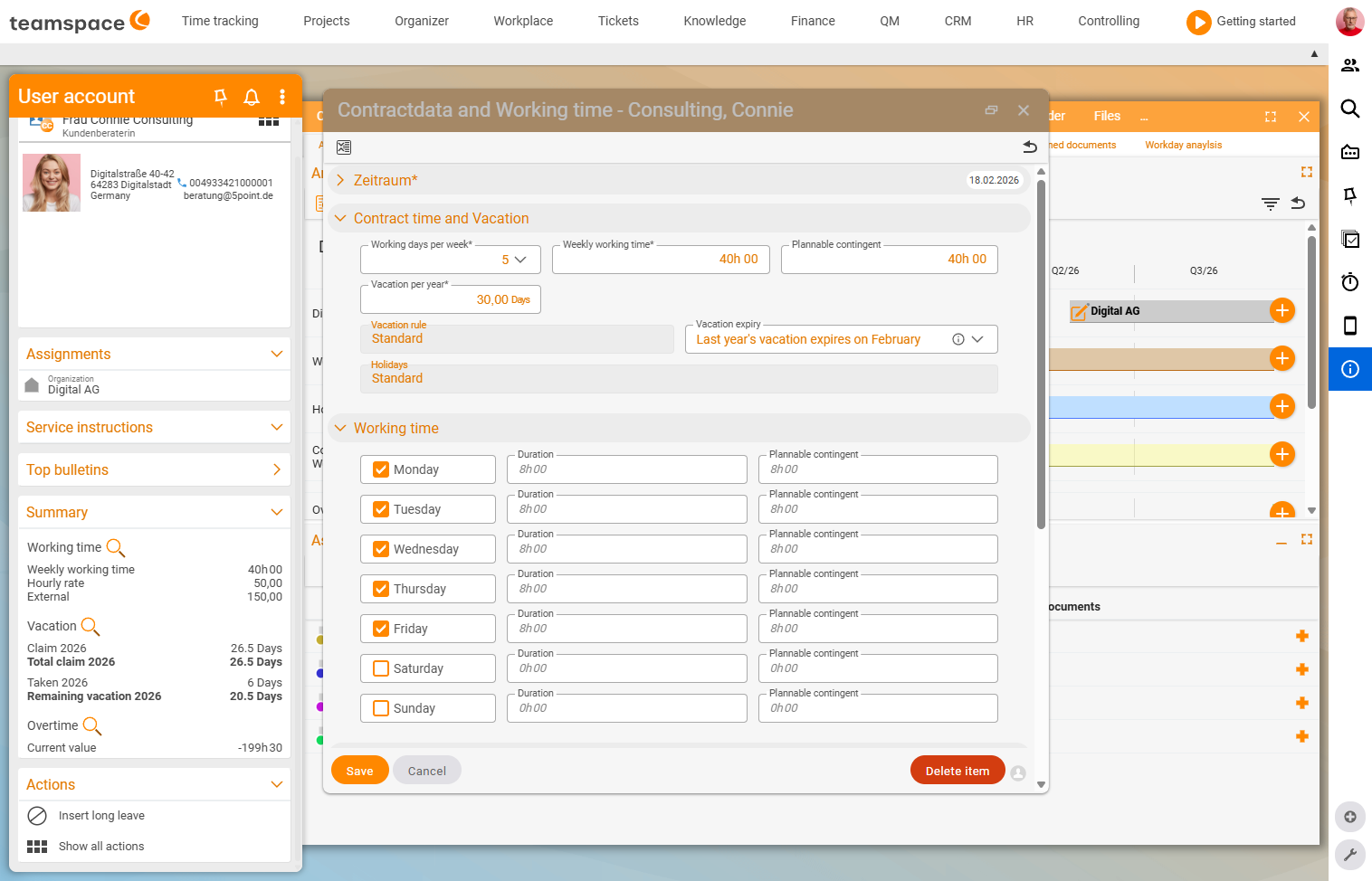
⚠ Important: When you enable half working days, Anna effectively has a 1.5-day week. You have to adjust the leave entitlement accordingly — otherwise the maths no longer adds up.
Half public holidays and half working days
When a half public holiday falls on a half working day, or half a day’s leave on a half public holiday — this is not regulated by law. teamspace handles it as follows: no work is to be performed when
- half a day’s leave is taken on a half working day,
- a half public holiday falls on a half working day,
- a half public holiday falls on a full working day and half a leave day is taken.
Time-tracking basis — three modes
In the Time tracking and overtime block you define what working time and the overtime account are measured against. Three modes are available:
- Attendance time: The employee checks in and out. The difference from the contractual time is added to the overtime account.
- Project time: The employee books their time against specific projects. The total of the project times counts as working time, and the comparison with the contractual time fills the overtime account.
- Trust-based working time: The employee can record times, but no overtime account is kept.
Which basis you choose depends on the working model: employees with project responsibility usually book project time, administration often runs via attendance, and management or independent staff usually work with trust-based working time.
Breaks, office hours, daily limit
Three further rules in the same block help when your time tracking needs more discipline:
- Break rules: Minimum breaks for attendance times — for example a 30-minute break from 6 hours of attendance. Not enabled by default.
- Office hours: so that travel times within office hours can be valued differently from those outside them.
- Daily limit: prevents the recording of project and attendance times above this limit. In some companies, employees may only work 10 hours per day even under flexitime.
Overtime rules
In the same dialog you govern how the overtime account grows and when it is capped:
- Overtime threshold: The value above which a month’s or year’s additional hours are transferred to the overtime account. If the threshold is set at 2 hours, only the hours from the third additional hour onwards move to the account.
- Max. overtime / month: The maximum number of overtime hours per month. Anything above this expires.
- Max. overtime in total: The highest level the overtime account is allowed to reach. Once it is reached, further hours are no longer recorded.
If you wish, the expiring overtime can be sent automatically for payout via Pay out further overtime with the monthly invoice. How overtime is calculated, adjusted and paid out in detail is described on the Overtime account page.
Time-account traffic-light system
So that you keep an overview with many employees on different contracts, there is a traffic-light system for the current state of the working-time account. At a glance you can see whether the level is “in the green”, slipping into yellow or in the red. You set the thresholds in the time-tracking configuration.
Common problems
Why does the system report an error on the working days when I save? The hours you distribute manually per day must add up to the weekly working hours again. If the total does not match, teamspace reports an error — adjust the distribution until it adds up.
I enabled half working days, and now the leave entitlement is off. With half working days, an employee has a different weekly structure on paper (e.g. a 1.5-day week). You have to adjust the leave entitlement accordingly — otherwise the maths no longer adds up.
Why does capacity planning schedule fewer hours than the contract states? The schedulable allocation is lower than the weekly working hours. If an employee has a 32-hour contract and an allocation of 28, capacity planning only schedules 28 hours — the remaining 4 stay free for internal tasks.
How do I switch off the overtime account for an employee entirely?
Set the time-tracking basis in the Time tracking and overtime block to Trust-based working time — then no overtime account is kept.
Common questions & needs
| You want to … | How to |
|---|---|
| Switch an employee to part-time | Reduce the weekly working hours and working days, and adjust the leave entitlement – step by step under Adjust contract data & salary. |
| Map fewer working hours on Fridays | Override the hours distribution per day in the working hours block; for a large difference, use Half working days. |
| Prevent someone from booking over 10 hrs/day | Set the Daily limit in the time-tracking block. |
| Specify that no overtime account is kept | Set the time-tracking basis to Trust-based working time. |
| Leave a buffer for internal tasks in planning | Set the Schedulable allocation lower than the weekly working hours. |
| Enforce minimum breaks | Enable Break rules (e.g. 30 min from 6 hrs). |
Related topics
- Adjust contract data & salary (with video) Personnel & HR How-to
- Overtime account: adjust & pay out (with video) Personnel & HR How-to
- Set up leave Personnel & HR Configuration
- Working-time recording