


Many Controlling analyses only compute correctly once three things are maintained outside the Controlling module: the internal cost rate per employee, the commission rates per category and – if desired – automatic ad-hoc dispatch. This article bundles these three adjustments.
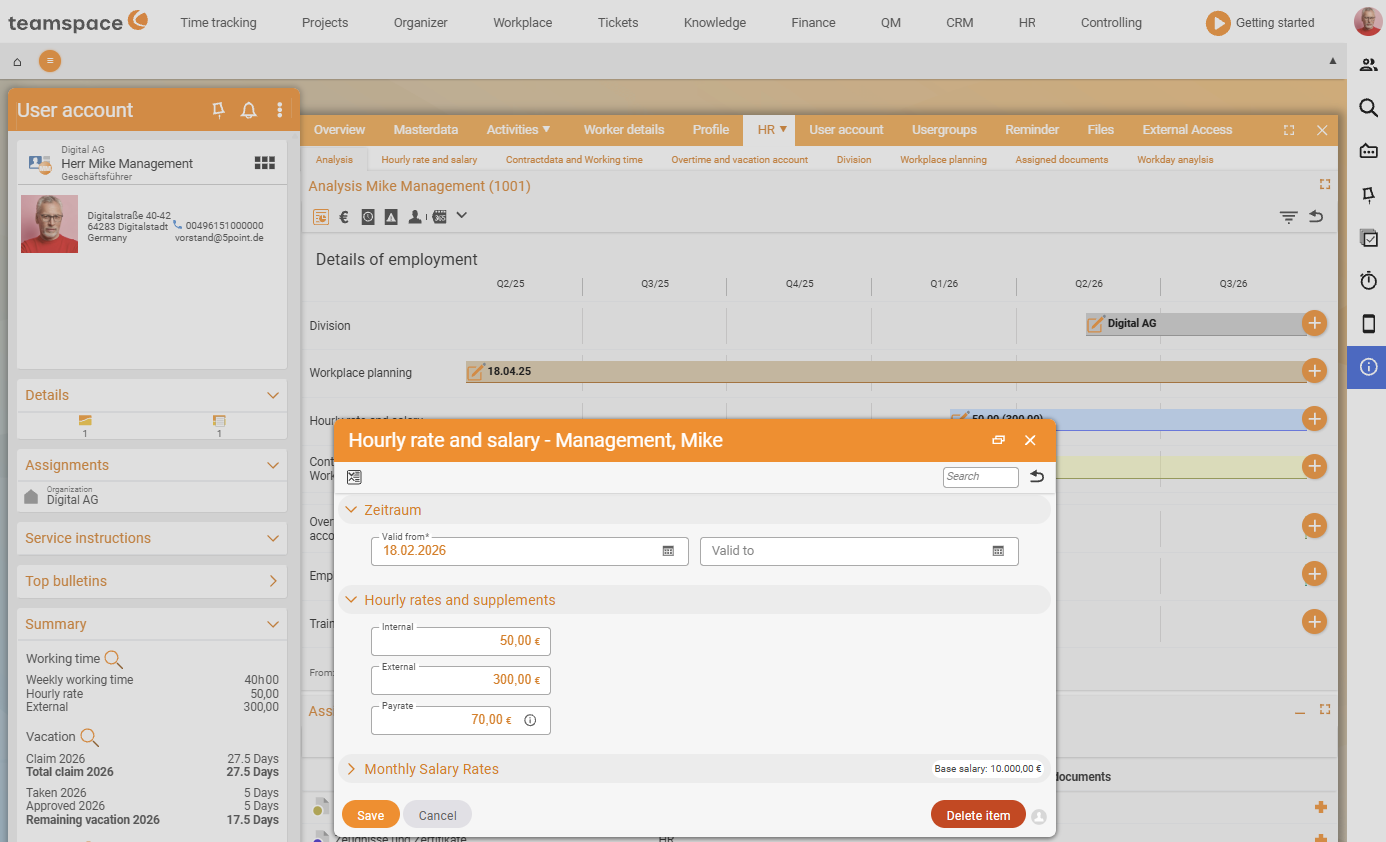
1. Internal cost rate (HR portal, per period)
The internal cost rate is the most important basis of every contribution-margin calculation. It is used to calculate an employee’s labour costs and to distribute their share of the positive contribution margin – proportional to their labour costs on the project. Without a maintained cost rate, Project analysis, Employee analysis and Customer analysis remain incomplete.
You maintain it per period in the HR portal:
- Open the HR portal and choose the employee.
- Store the internal (and, if applicable, external) cost rate – with a validity period, because rates change over time.
- Save; older periods are retained for historical analyses.
Important: Because the rate is period-based, analyses for past months use the rate that was valid at the time. When a salary/rate changes, create a new period rather than overwriting the old one.
2. Commission rates (Configuration → Projects → Categories)
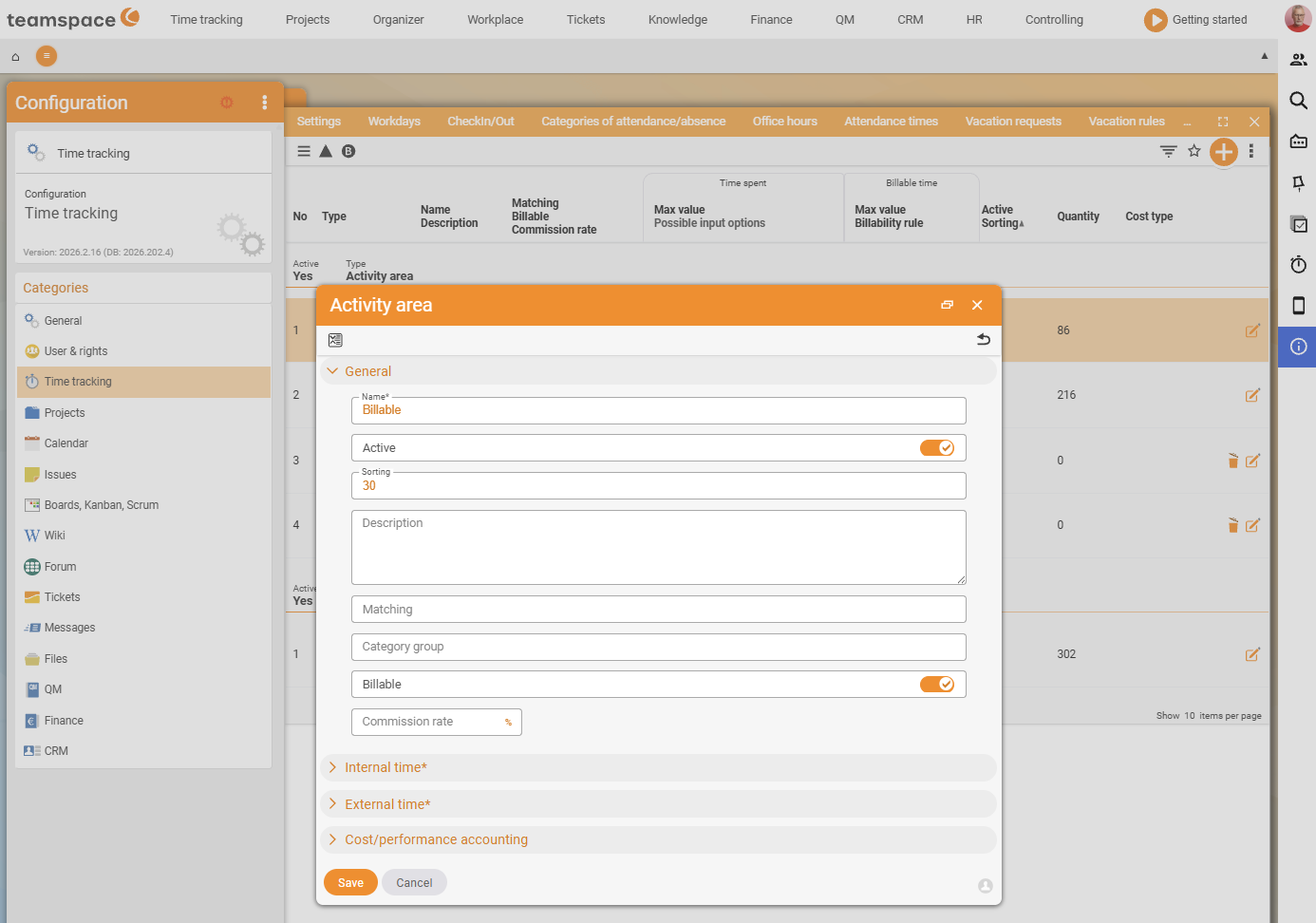
For each category you can store a commission rate that is applied when time is booked. If an employee records a project time under a category with a stored rate, the commission is calculated based on the order item – the commission report then shows how much commission can be paid.
This is how you set it up:
- Open the Configuration.
- Navigate to
Projects→Project time categories. - Open the category (the
Categorydetail manager) and store the commission rate in theGeneralsection. - Save – from the next time booking under this category, the rate applies.
3. Ad-hoc dispatch (Personal data – Notifications)
The ad-hoc report informs a person automatically by email about important events (assignment of tasks, warnings, new follow-ups, new tickets). The dispatch frequency is set by each user themselves – not by the admin in the Controlling module:
- Open the avatar menu (personal settings).
- Go to
Personal data – Notifications. - Set how often you receive ad-hoc reports.
The analysis of the dispatched reports (the filters User account, Period, additional filters) is described in Other reports.
Common problems
I’ve maintained a cost rate – why does the contribution margin still stay empty? The rate only applies for its validity period. If the analysed period lies outside it, teamspace calculates without a rate. Check that the stored period covers the analysis period, and add any missing periods.
Why do past months suddenly calculate incorrectly after a rate change? Because you overwrote the old rate. The cost rate is period-based – past analyses must calculate with the rate that applied at the time. When changing it, create a new period instead of overwriting the old one.
Why is no commission calculated despite a stored commission rate?
Commission only arises when a project time is booked under the category carrying the rate and matches an order item that the calculation is based on. Check that the rate sits on the right category (Projects → Project time categories) and that the time is booked under it.
Common questions & needs
| You want to … | How to |
|---|---|
| Have contribution margins calculated correctly | Maintain internal cost rates per employee with a validity period in the HR portal. |
| Map a rate change cleanly over history | Create a new period, don’t overwrite the old one. |
| Make commission payable for an activity | Store the commission rate on the relevant category under Configuration → Projects → Categories. |
| Be informed automatically about new tickets | Enable ad-hoc dispatch under Personal data – Notifications. |
| Change the dispatch frequency | Avatar menu → Personal data – Notifications. |
Related topics
- Introduction to controlling Controlling Introduction
- Employee reports Controlling How-to
- Project reports Controlling How-to
- Topic: Personnel & HR Personnel & HR