


Not every customer is equally important – and not every piece of information should slip through. Three tools make sure that important customers are looked after in a targeted way and that crucial notes are visible at the right moment: the key account manager, the VIP marking and the service note. Who last spoke to a key customer, and when? The CRM answers at a glance.
Key account manager – the person responsible on your side
The key account manager (KAM) is the person from your company who looks after a customer. You enter them in the organisation’s master data in the Customer aspects area (Key account manager); in addition, a KAM can be set at contact level in the Assignments and settings, when an individual person is looked after separately.
What this is for:
- Making responsibility visible: on a call, the caller ID shows the responsible key account manager next to the customer – everyone immediately knows who is in charge.
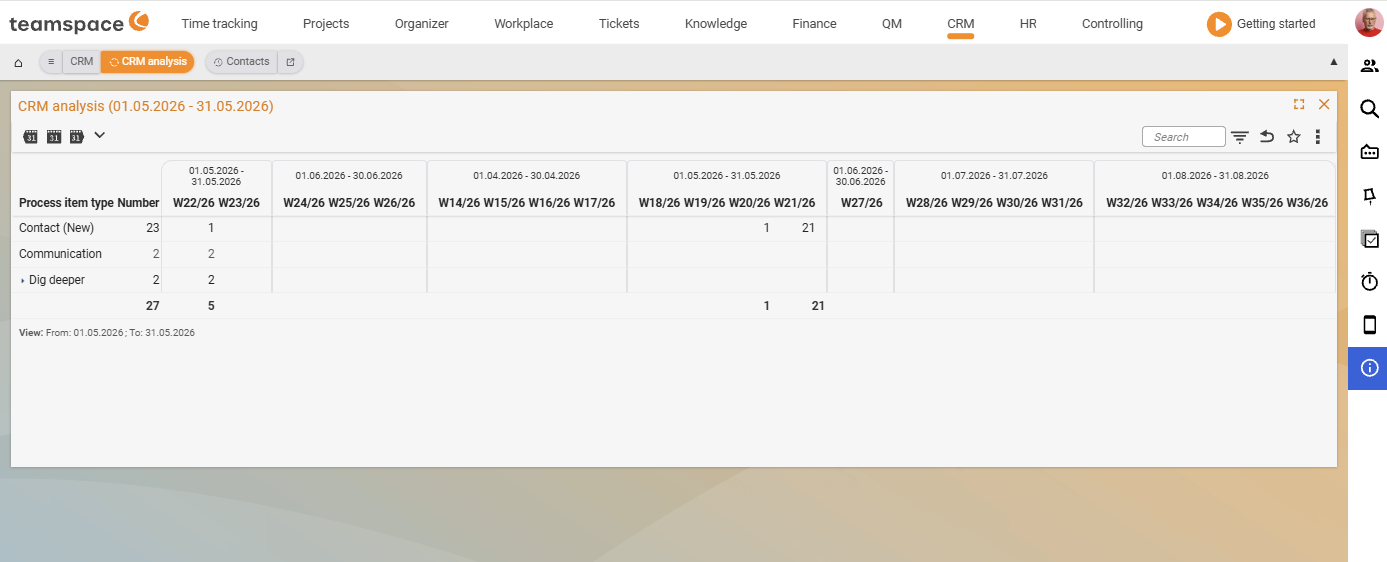
- Evaluation: in the reports, sales opportunities and activities can be split by key account manager (see CRM reports and analyses).
- Data protection: you can set the KAM as the only authorised viewer if you want to shield an organisation’s data from the rest of the team.
VIPs – the important people on the customer’s side
A VIP is the important person at the customer – the one who is to be looked after and who reliably gets the Christmas card. While the key account manager is on your side, the VIP role marks the key person on the other side. Both appear on the business card and show up in the service notes when someone calls. This way strategic customer loyalty does not depend on a single person’s head, but is stored in the system.
Service notes – the right info in the right context
A service note is the small, hard-to-miss note that an employee sees immediately when a contact or organisation appears – such as “only pays after dunning level 2” or “postal address differs, always address to Ms Schulz”. You create it in the master data under Service note, both on the organisation and (separately) on the individual contact.
The crucial part is the visibility control: via the configuration you decide where the note appears – only in the organisation, in the ticketing system, in documents, in projects. This way “only pays after dunning level 2” travels along into invoicing, without anyone having to click three pages away. The configuration of the visibility is described in Set up the CRM.
Besides free text, you can also display projects or order items as a service note – such as open maintenance contracts that should be visible in every module context.
Special contacts – roles across organisation boundaries
Special contacts are people with a special role towards an organisation – managing director, sales manager, external data protection officer, main contact for invoices. You create the roles in the CRM configuration and assign them; the special contacts appear prominently in the org chart and on the business card.
The clever part: a person can deliberately step outside the context of a single organisation. The same person is an employee at company A and at the same time an external data protection officer at company B – teamspace maps both via special contacts, without creating the person twice.
Common problems
Why doesn’t my service note appear in invoicing or in a ticket? By default the service note is only visible in the organisation. Where else it appears – ticketing system, documents, projects – is controlled via the configuration. Enable visibility there for the context you want, and a note like “only pays after dunning level 2” travels with it automatically. The visibility configuration is described in Set up the CRM.
How do I map a person who belongs to two companies? Via special contacts. The same person can be an employed consultant at company A and an external data protection officer at company B – teamspace maps both via special contacts, without creating the person twice. You create the roles in the CRM configuration and assign them.
Common questions & needs
| You want to … | How to do it |
|---|---|
| Record who looks after a customer at our company | Enter the Key account manager in the organisation’s Customer aspects (optionally also at contact level). |
| Highlight a key person at the customer | Mark the contact as a VIP – they appear on the business card and in the service notes. |
| Shield a customer’s data from the team | Set the key account manager as the only authorised viewer of the organisation. |
| Make a payment warning visible in invoicing | Set a Service note on the organisation and enable visibility for documents in the configuration. |
| Map an external data protection officer | Assign them to the organisation as a special contact with their own role – even if the person is employed elsewhere. |
| Evaluate how actively a KAM looks after their customers | Split the CRM analysis or sales opportunities report by key account manager (see CRM reports). |
Related topics
- Create and manage organisations CRM How-to
- Create and manage contacts CRM How-to
- CRM reports and analyses CRM Reference
- Key account management