


The CRM configuration controls how customers, prospects and suppliers are rated, which fields are available on the contact and on the organisation, and which activity types your team uses. You reach it via the System configuration button (at the bottom, next to the Administrator mode display) → category CRM → tab Settings. Within the configuration, administrator mode is always active in any case.
ℹ Info: Changes to rating models take effect immediately: teamspace recalculates the ABC classification in the background. You see the result directly in the
Customers,Prospects,Supplierslists.
Note on the paths (as of 2026-06-22, checked live): The rating models and fields are not under separate menu items
Customer aspects/Sales aspects/Supplier/CRM templates, but bundled underConfiguration → CRM → Settings. There you open the collapsible areas:Organisation - Customer → Customer aspects(customer rating model),Organisation - Prospect(prospects),Organisation - Supplier(suppliers),CRM activities → Available types(activity types) andContacts(contact fields, dynamic link, field visibility). Separate menu items, by contrast, areContactsandCRM activities(these are lists of the contacts and the CRM activities, not the field/type configuration) as well asDeletion deadlines. The following sections still name the old short paths inbackticks; the real collapsible paths are given here.
1. Set rating models (ABC)
Each of the three relationships has its own rating model with a metric and a time horizon. The scheme is always 20% A / 60% B / 20% C – the logic behind it is described in Prospects, customers and suppliers.
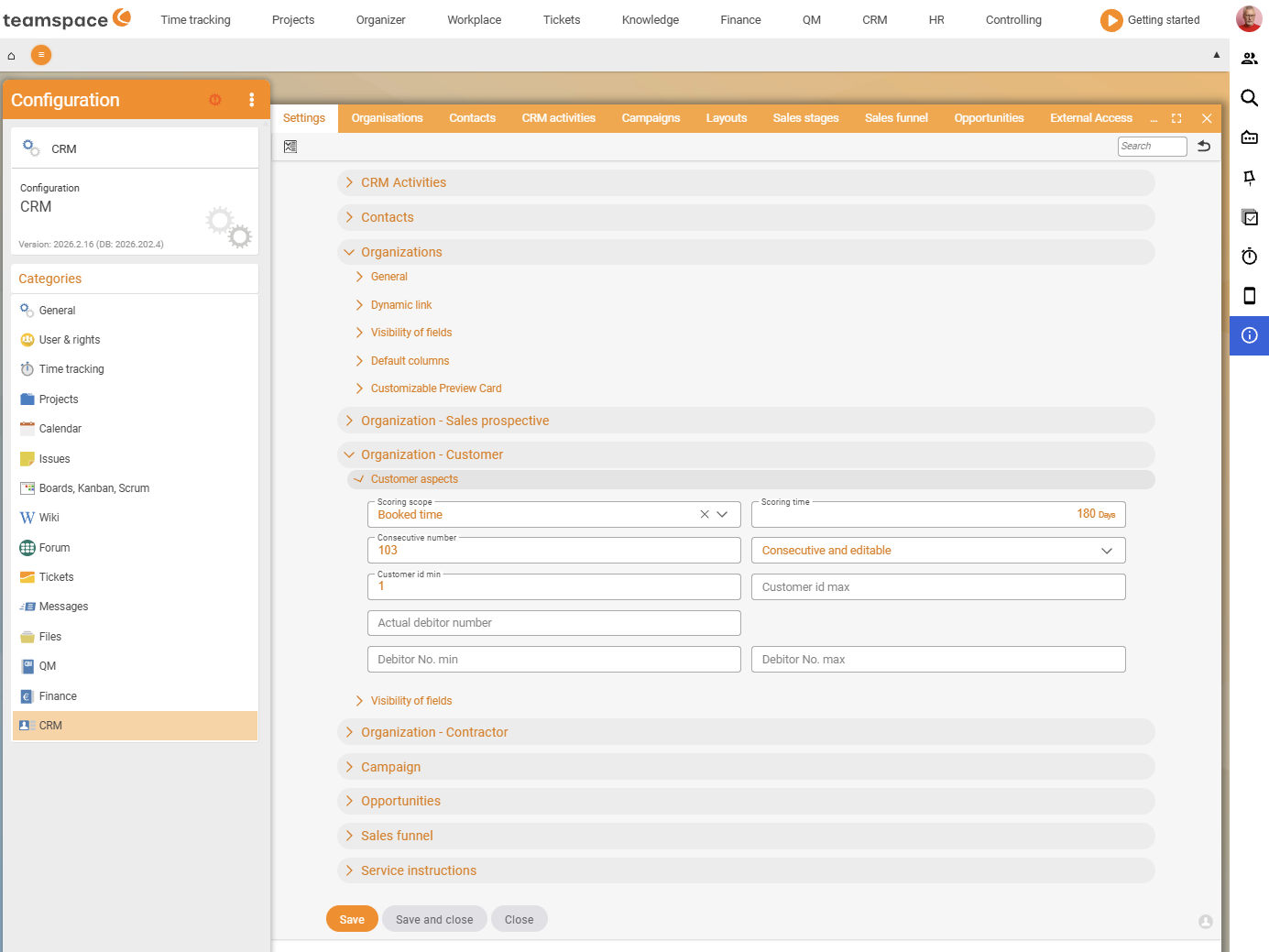
- Customers (
Configuration → CRM → Settings → Organisation - Customer → Customer aspects): choose the rating model. It is often preset toProject times(in the demo tenant with a time horizon of180 days); for most organisationsInvoicesover thelast 365 daysis more meaningful – teamspace then sums all invoices per customer over the year, builds the ranking and assigns A/B/C. The time horizon (e.g. 365 days instead of 180) can also be set here. - Prospects (
Configuration → CRM → Settings → Organisation - Prospect): choose the rating model –Revenue potential,Quotes(e.g. of the last 60 days),Revenue potential and quotes,Sales opportunitiesorRevenue potential and sales opportunities. Recommendation when using sales opportunities:Sales opportunitiesorRevenue potential and sales opportunities, because they carry a target value and probability and are not inflated by competing quotes. - Suppliers (
Configuration → CRM → Settings → Organisation - Supplier): the rating model runs onTime,QualityandCost; in addition you set the time horizon. You define the possible selection values and their weighting here.
⚠ Caution: The
Revenue potentialis a free, static field – if it is not maintained, a once-high value stays in place permanently and inflates the A-prospects. Either set an upkeep interval or switch to a dynamic model (Sales opportunities).
2. Custom fields and standard fields
teamspace comes with a large number of optional fields that you enable as needed:
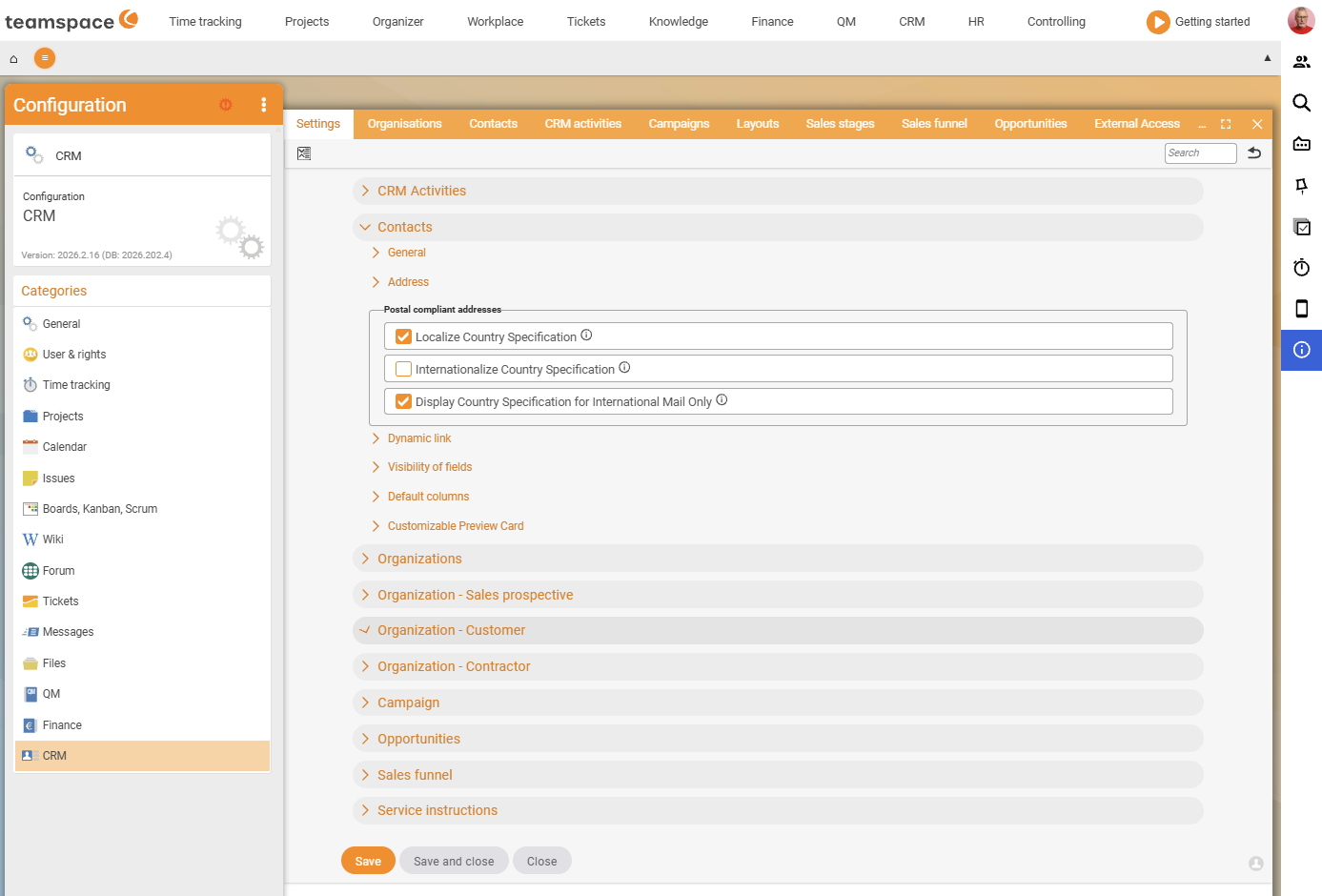
- Standard fields are enabled under
Configuration → CRM → Settings → Contacts → Field visibility(for contacts) or the correspondingOrganisation - …areas – such as social media profiles, additional address types and job title. - Custom fields are created there when a needed field is not included – separately for contact and organisation, since contact fields and organisation fields are stored differently.
- Industries, size categories, customer categories: the selection values that appear in
Statistics and classificationsorCustomer aspectsare also maintained here. - Special contacts / roles: the assignable roles (managing director, data protection officer, etc.) are created in the CRM configuration (see Key account managers, VIPs and service notes).
3. Maintain activity types (CRM templates)
In the detail manager the user sees four to five standard activities directly at the plus button; you enable or disable all further (“passive” CRM activities) under Configuration → CRM → Settings → CRM activities → Available types (live, e.g. Acquisition, Enquiry, Follow-up, Note).
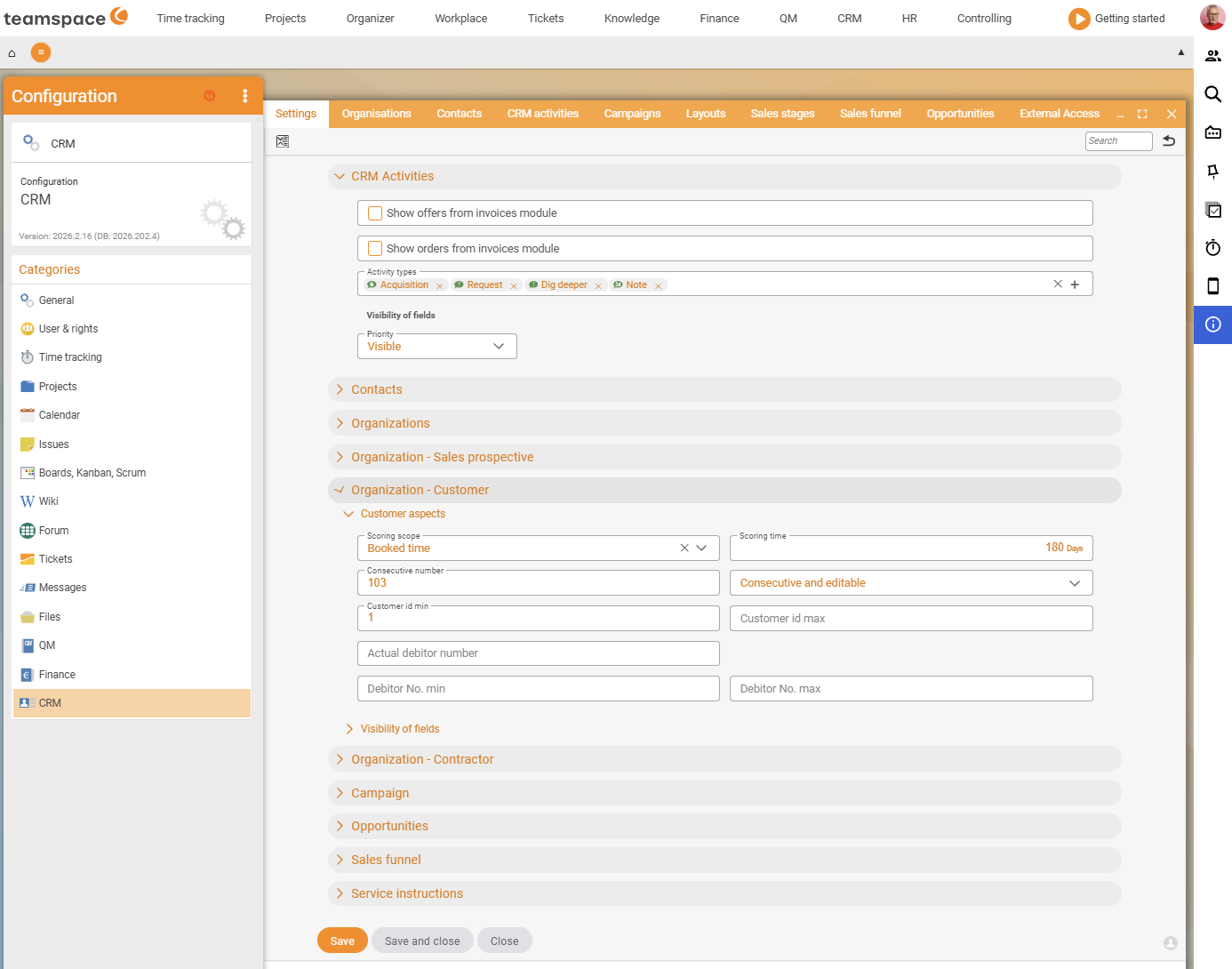
- If you take a type out of the list, it is no longer directly available to users.
- The types fall into the three groups soft activities, hard factors and internal matters (see Activities and follow-ups).
- This is also where the templates offered in campaigns are located (mail, form letter, address labels, CRM activity) as well as the associated form-letter and label layouts.
4. Service-note visibility
Via the configuration you define where service notes appear – only in the organisation, in the ticketing system, in documents, in projects. This way a note like “only pays after dunning level 2” automatically travels into the right context. Details on the service note itself are in Key account managers, VIPs and service notes.
5. Dynamic links
Dynamic links connect each contact with an external system (e.g. their SharePoint folder). They are configured under Configuration → CRM → Settings → Contacts → Dynamic link: in the Name field you set the general part of the link, below it the individual link part with placeholders from the [x] symbol (e.g. {{contact.surname}} or {{contact.email}}). Adapt the placeholders to the target system – some expect an email address, others an ID, others the surname.
6. Telephony integration
Anyone who wants to dial directly from the follow-up list (handset symbol, call attempts are documented automatically) sets up the telephony connection in the configuration. You clarify the exact path and the supported phone systems with the consulting team – the dialling mechanism itself is described in Activities and follow-ups.
Common problems
Where do I find the rating models – there is no Customer aspects menu item?
The models are not under their own menu items but bundled under Configuration → CRM → Settings. There you open the collapsible areas Organisation - Customer → Customer aspects, Organisation - Prospect and Organisation - Supplier. The separate menu items Contacts and CRM activities, by contrast, are lists – not the field/model configuration.
Why are my A-prospects inflating?
The Revenue potential is a free, static field. If it is not maintained, a value set high once stays put permanently and pushes too many prospects into the A class. Set a maintenance interval or switch the prospect model to Sales opportunities – these run with status and probability on their own.
Do I have to recalculate after a model change?
No. Changes to rating models take effect immediately: teamspace recalculates the ABC classification in the background. You see the result directly in the Customers, Prospects, Suppliers lists.
Common questions & needs
| You want to … | How to do it |
|---|---|
| Rate customers by annual revenue instead of project times | Configuration → CRM → Settings → Organisation - Customer → Customer aspects: rating model to Invoices, time horizon to last 365 days. |
| Avoid inflated A-prospects | Configuration → CRM → Settings → Organisation - Prospect: switch the rating model to Sales opportunities instead of Revenue potential. |
| Rate suppliers by time/quality/cost | Configuration → CRM → Settings → Organisation - Supplier: set the rating model and time horizon, maintain the selection values. |
| A field that teamspace does not provide | Enable a standard field under Configuration → CRM → Settings → Contacts → Field visibility or create a custom field. |
| Enable/disable an activity type for everyone | Configuration → CRM → Settings → CRM activities → Available types: enable/remove the type. |
| Show a service note in tickets too | In the configuration, enable the visibility of the service note for the ticketing system. |
| Jump from the contact into an external system | Set up dynamic links under Configuration → CRM → Settings → Contacts → Dynamic link with placeholders. |
Related topics
- Prospects, customers and suppliers CRM Concept
- Activities and follow-ups CRM How-to
- Set up and run deletion deadlines (GDPR) CRM Configuration
- Key account managers, VIPs and service notes CRM How-to