


In the CRM you manage organisations, their contacts and everything that happens with them. Every call, every quote, every appointment ends up as an activity on the contact and on the organisation – at a glance you see what last happened with a customer. The prospect/customer/supplier relationships, the ABC analysis, sales opportunities and campaigns all build on this.
Unlike a pure ERP, which supports the handling of an order you have already won, the CRM helps you improve your sales – capture leads, track their path through the sales funnel and plan activities. In teamspace both are integral: you need no interface between CRM and invoicing.
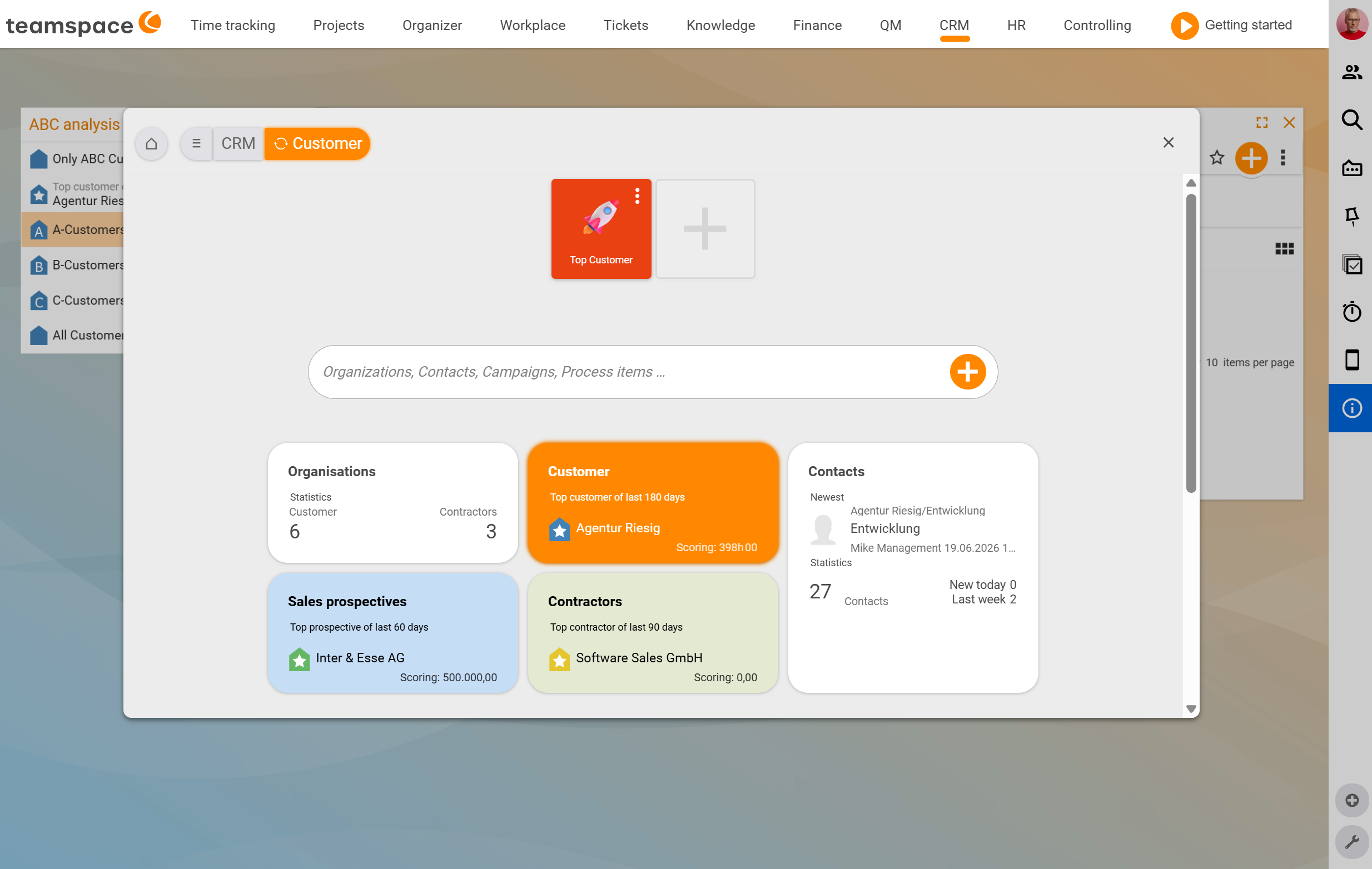
How organisation, contact and activity fit together
Three objects carry the CRM:
- Organisation – usually a company, but also a public authority, an association or a private household. It is the bracket around everything you do with the place.
- Contact – the person you actually talk to. Only contacts have contact data (addresses, emails, phone numbers). A contact can also be a faceless point of contact, such as an accounts department.
- Activity – everything you do with a contact: call, appointment, quote, email, presentation.
The hierarchy pays off: you maintain addresses on the organisation, and the contact inherits them automatically – until it gets its own. You map holding structures with parent/subsidiary organisations. And when you want to know when anyone from your team last had contact with company XY, you see it on the organisation – regardless of which colleague created the activity. The mental model behind this is described in Organisations, contacts and activities – the data model.
Three relationships to the organisation
An organisation can be a prospect, customer or supplier – or two of these at once. You do not fix the relationship manually, but leave it on Automatic: as soon as you write an invoice or create a customer project, the organisation becomes a customer; an incoming invoice or purchase order additionally makes it a supplier.
Each of the three relationships has its own ABC analysis over a rolling period: the best 20% are A, the middle 60% B, the worst 20% C. This makes the concentration risk visible – who has a disproportionately large share of your revenue or your purchases. Details in Prospects, customers and suppliers.
Tools for sales
- Sales opportunities accompany a single sale with a target value, probability and stage in the funnel. They are a topic of their own – see Topic: Sales opportunities.
- Campaigns bundle the reverse case: many contacts, one action (newsletter, event invitation, automated mail sequence). See Create and send campaigns.
- Key account managers and VIPs are the people-side anchors – the person responsible on your side and the important person on the customer’s side. See Key account managers, VIPs and service notes.
- Activities and follow-ups are the day-to-day business: documenting what happened and noting down what still needs doing. See Activities and follow-ups.
What else you can do with a contact
Because the CRM is embedded in teamspace, all functions from invoicing, project handling and the ticketing system are available directly on the contact. An NDA or non-disclosure agreement is just a button press away, and you write a quote without switching systems. Service notes make sure that, when the phone rings, you can immediately see what matters for this customer.
What a working day looks like
- Ingo Prospect calls: you create him as a contact, attach Agentur Riesig as the organisation (the address is inherited automatically), document the call as an activity and set a follow-up for two weeks’ time.
- Anna Müller sends the B-customers a reactivation email in the morning: she filters the contact list to
B-customers, sends the selection to the campaign manager as a new campaign and triggers a mail activity. - Volker Vorstand wants to know which top customers have gone quiet lately: he opens the
Customerslist, filters toA-customersand sorts by the date of the last activity.
Notes
- Leave the relationship to the organisation on
Automaticwherever possible. “Once a prospect, always a prospect” is exactly what you do not want: just because someone received a quote ten years ago does not make them an active prospect any more. - Do not create accounts-receivable/accounts-payable numbers prematurely for every organisation. Many charts of accounts only allow six-digit numbers – leaving it on
Automaticonly assigns the number once the relationship actually arises. - The CRM is aimed at organisations that work in a project-oriented way – consulting, service and individual projects are the focus, not pure unit sales through a shop.
Related topics
- Organisations, contacts and activities – the data model CRM Concept
- Create and manage organisations CRM How-to
- Prospects, customers and suppliers CRM Concept
- Topic: Sales opportunities Sales opportunities
- CRM software