


Not every task is big enough to warrant its own work package – but it can still be too important to forget. That is exactly what the personal pin board is for: a place where you pin small tasks and elements and have them displayed. Every employee automatically has their own pin board; it needs neither to be created nor configured.
Pin an element
- Open the business card of the element you want (e.g. a ticket, a task or a contact).
- Click the green pin on the business card.
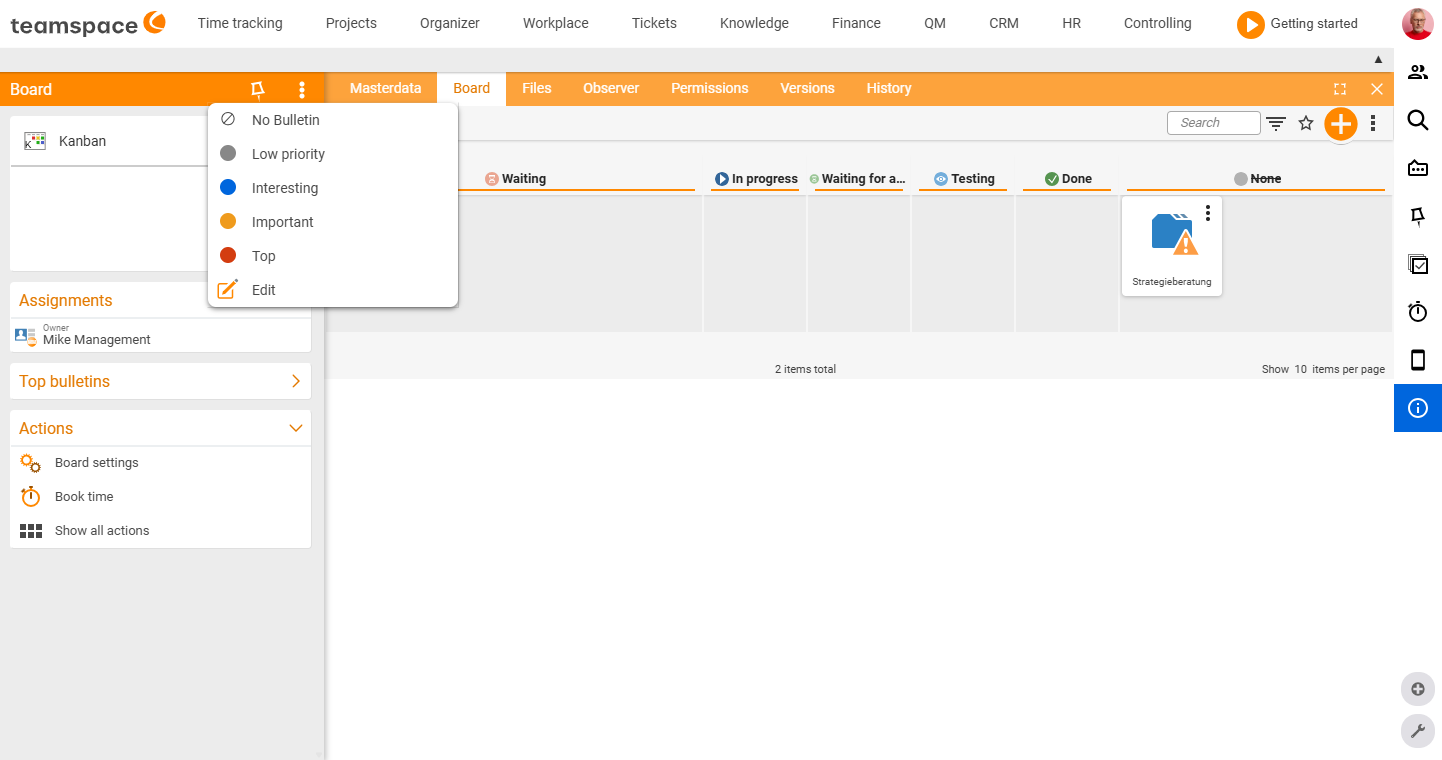
- Choose a relevance level – from “Low priority” up to “Top”. The element then appears on your pin board, prioritised accordingly.
Open the pin board and keep it in view
- Use the “My pin board” tile to open the full view with all entries. There you configure the pin board just like any other board.
- It is quicker via the bottom or side status bar: it shows the number of pinned elements and the highest current priority – so your most important to-dos are always front of mind.
Can others see my pin board?
No. The personal pin board is private – only you can see the elements on it. For shared boards, create a board of your own instead and control access via the board permissions.
Common problems
Why is my card still set to “Open” even though the ticket is done? The status of the pin board card is independent of the status of the linked element. You can move a ticket to “Done” on your pin board as personally finished, even if the actual ticket is still in progress – and vice versa. On the pin board you maintain your own view, not the global state.
How do I unpin something? Click the pin icon on the element again, or delete the card directly from the pin board entry dialog. The linked element itself is unaffected; only the entry on your pin board disappears.
Related topics
- Board types (section “My pin board”) Boards Concept
- Add tasks & elements to a board Boards How-to