


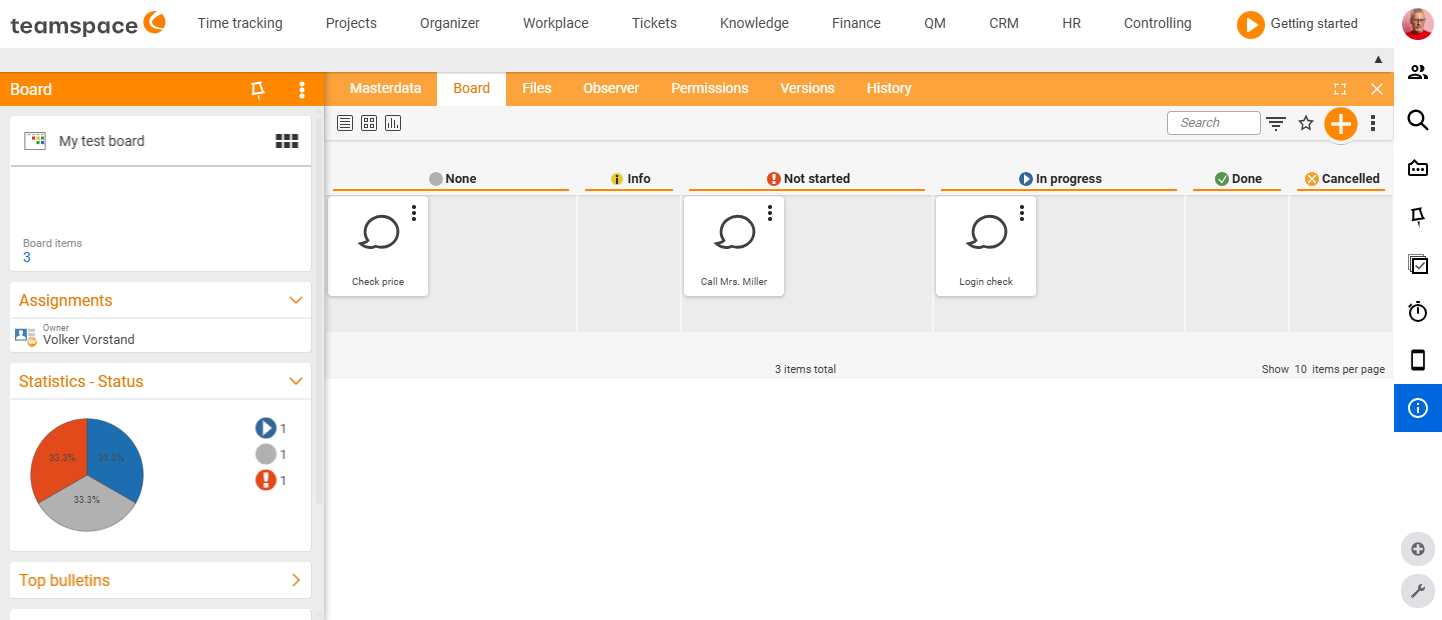
Every board has a detail manager – the row of tabs at the top of the board through which you reach all settings and additional content. The following tabs are available:
Master data
Here you maintain the properties of the whole board and enter the owner. Important: the owner setting is not an access permission – even without the owner role, other users can access and edit the board. You control access in the Permissions tab. All further master data fields are described in Create and set up a board.
Board
The board itself – with the stored task cards and the design you set. You move cards between columns and rows via drag & drop.
Wiki
The board and the wiki page are the same element: every board can additionally maintain a wiki area for important content, procedures and instructions – and conversely, every wiki page can activate a board area. A page can therefore appear in both lists (e.g. an instruction in the wiki, tasks in columns on the board). Details under Configure board and wiki pages.
Forum
A link to the forum module. Forum topics and polls you create via this page’s action box are automatically linked to the board. The speech bubble shows the number of posts; one column links directly to the latest post.
Files
Here you upload files – via the “Upload file” navigation box or by drag & drop. The files are not attached to individual tasks but linked to the whole board.
Watchers
As a watcher you are informed about changes to the board. The owner is automatically added to the watcher list.
Permissions
Here you define who may view or edit the board (modes “unrestricted”, “restricted”, “private”). In detail in Board permissions & collaboration.
Versions
When the wiki page is saved, the previous state is stored as a version; any version can be reactivated as the current one. Only the wiki page is versioned – the board page itself and individual board entries are not versioned.
Related topics
- Create and set up a board Boards How-to
- Board permissions & collaboration Boards How-to
- Introduction to boards Boards Concept