


In teamspace, board pages and wiki pages are technically the same element – one page type with several areas. The difference arises solely from which areas (tabs) are visible and active on a page. As an admin you control this centrally; on the individual page it is then decided whether it uses a board area, a wiki area or both.
Why this is useful
- Board area: create, move and manage cards – steer tasks visually.
- Wiki area: maintain an instruction, a record or documentation right on the same element.
- Both combined: e.g. a project board for steering and a wiki for the associated record – task control and knowledge in one place, instead of in separate elements.
Which permissions does a group need for boards?
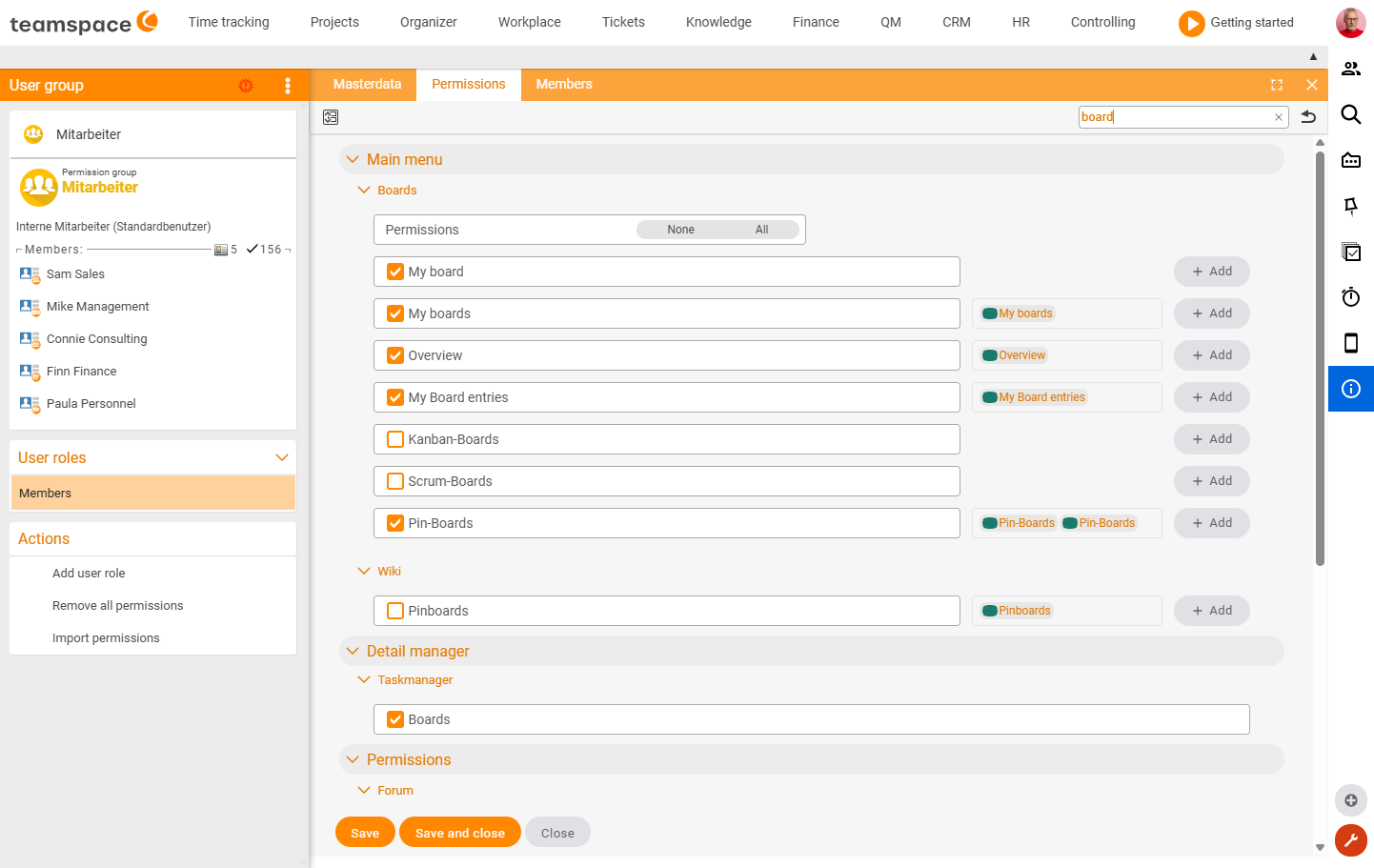
For a user group to be able to use boards at all, it needs the right permissions. The fastest way to find them is to filter for “board” at the top right of the group permissions:
Configuration → Users & rights → Permission groups → <group> → Permissions → search "board"The most relevant ones are:
- Main menu → Boards – controls the visible tiles: My pin board, My boards, Overview, My board entries, as well as Kanban, Scrum and pin boards.
- Detail manager → Task manager → Boards – allows working with board elements.
- Configuration rights → Boards, Kanban, Scrum – only for admins who are allowed to change the central defaults (settings, list of boards, default settings).
Visible areas via group permissions
Which tabs/areas a user group sees on a page is defined in the group’s permissions:
Configuration → Users & rights → Permission groups → <group> → Permissions → Detail manager → "Wiki page"There you activate the individual areas via checkbox – including Wiki, Edit, Files, Forum, Permissions, Versions, Watchers, Public pages and History. Areas that are not activated do not appear for this group.
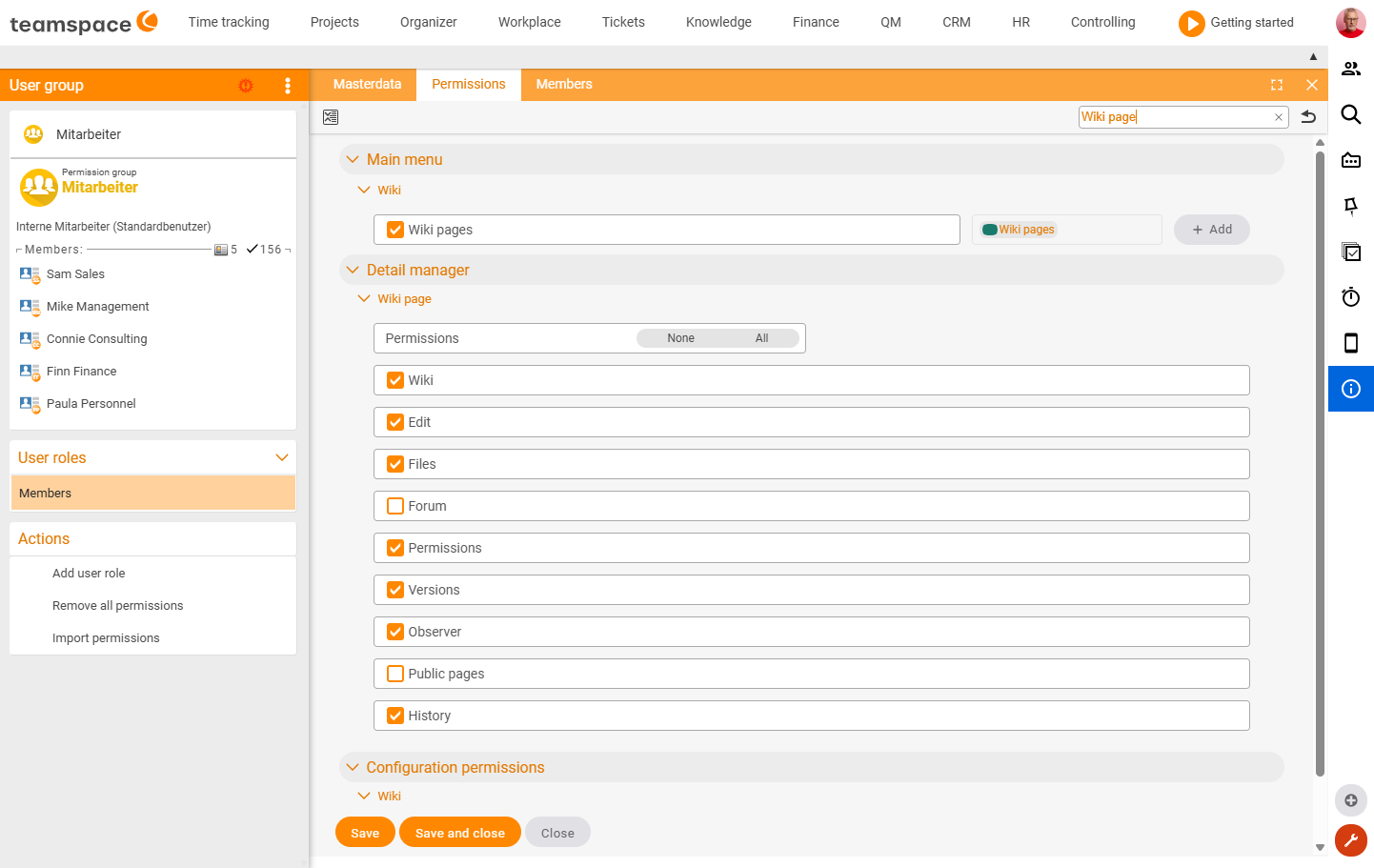
Note: in the permissions the element is called “wiki page” – it covers board and wiki pages alike, because both are the same page type.
Central defaults for boards
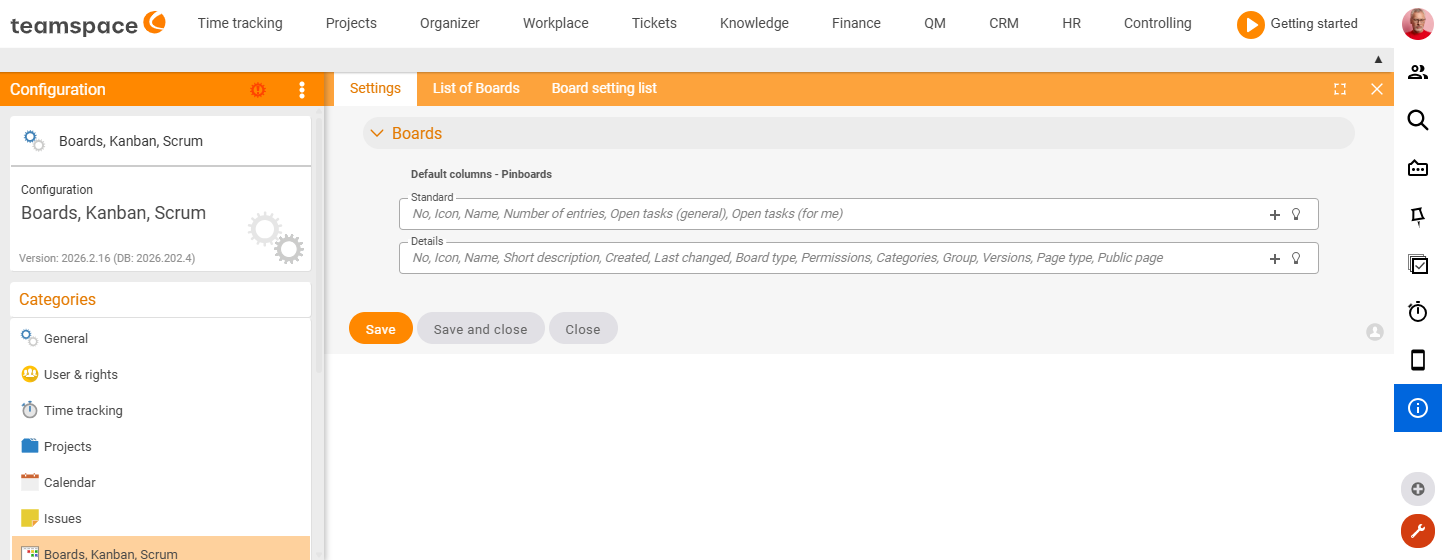
You maintain default values for boards centrally – such as the default columns of the board lists:
Configuration → Boards, Kanban, Scrum → SettingsHere you define, for example, the default columns for the “Standard” and “Details” view of the pin boards. Under the “List of boards” and “Default settings” tabs you make further specifications.
Board, wiki or both – decide per page
On the individual page you determine, via the page type and the active areas, how it is used:
- Board only – focus on the board area with columns and cards. See Creating and setting up a board.
- Wiki only – the page serves as a pure knowledge or documentation page.
- Both – board area for steering and wiki area for documenting on the same element.
This way you adapt each page to its purpose without having to create a second element.
Common problems
Why does a user group see no boards?
Then the group is missing the required permissions. Under Configuration → Users & rights → Permission groups → <group> → Permissions (filter “board”), set at least Main menu → Boards and Detail manager → Task manager → Boards.
Why is the wiki or board area missing on a page? Which areas (tabs) are visible is controlled in the group permissions under Detail manager → “Wiki page”. Areas that are not activated do not appear for this group. The element is called “Wiki page” there, but covers board and wiki pages alike.
Related topics
- Board permissions & collaboration Boards How-to
- The detail manager of a board Boards Concept
- Topic: Wiki Wiki
- Topic: Permissions Permissions