


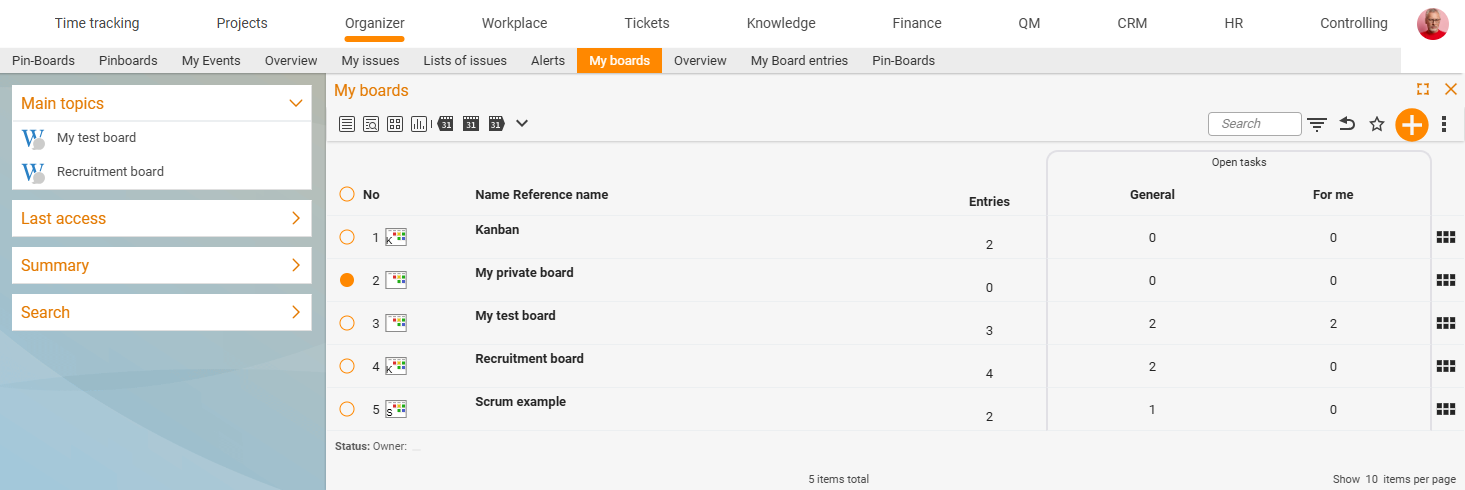
You can create boards in three types: pin board, Kanban or Scrum. They differ above all in their preselected columns (statuses), but can be adjusted at any time and converted into one another without any trouble. You choose the type when creating the board and can change it later in the settings.
My pin board (personal)
Every employee automatically has their own personal pin board – you don’t have to create it separately. Since the pin board is technically a board as well, you can switch between it and your other boards at any time; the board currently used as the pin board is marked with a yellow triangle in the “My boards” list.
It is quickly reachable via the bottom or side status bar, where it shows the number of pinned elements and the highest current priority. That way you always keep your most important to-dos in view. How to pin elements is described in Use your personal pin board.
Pin board
The pin board is the most free-form type – ideal for loosely collecting elements. Default statuses:
- None
- Info
- Open
- In progress
- Done
- Cancelled
Kanban board
The Kanban board is the classic choice for ongoing work: tasks move column by column from intake through to completion. Default statuses:
- Waiting
- In progress
- For approval
- In testing
- Done
Kanban is excellent for structuring everyday work – e.g. support tickets, sales contacts or project tasks (see Add elements to a board).
Scrum board
The Scrum board supports agile working with a backlog and sprints. Default statuses:
- Product backlog
- Sprint backlog
- In progress
- For approval
- Done
You collect requirements in the product backlog, pull selected tasks into the sprint backlog and work through them in the sprint. More on the background in Working agile with Kanban & Scrum.
Beyond simply moving cards around, the Scrum board lets you use the real Scrum functionality of the work packages from project management (backlog, sprints, efforts). This is explained in detail in the Project management topic; an overview is available at teamspace.de/scrum-board.
Which type when?
| Situation | Recommendation |
|---|---|
| Loose collection, personal to-dos | Pin board |
| Continuous flow of tasks, support, day-to-day business | Kanban |
| Agile projects with sprints and a backlog | Scrum |
All statuses can be freely renamed, added to or deleted – the type is just a starting configuration.
Related topics
- Introduction to boards Boards Concept
- Create and set up a board Boards How-to
- Kanban Boards · Scrum Boards