


Not every piece of knowledge is for everyone. A salary structure, a draft contract or an internal process description should only be seen by a particular circle. Who may see and edit a wiki page is decided in teamspace at two places – plus an option for purely personal pages. This article explains how they work together.
The two levels of visibility
Who sees and edits a wiki page results from the interplay of the page group and the module permission:
- Group of the individual page – in the
Master datayou set, in theGroupfield, which permission group the page belongs to. - Module permissions for the wiki – they determine who may create, edit or delete wiki pages at all.
Both together – the group assignment of the individual page and the module permissions – act as a combined visibility rule. So a page is accessible to someone if their group has access to the page and their module permission allows the respective action (read, edit).
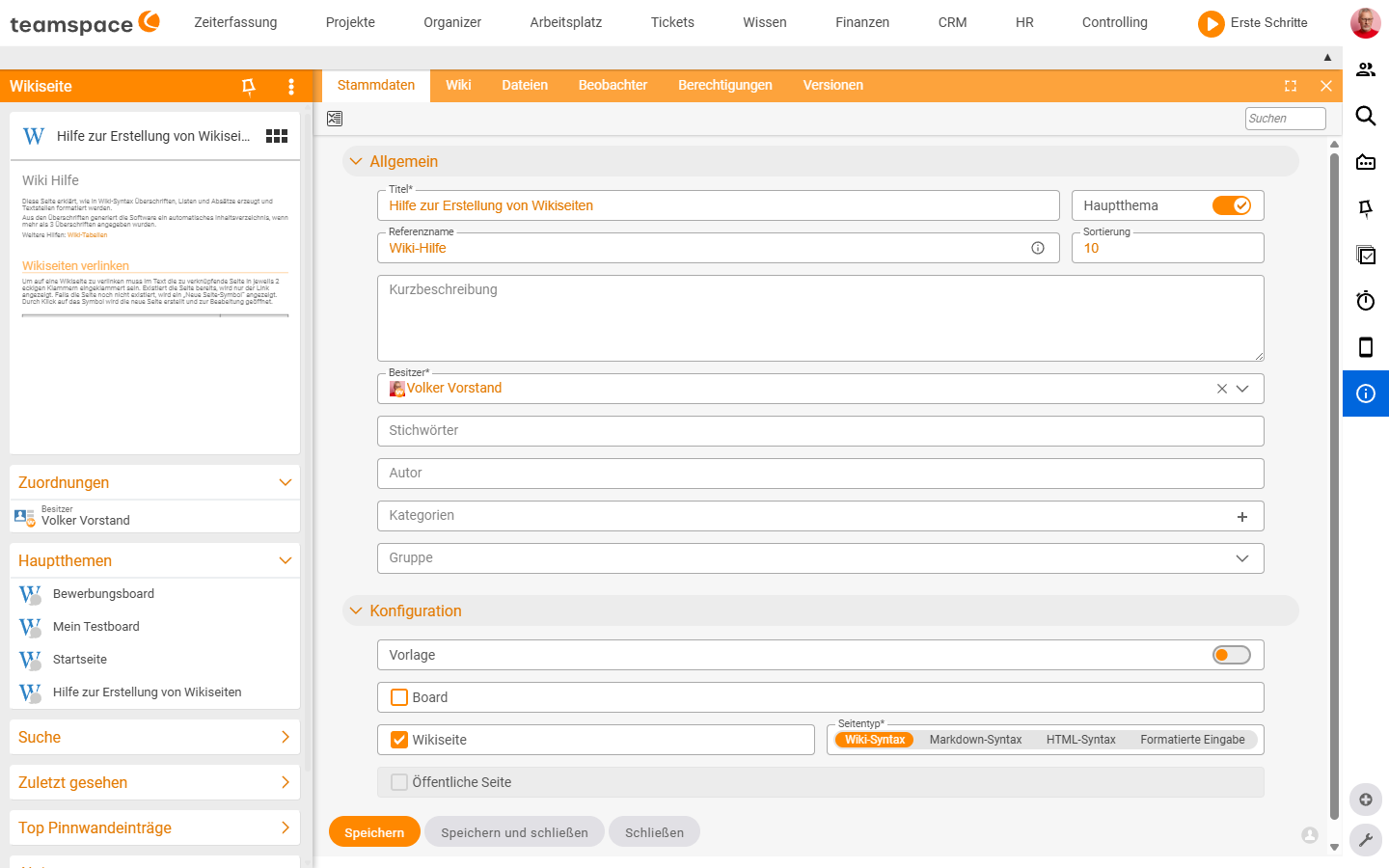
Setting a page’s group
- Open the wiki page in the detail manager and switch to the
Master datatab. - In the
Generalsection, choose the desired permission group in theGroupfield. - Save with Save or Save and close.
The page is now bound to the visibility of this group. Incidentally, the same group also controls which headers and footers apply (see Set up templates, headers and footers).
Private pages – just for you
If a page should be visible only to you – for example notes or a draft not yet ready for the team – you use the private creation:
- When creating, tick the
Create as a private pagecheckbox in the creation dialog (step 1 Master data).
A private page does not appear in other users’ general wiki lists. It is the simplest form of access restriction – without you having to set up a group.
Module permissions for the wiki
The overarching rights – who may create, edit or delete wiki pages – sit in the general permissions of teamspace, not in the individual page. They act module-wide and are maintained via the central permission system. So a page group only opens a page if the module permission allows the action in principle.
Note: The permission groups and module rights are maintained centrally in the teamspace permission system. In the wiki you assign a page to a
Group; which groups exist and what they may do is defined across the board in the Permissions module.
Common problems
A page is not visible to someone despite the right Group.
Visibility arises from the interplay of two levels: the page’s Group and the module permission for the wiki must both apply. If the group has access but the module permission for the respective action (read, edit) is missing, the page stays closed. Check both places.
My private page is not visible to the team.
That is intended: Create as a private page makes the page visible only to you – it does not appear in other users’ general wiki lists. If the team should see it, create it without this checkbox and assign it via the Group field.
Common questions & needs
| You want to … | How to |
|---|---|
| A page just for me | Tick Create as a private page when creating it. |
| Restrict a page to one team | In the master data, choose the right permission group in the Group field. |
| Control who may create pages at all | Via the module permissions for the wiki in the central permission system. |
| Make a page shareable externally | That is not a permissions topic but a release topic – see Public pages. |
| Different frames per group | Headers/footers per group (see Set up templates, headers and footers). |