


In the wiki you gather the knowledge that otherwise sits scattered across people’s heads, mailboxes and drives – process descriptions, a glossary, service instructions, onboarding material. Each page is a wiki entry of its own, with master data, a version history and its own file directory. Internal links connect pages with one another, main topics build a navigation, and the search lets readers find the right page – quickly, without trawling through folders.
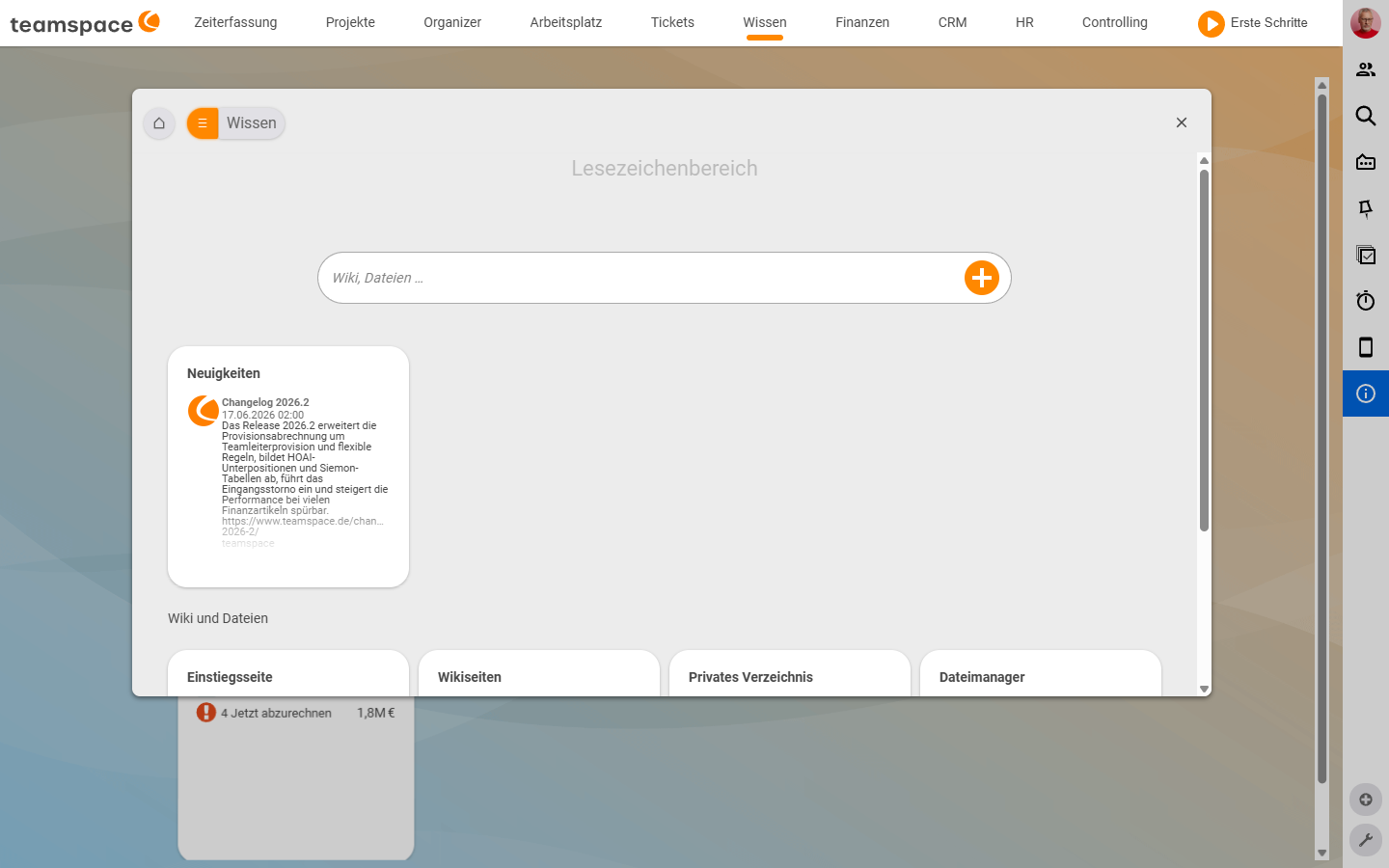
Where the wiki sits
The wiki is not a main-menu entry of its own – you reach it via Knowledge in the top bar. Inside the module, four tabs sit side by side under the Wiki and files section:
Knowledge → Landing page | Wiki pages | Private directory | File managerThe first three carry the wiki; the fourth points to the shared file management. To the right of the search field sits a blue + button; the drop-down behind it offers New wiki page, Create subdirectory and New document – so you create things directly, without opening a list first.
Three places you visit every day
Anyone working in the wiki moves between three places. Each has its own page and its own job.
- The Landing page is the wiki’s home page – it opens when you enter the module, and it is itself a wiki page that you can edit. Here you set up the table of contents or the most-used links. How to fill it and build the main-topic navigation is shown in Landing page and main topics.
- The Wiki pages list shows every page you have created, with name, owner and last change. Here you search, filter and open pages – and here you start a new one. How the detail manager is structured and how you create pages is described in Create and edit wiki pages.
- Public pages make a wiki entry shareable by link – externally, without a login. You need this when a customer should read an instruction or an external partner should access a description. The mechanics, validity and deactivation are covered in Public pages.
The language of wiki pages
You write wiki pages in wiki syntax – no formatting toolbar, but commands you place directly in the text. With [[Page name]] you set an internal link, with [[File:Filename]] you embed a file, with [[Image:Image name]] an image. Tables grow out of {| … |} blocks, headings out of two or more equals signs. From three headings onwards, the display automatically builds a Table of contents in the top right.
Which commands exist and exactly how tables, images and number formats are written is collected in Wiki syntax: commands and formatting – the reference you keep open while writing.
Note: The master data of a page offers four page types –
Wiki syntax,Markdown syntax,HTML syntaxandFormatted input. Wiki syntax is the default; the commands page documents primarily this variant.
Version history and watchers
Every save creates a new version. In the detail-manager tab Versions you see the history and can reactivate an earlier version as the current one – nobody loses their change, and you undo a mistake with a few clicks.
Anyone who creates or edits a page is automatically added to the watcher list and is notified when someone else changes the page. That keeps the knowledge current, because every change is reported. How the two work together is described in Versions and watchers.
Permissions and visibility
Two places decide who can see and edit a wiki page. In the master data of the page you set, in the Group field, which permission group it belongs to. On top of that, the wiki module permissions apply: who may create, edit or delete wiki pages at all. You control both together in Wiki permissions.
Three typical tasks
Onboarding handbook. Pia Personal maintains an Onboarding main topic with subpages on IT, working hours and benefits. Every new colleague gets the wiki link on their first day instead of a stack of PDFs.
Service instructions for customers. Tom Kraus writes wiki instructions for servicing a device, releases them as a public page and sends the Schulz family the link with three months’ validity.
Process glossary. Anna Müller maintains a Campaign workflow wiki page, links it from the CRM activity and adds the new insight after every retrospective. The watcher list ensures the team notices the update.
Related topics
- Create and edit wiki pages Wiki How-to
- Wiki syntax: commands and formatting Wiki Reference- Topic: File management File management
- The online company wiki