


In the forum, your team discusses things in one fixed place – not in a fleeting chat stream and not in an email chain. You create topics or polls, assign them to a forum, and permissions decide who reads along and who contributes. Anyone watching a topic gets a notification as soon as a new post arrives. Alongside this there is an editorial area for internal news articles – a small company magazine that your people read in the news area.
This makes the forum a discussion space, an information hub, a documentation area and an internal knowledge portal all at once.
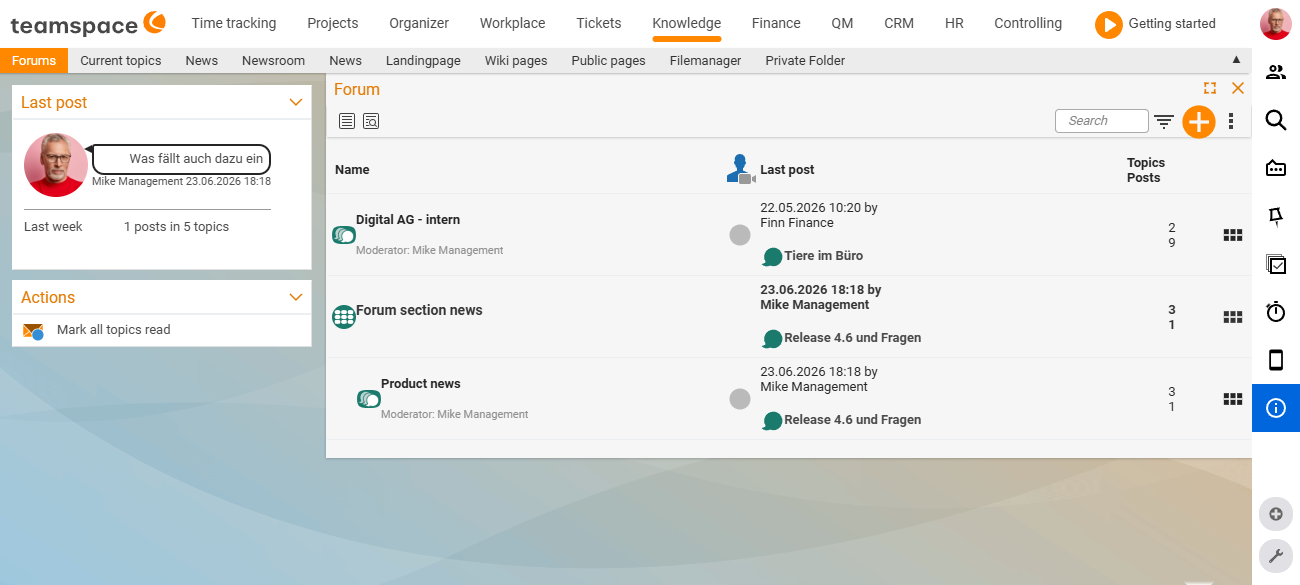
Three building blocks: forum, topic, post
The forum is built on three simple building blocks:
- Forum – the shell for a discussion group, e.g.
Company events,IT internalorService notices. A forum holds no discussions itself, but topics and polls. Every forum has a moderator and a permission group and can be archived. - Topic – a single discussion. The opening post defines what the discussion is about; all replies sit beneath it as posts.
- Post – the individual contribution within a topic (or beneath a news article).
A poll is a special case of a topic: in addition to the discussion, participants vote on options – using free-text entries, an appointment, a file, an open item or a project. For the details of how this works, see Creating and running polls.
Structuring forums
Forums do not all sit side by side at the same level – one level up, they can be grouped into a parent forum. This gives a Sales team its own parent forum, beneath which the forums Customer insights, Campaigns and Service cases sit. You maintain this structure in the configuration – see Setting up & managing the forum for how. The mental model behind structure and access is explained in Structure & permissions in the forum.
Permissions and moderators
For each forum and topic, you define which groups or people may read, post or moderate. This lets you build mixed structures: an open General forum for everyone, an internal Admin forum for administrators only, a sealed-off Project X forum for the project team – and you can add external partners selectively as well.
The moderator of a forum or topic looks after the discussion: they can edit and delete posts and archive topics. For details, see Structure & permissions in the forum.
News and editorial – the internal company blog
News articles are not a discussion but a curated piece from the editorial team:
- Whoever writes works in the Editorial area – this is where the article is created, assigned to a forum and given a publication period. See Editorial: writing news articles.
- Whoever reads sees the article in the News area and can add a post beneath it. See Reading and commenting on news.
Four ways into the forum
The forum offers several views of the same content:
- Forums – the complete forum structure with the discussions.
- Recent topics – a feed sorted by activity: posts are grouped under “Today”, “Yesterday” and “Past”, so you can see at a glance where something is happening right now.
- News – the reader’s overview of the published news articles.
- Editorial – creating and managing the news articles (visible only with editorial rights).
Note: Where the forum sits in the menu is configurable and may differ in your installation. If the forum does not appear for you at all, the module may not be activated yet – an administrator sets this up, see Setting up & managing the forum.