



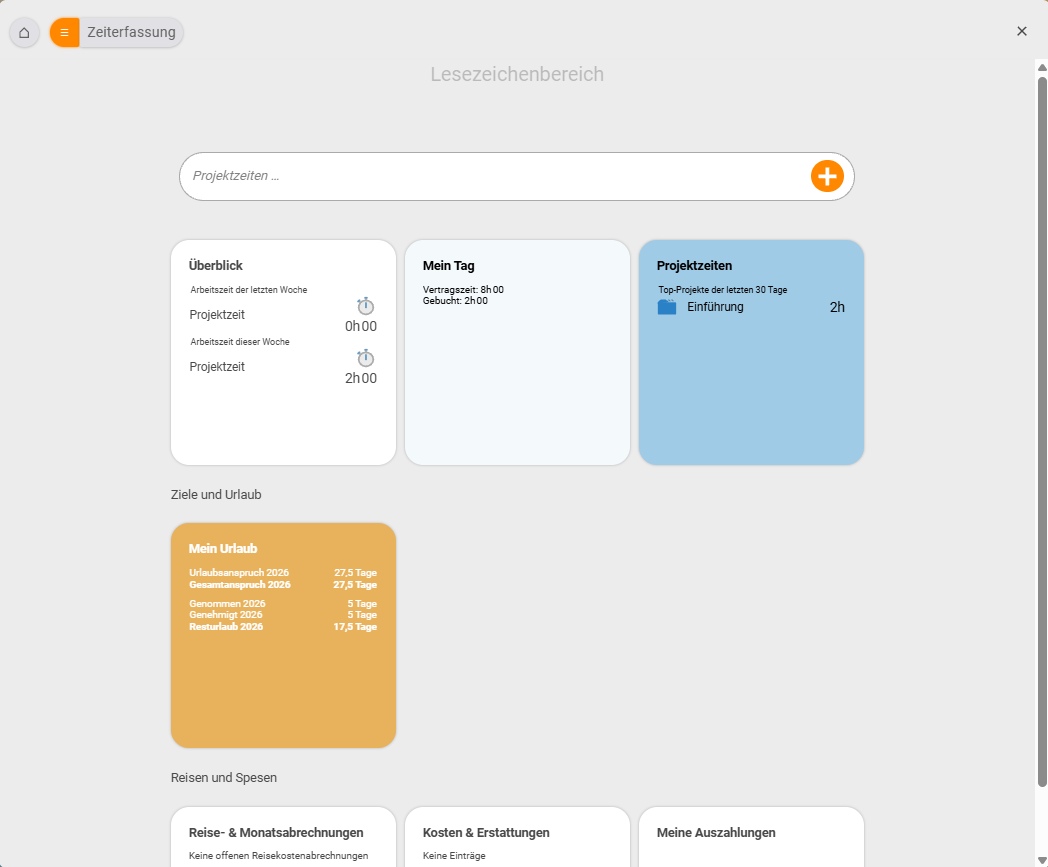
With time tracking you record two things in teamspace: when someone worked (attendance time) and what they worked on (project time) – the basis for working-time accounts, statutory record-keeping and project-accurate billing. You clock attendance with the time clock and book project time against projects; leave and sickness come along as absences. You use both independently or together – in the Organizer via the tabs Overview, My day, Project times and My leave.
Two kinds of time
teamspace draws a consistent distinction between two kinds of time – they answer different questions and never get in each other’s way:
- Attendance time – an employee’s pure availability time, independent of any project. It is typically recorded by check-in/check-out (like a digital time clock) and kept to the minute. It answers the question: When was someone present?
- Project time – the time booked against a specific project or task. It is the basis for client billing, post-calculation and utilisation. It answers the question: What was worked on?
Both kinds can be used in parallel – and for the full effect we recommend exactly that: the time matrix then warns you, for example, when the project time booked for a day differs noticeably from that day’s attendance time.
Why track time?
Three typical reasons to introduce time tracking:
- Billing clients – only recorded project time can be invoiced, whether as an activity report or via billing.
- Managing and paying staff – overtime accounts, supplements and preparatory payroll all build on clean attendance times.
- Legal requirements – the obligation to record working time (ECJ/Federal Labour Court) can be mapped in an audit-proof way using check-in/check-out and locking.
Finding your way around
- Recording attendance: Check in and check out and Understanding and editing attendance times.
- Booking project time: Book project times, the time matrix for whole weeks and, as a shortcut, booking time via a reference day.
- Evidence and billing: Activity report and timesheets.
- Accounts and law: Overtime and supplements as well as Record leave and sickness.
Where to start: Begin with check-in/check-out – it takes two minutes to grasp. Project times come into play as soon as you want to allocate effort to individual projects.
Related topics
- Check in and check out Time tracking How-to
- Book project times (with video) Time tracking How-to
- Legally compliant time tracking Time tracking Concept
- Online time tracking