



If your days are much the same, you do not have to re-enter the bookings every day. With the reference day you take an already-booked day as a model and transfer its bookings proportionally to other days – a classic quick win.
How it works
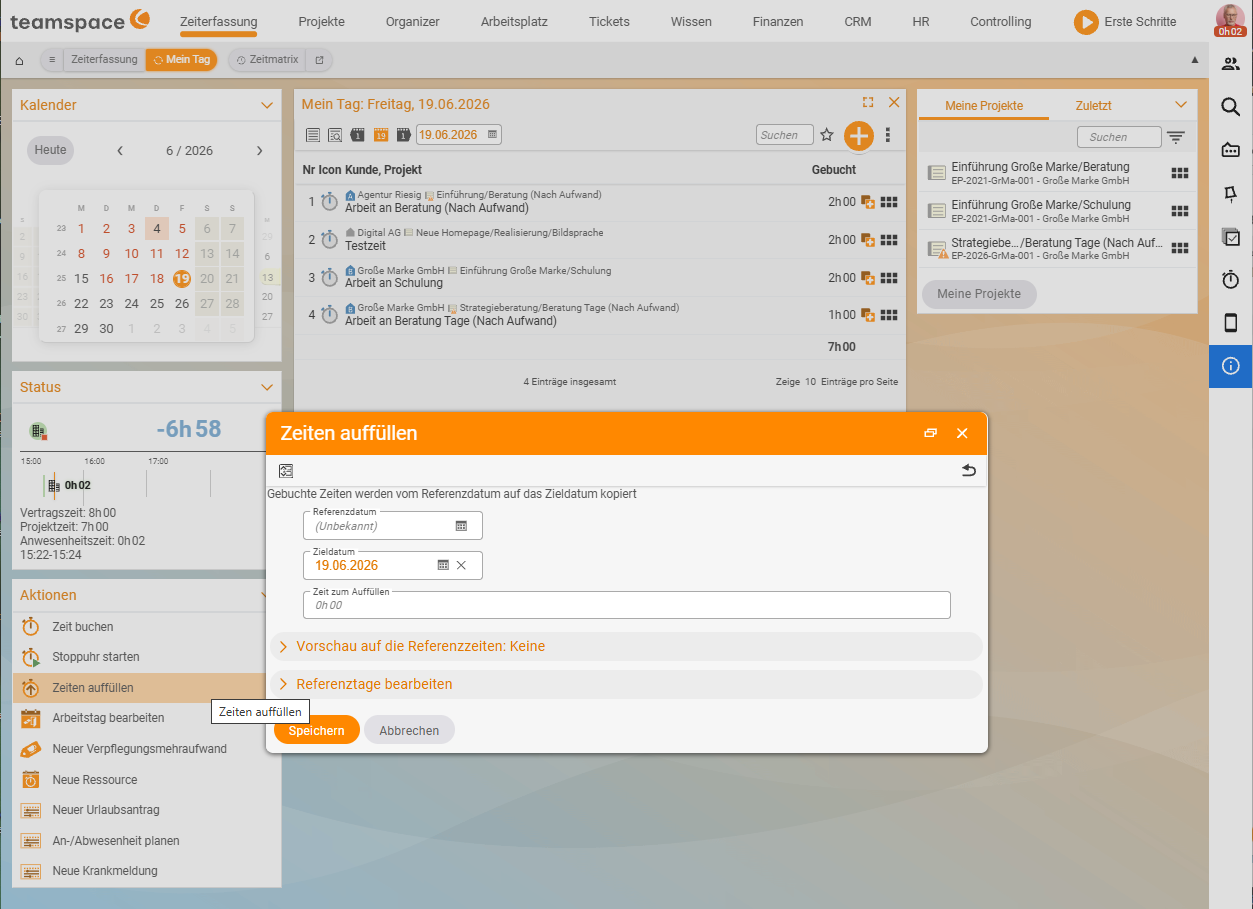
Time tracking › My day › Fill in times- First book a typical day in full (this is your reference day).
- Open Time tracking → My day and choose the action Fill in times (or the reference day in the project-times matrix).
- Choose the reference day as the model and the target days (e.g. the rest of the week).
- teamspace transfers the bookings proportionally – the projects’ shares stay the same, while the total time is apportioned to each target day.
- Review and save.
When it pays off
- Uniform weeks – you work on the same projects each day with a similar split.
- Standard tasks – daily meetings, support, ongoing maintenance in a stable ratio.
For days that vary a lot, direct entry via the time matrix or individual project times is more precise.
Notes
- The transferred bookings are perfectly ordinary project times – you can adjust them individually afterwards.
- Target days that are already locked are not overwritten.
Related topics
- Time matrix: book whole weeks (with video) Time tracking How-to
- Book project times (with video) Time tracking How-to