


A sales opportunity carries two status terms that are easily confused: the sales stage (where the opportunity sits in the funnel) and the CRM status (whether the opportunity is still alive). Keep the two apart and you read your pipeline correctly. On top of that come two figures – probability and current value – which move partly automatically and partly by hand. This article explains the model behind them.
The funnel: many enquiries at the top, few closes at the bottom
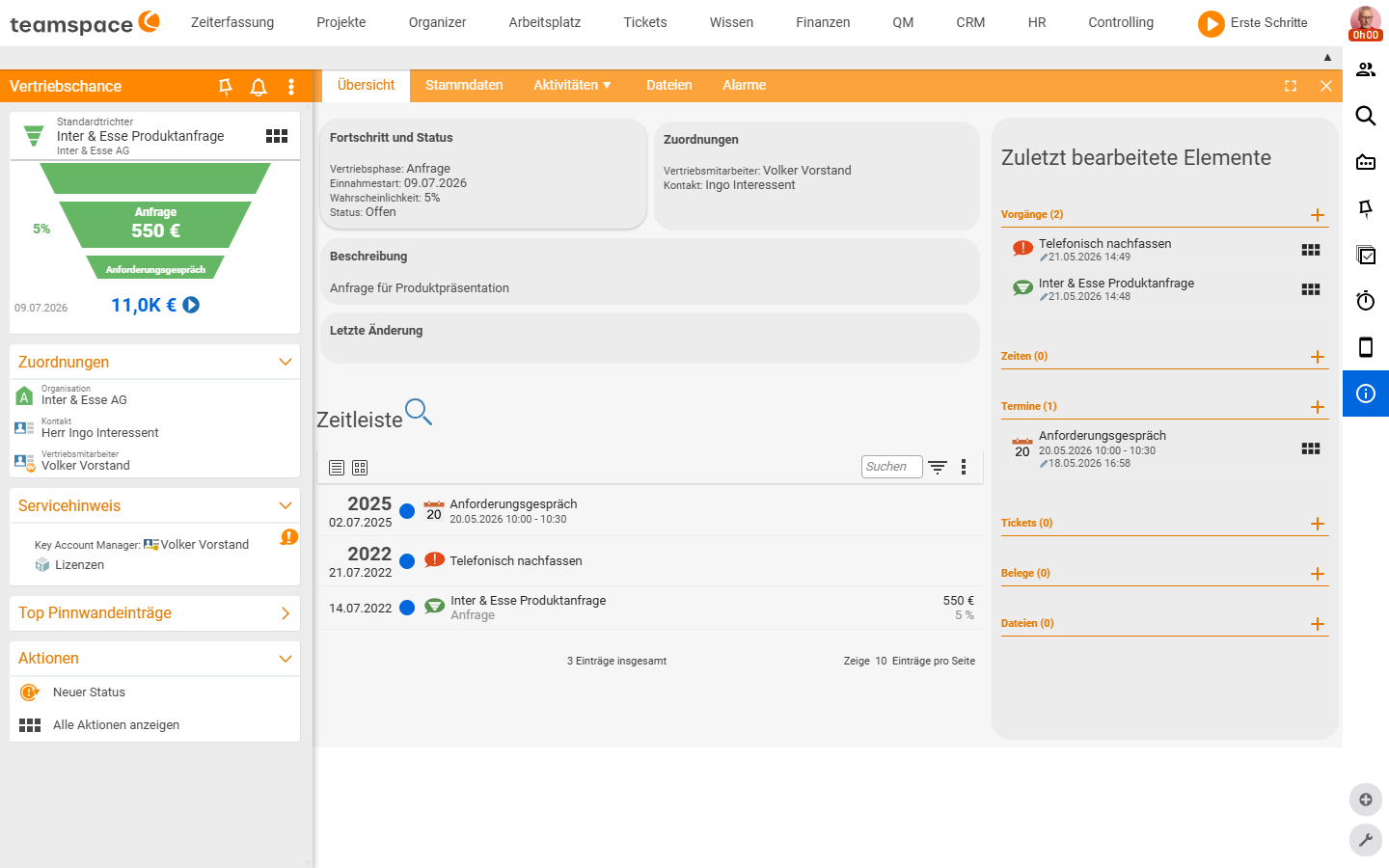
The standard funnel is the sequence of sales stages an opportunity runs through from first contact to order. Many loose enquiries come in at the top; further down it narrows to a few but more probable closes. Each stage carries a leading number and a default probability:
Note: Stage names, their order and the default probabilities (5% / 10% / 30% …) are configured and belong to the respective funnel. In your installation they may be named differently and carry different values.
Sales stage ≠ CRM status
This is the most important point. The two terms answer different questions:
Sales stageanswers: Where in the funnel is the opportunity? –1 Enquiry,2 Requirements meeting,3 Presentation,4 Quote presentationand so on.CRM statusanswers: Is the opportunity still alive? – that is, open, won, or ended for whatever reason.
The CRM status knows these values:
| CRM status | Meaning |
|---|---|
Open | The opportunity is running; you are actively working on it. |
Ordered | The opportunity is won – the customer has signed. |
Rejected | The opportunity is lost – the customer decided against you. |
Junk data | Creating it was a mistake; not a genuine prospect. |
No initial contact | A prospect who was never contacted. |
Dormant | Long radio silence, without a clear no. |
On hold | Deliberately parked, kept for later. |
Stage and CRM status run independently: an opportunity in 3 Presentation with status Open is active; the same stage with status Ordered is won and stays in that stage. An opportunity marked Ordered drops out of the active pipeline filter – if you set that by mistake, you bring it back through a second New status activity with status Open.
The two figures: probability and current value
- The
probabilityis initially tied to the stage –Enquiryproposes 5%,Requirements meeting10%,Presentation30%. When the stage changes, the probability travels with it automatically. If you rate a particular opportunity differently from what the stage suggests, you override the value manually per opportunity. - The
target valueis the expected order value. InAutomaticmode teamspace derives thecurrent valuefrom it astarget value × probability. Both values can also be set by hand if the automatic result does not fit.
This is how the current value becomes the common denominator of your pipeline: a €5,500 opportunity in 1 Enquiry (5%) counts as €275, while the same opportunity in 3 Presentation (30%) counts as €1,650. Sum the current value across all opportunities and you have the pipeline you can arithmetically expect.
Sales priority as a second filter
Alongside probability and value, an opportunity carries a Sales priority on the scale very low, low, medium, high, very high. It helps you prioritise when two opportunities have the same target value but differ in how promising or how strategically important they are. It does not change the projection – it is an extra, deliberate assessment.
Why this fits together well
- Stage drives the process – it says what to do next (arrange a meeting, write a quote).
- CRM status drives the inventory – it separates active from finished opportunities, cleanly by reason.
- Probability × target value delivers the forecast – without anyone having to estimate it by hand.
It is exactly this separation that makes the Sales opportunity analysis readable: it breaks each stage down by CRM status, so you see bottlenecks (where is money stalling?) and losses (Rejected) separately.