


The Users & permissions area controls which fields appear in the employee and HR record, and manages users, groups, rights, roles and skills. You’ll find a specific field fastest via the Configuration search (filter “Users & permissions”); this article is the map.
How to reach this area: Home page → System configuration → category Users & permissions.
ℹ The category has 7 tiles. Fully documented here is the settings tile (field visibilities). The other six are admin lists (see below) – how to use them is covered in the Permissions topic.
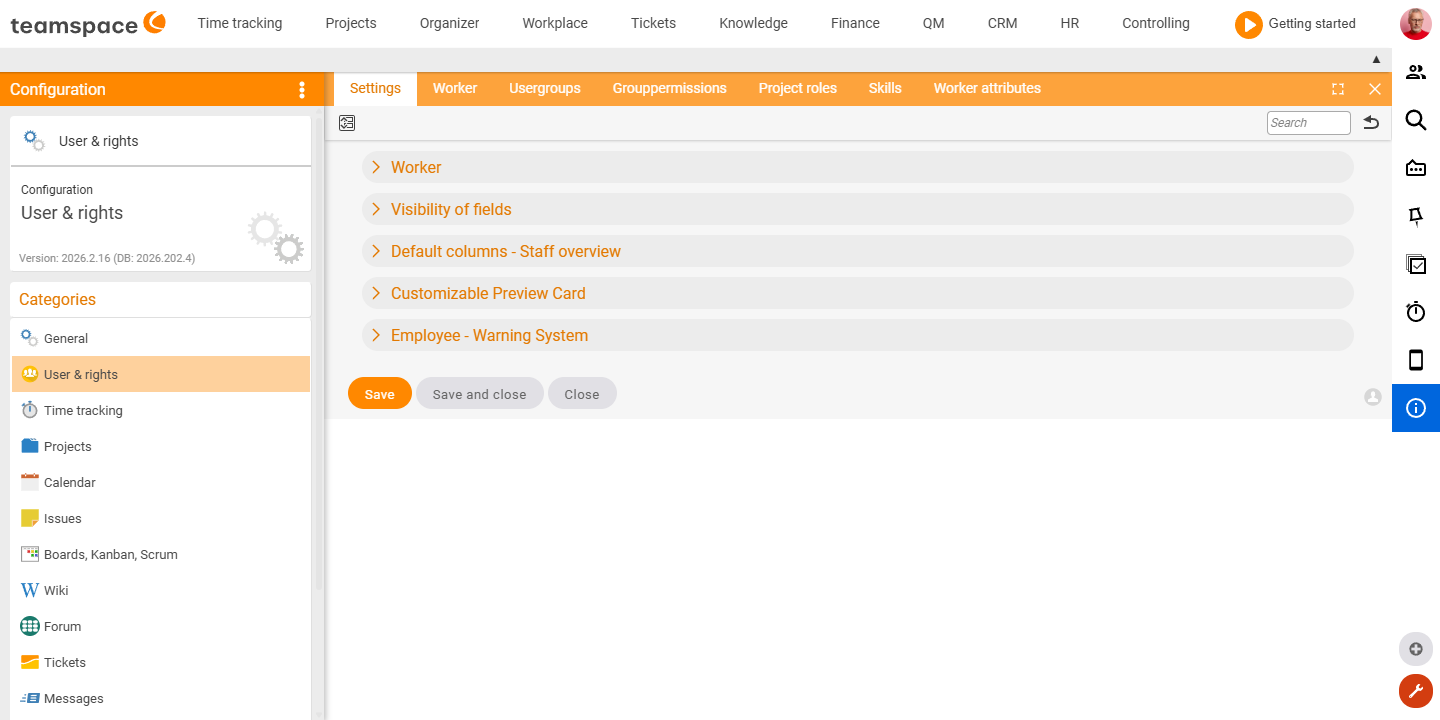
The “Settings” tile
Here you define, per field, whether and for whom it is visible in the employee/HR record. Almost all fields offer the same four-level visibility: Off · Visible in admin mode · Visible · Visible and mandatory. Sensitive HR sections also carry a protection class (e.g. “Top secret”).
The fields are arranged into sections:
| Section group | What it covers |
|---|---|
| Employee | Default filtering by project team, target value, skill display, unique RFID. |
| Field visibility | Direct contact option, categories, group, matching, region, officers. |
| Organisation and management | Manager, deputising areas, deputy, mentor. |
| Profile | Profile, education, certificate. |
| HR / HR personal data | Personnel number, external, currency, religious denomination, marital status, date of birth, severe disability … |
| HR contact data | Private address, phone, email, emergency contact (with protection class). |
| HR employment | Hiring/leaving date, probation period, fixed term, job title, place of work, home office … |
| HR remuneration (target salary, remuneration components, time-dependent values) | Annual salary, bonus, company car, capital-forming benefits, company pension, tax class … (with protection class). |
| HR bank details / Tax & social insurance | Bank account, tax number, tax office, health insurer, social-insurance number (with protection class). |
| Time-dependent values | Appraisal meetings, training, department. |
| Preset columns / Preview card | Columns of the Employee overview, subheading of the preview. |
| Warning system / Permitted deviations | Time-account traffic light, permitted deviations for utilisation and time tracking. |
The “User groups” tile
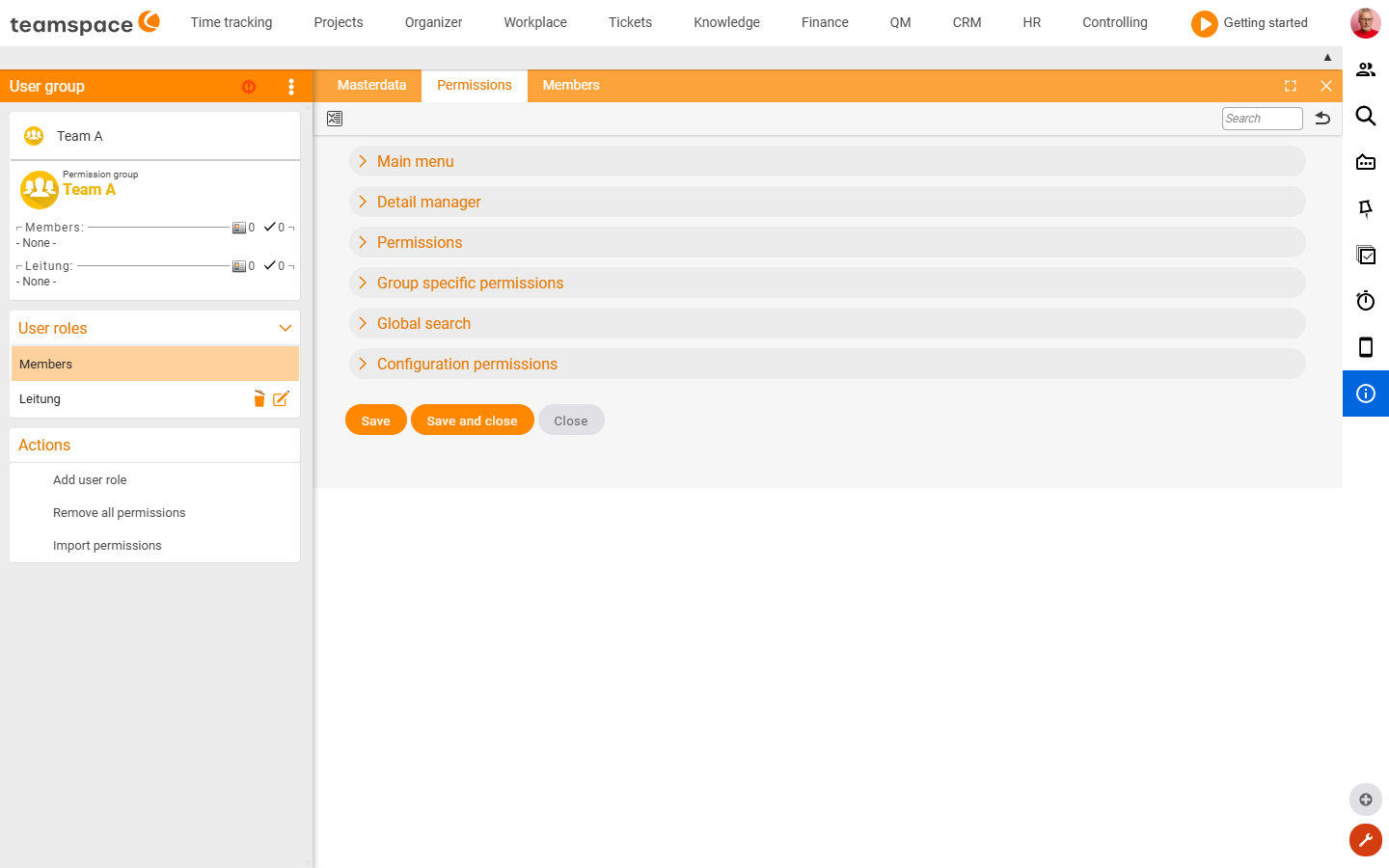
The Permissions tab of a user group holds the complete rights catalogue – over 700 individual rights that you grant or revoke per group. Because of the volume, these rights have their own “User rights” filter in the Configuration search. Just search there for the right (e.g. “Invoice”, “Approve leave”, “Delete project”) – the path shows you the rights group.
The rights are organised into five large groups:
| Rights group | What it covers | Scope |
|---|---|---|
| Main menu | Which menu items/areas the group sees at all (by module: Home, Time tracking, Projects, Finance, HR …). | ~176 |
| Detail manager | Element rights (create/edit/delete …) per object: document, project, wiki page, QM document, bank account … | ~229 |
| Permissions | The authorised operations (group-specific rights over other people, e.g. approving leave) – details in the group-rights catalogue. | ~170 |
| Global search | What may be found in the global search. | ~14 |
| Configuration rights | Access to the areas of the system configuration itself. | ~121 |
ℹ Each right is a switch (granted / not granted) and is set per user group. How groups, hierarchies and the interplay with project roles work is covered in the Permissions topic.
Further tiles (admin lists)
The remaining tiles manage users, roles and catalogues. How to use them is described in detail in the Permissions topic:
| Tile | Content | Guide |
|---|---|---|
| Users | List of all the tenant’s users/employees. | User groups |
| Group rights | List of the assigned authorised operations per group. | Group-rights catalogue |
| Project roles | Roles for project work. | Permission levels |
| Skills | The employees’ skill/competence catalogue. | — |
| Employee attributes | Free attributes on the employee. | — |
Related topics
- Configuration search (finder across all areas) Configuration search
- Permissions – introduction Permissions
- Topic: Personnel & HR Personnel & HR