


The Ticketing area controls the behaviour, fields and workflows of the ticketing system. You’ll find a specific field fastest via the Configuration search (filter “Ticketing”). How to use it is covered in the Ticketing topic.
How to reach this area: Home page → System configuration → category Ticketing.
ℹ The category has 12 tiles. Fully documented here is the settings tile (52 fields); the rest are admin lists (see below).
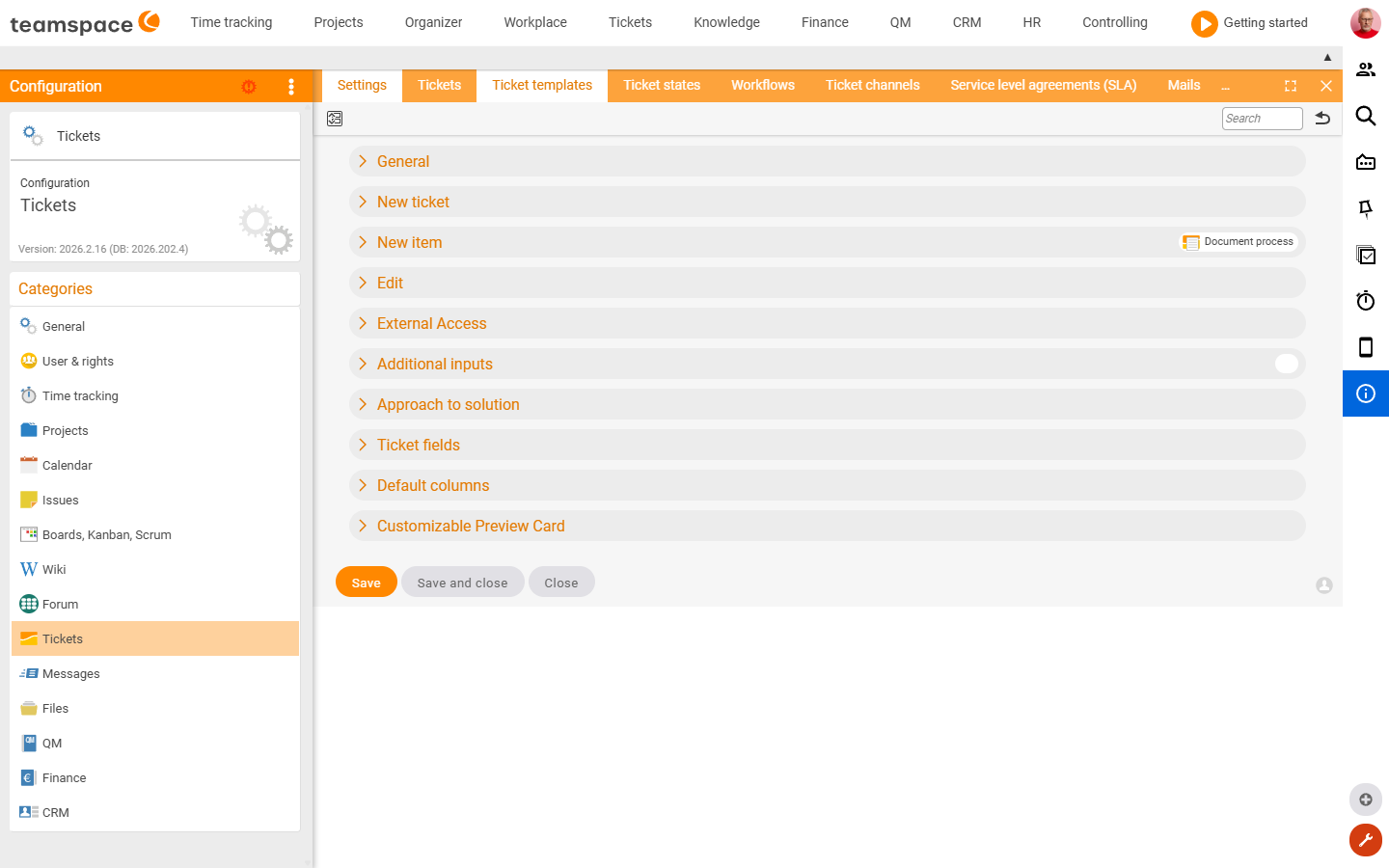
The “Settings” tile
| Section | What it covers |
|---|---|
| General | Basic rules of the ticketing system, dynamic links. |
| Short description above the activity list | Display above the activity list. |
| New ticket / New activity / Edit | Defaults when creating and editing tickets and activities. |
| External access | Access for external people to tickets. |
| Additional inputs / Solution path | Mandatory/additional fields, solution field. |
| Ticket fields | Which fields a ticket has and their visibility. |
| Preset columns / Preview card | Default list columns and the preview. |
Further tiles (admin lists)
Tickets: Tickets · Ticket templates · Ticket statuses · Workflows · Ticket channel · Service Level Agreements (SLAs) · Colour markers · Office hours Mail: Mails · Mail templates · Mail Accounts
Related topics
- Configuration search (finder across all areas) Configuration search
- Topic: Ticketing Ticketing