


The General area bundles the tenant-wide base settings: master data and layout, switching whole modules on or off, security and password rules, and a number of admin lists (free fields, text blocks, interfaces …). You’ll find a specific field fastest via the Configuration search (filter “General”); this article is the map.
How to reach this area: Home page → System configuration → category General.
ℹ The category has 18 tiles. Fully documented here are the three settings tiles (Settings, Modules, Security); the rest are admin lists (see below).
The “Settings” tile
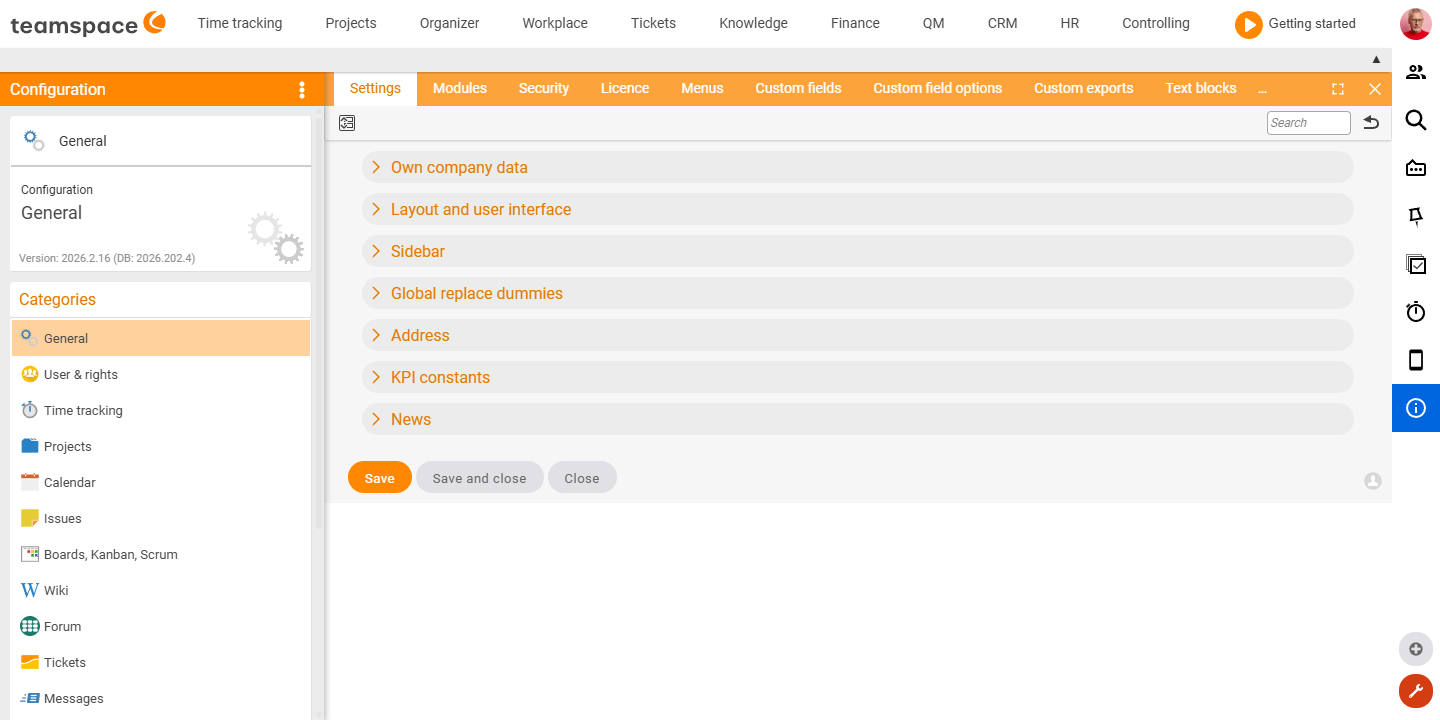
The tenant’s master data and appearance – an accordion with seven sections:
| Section | What it covers |
|---|---|
| Your company | Organisation, contact person, email, phone, note. |
| Layout and operation | Company logo/background, colour, priority display (0 to 9 / C, B, A / 1 to 5 stars), time export (minutes/hours/days), time zone, country, language, default menu, default dashboard, second menu bar. |
| Sidebar | Switches for presence/absence, workplace booking (Disabled/Icon/Location), calendar entry. |
| Global replacement fields | Images and headers/footers (1–4) for documents and templates. |
| Address | The tenant’s postal address (salutation, name, company, street, postcode, town, region, country). |
| KPI constants | Freely definable metric constants (table). |
| News | RSS feeds (URLs, comma-separated) for the home page. |
The “Modules” tile
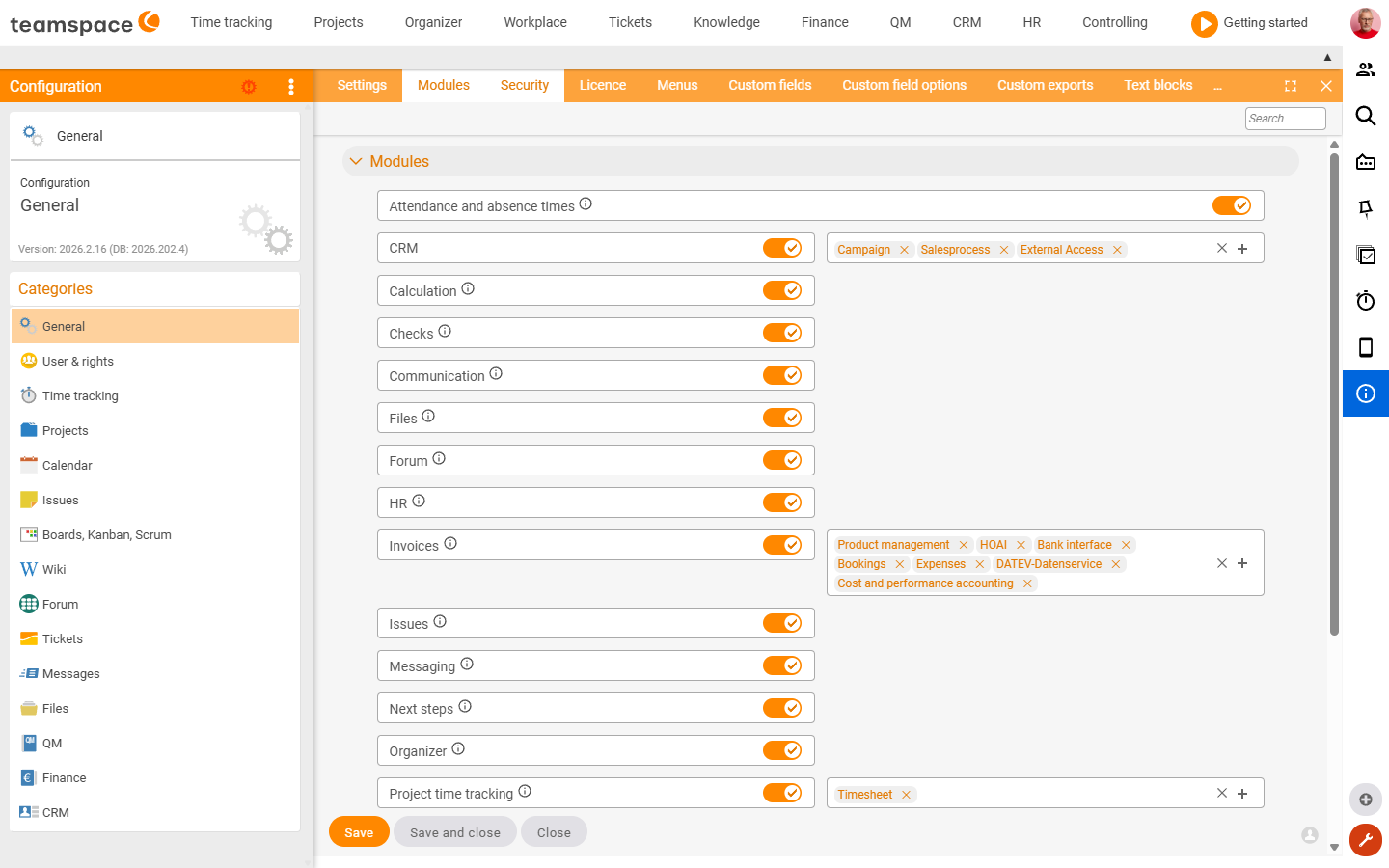
One switch per module – here you activate or deactivate entire functional areas tenant-wide:
Attendance/absence times · Workplace · CRM · Invoicing · Files · Forum · HR · Calculation · Communication · Messaging · Next steps · Open items · Organizer · Projects · Project time tracking · Reviews · QM · Travel expenses (postings) · Tickets · Wiki
⚠ A deactivated module disappears from the system for all users. Before switching one off, check whether any data depends on it.
The “Security” tile
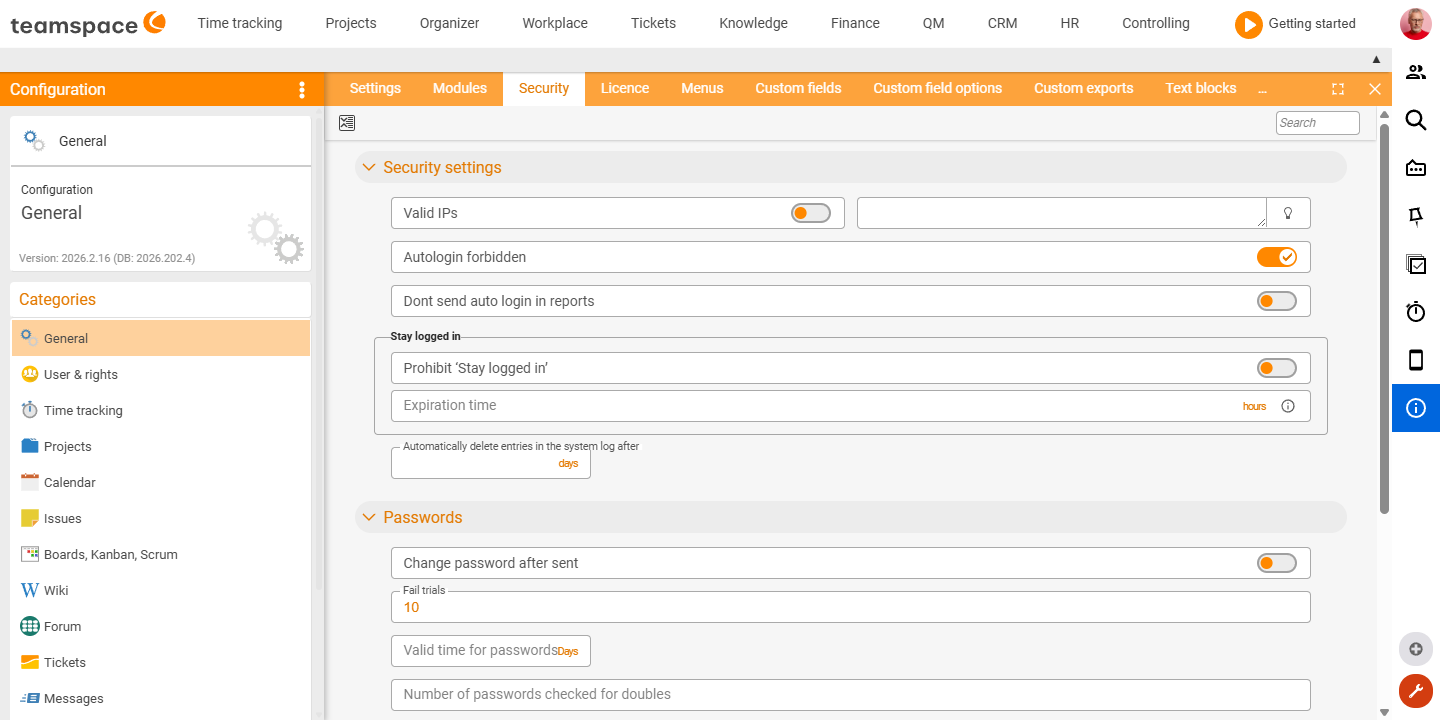
Access and password rules, in two sections.
Security settings
| Field | Type | Meaning |
|---|---|---|
| Valid IPs | Switch | Allow login only from the stored IP addresses. |
| Auto-login disabled | Switch | Prevent automatic sign-in via link. |
| Do not send auto-login in reports | Switch | Sent reports contain no auto-login link. |
| Forbid “Stay logged in” | Switch | Hide the “Stay logged in” option on the login screen. |
| Expiry time | Text field | Session timeout. |
| Automatically delete system-log entries after | Text field | Retention period for system-log entries. |
Passwords
| Field | Type | Meaning |
|---|---|---|
| Change password after a new password has been sent | Switch | Forces a password change after the first dispatch. |
| Possible failed attempts before lock-out | Text field | Number of failed logins until lock-out. |
| Password validity period | Text field | Password expiry. |
| Number of passwords checked for duplicates | Text field | Password history. |
| One-time passwords active | Switch | Allow one-time passwords. |
| Password length · Numbers · Capital letters · Special characters | Text field / Switch | Complexity rules for passwords. |
Further tiles (admin lists)
The remaining 15 tiles are mostly admin lists with a creation dialog; their configurable fields are being added to the Configuration search on an ongoing basis.
Master data & customisation: Licence · Menus · Free fields · Free field options · Custom exports · Text blocks · Colour markers · Protection class · File class · Bookmarks · Next steps Interfaces & system: Interfaces · Synchronisation · System log · Recycle bin
Related topics
- Configuration search (finder across all areas) Configuration search
- Topic: Configuration – guides on interfaces, mail, SSO Configuration
- Permissions – introduction Permissions