


This reference covers the largest admin area of teamspace: Finance. The Settings tile alone bundles nearly 200 individual settings across 14 sections – plus 22 further tiles (documents, articles, price lists, accounts …). Find a specific field fastest via the Configuration search (filter “Finance”); this article is the map to it.
How to reach this area: Home page → System configuration → category Finance.
ℹ The available fields depend heavily on the edition and the activated modules (Invoicing, Travel expenses, DATEV …). Your own tenant is always authoritative.
The “Settings” tile
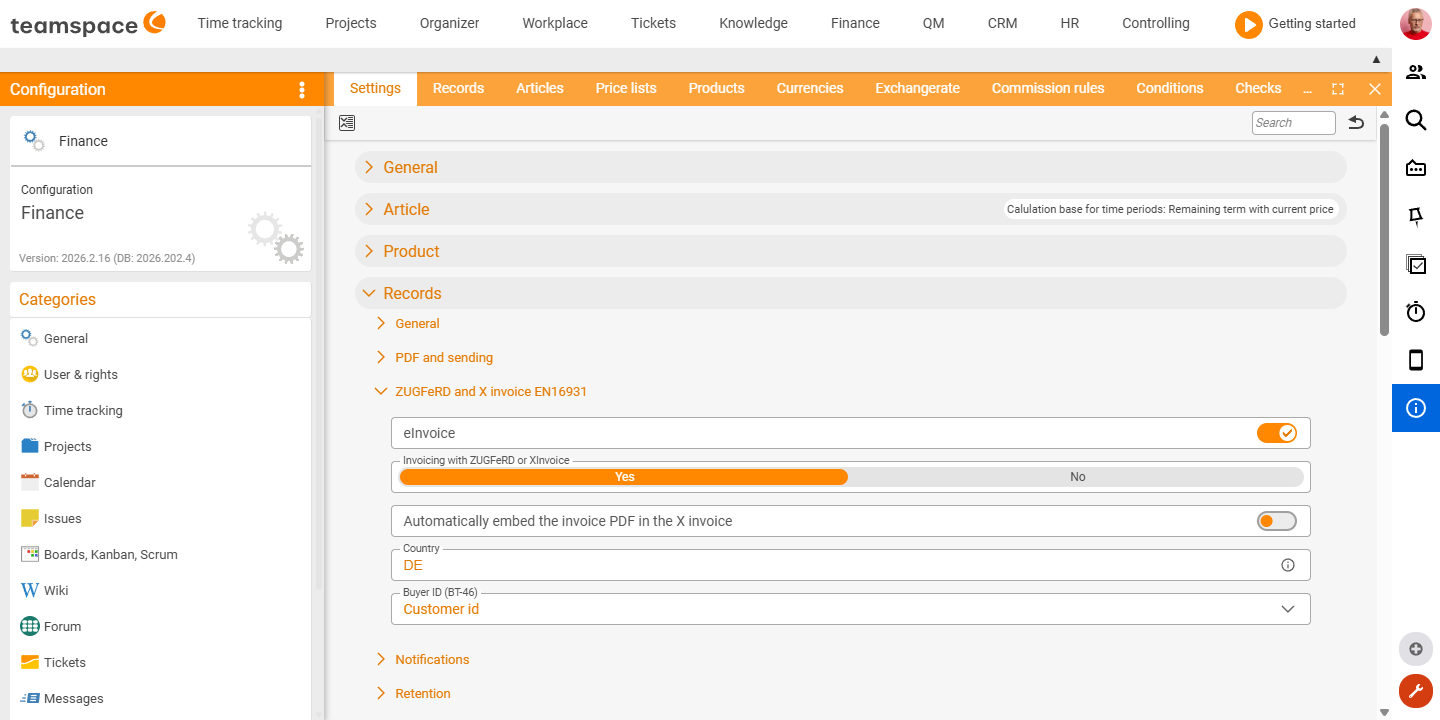
The Settings tile is an accordion with 14 sections. Each section bundles the defaults for one topic. You find specific fields via the finder – here is the orientation on where things sit:
| Section | What it covers |
|---|---|
| General | VAT ID, default interest on arrears, pre-accounting for incoming documents, new-business period, project-time splitting. |
| Articles | Default articles (partial invoice, purchasing), calculation basis, article fields and their visibility. |
| Documents | Document numbers, delivery-date rules, PDF/dispatch, e-invoice (ZUGFeRD/XRechnung), retention amount, project-status change, automatic billing, special VAT, preview cards. |
| Item | Item types, fixed-price calculation, default values for cost centre/object/category, field visibility. |
| Invoice run / Reminder run | Scheduled runs, recurrence rules, agent, reminder levels. |
| Costs | Number scheme, taxation, import, vehicle fields, default values, field visibility. |
| Postings | Debtor assignment, default values, imported posting records. |
| Cost centre | Categories/groups of the cost centres. |
| Invoices (cumulative/rule-based) | Offsetting invoices, automatic items, categories. |
| Travel expenses & week/month-end closing | Travel-request requirement, meal allowances, posting account, closing checks, field visibility. |
| Export / DATEV data service | Advisor number, tenants, financial-accounting export, G/L account length, posting text, list export. |
| Plans | Invoices from plans, default article, template. |
| Bank accounts | Automatic assignment of payments, activity types, field visibility. |
Example: “Collect times automatically” (section “Settings for automatic billing of projects”)
Here you set the default for whether and which times an order item collects automatically when billing:
| Field | Type | Values (selection) |
|---|---|---|
| Effort items: assign times automatically | Selection | None · Assign all times · Billable times · Non-billable times · Billable times with matching time unit · Costs via the order item … |
| Fixed-price items: assign times automatically | Selection | None · Assign all times · Billable times · Non-billable times · Costs via the order item · Costs via collective statement |
| Periodic items: assign times automatically | Selection | (as fixed-price items) |
| Show fixed-price items in the activity report by default | Switch | off/on |
| Show periodic price items in the activity report by default | Switch | off/on |
Further tiles (admin lists)
Besides “Settings”, Finance has 22 further tiles. They are mostly admin lists with a creation dialog; their configurable fields are being added to the Configuration search on an ongoing basis.
Documents & sales: Documents · Articles · Price lists · Products · Currencies · Exchange rate · Commission rules · Conditions · Reviews Costs & travel: Cost types · Travel expenses · Travel expenses (posting) · Costs Accounting: Postings · Accounts · Bank accounts · Direct-debit mandates · Cost centres · Cost objects · Cost category Other: Layouts · Counter readings
Related topics
- Configuration search (finder across all areas) Configuration search
- Topic: Invoicing Invoicing
- Topic: Costs & travel expenses Costs & travel expenses