


QM documentation has two homes in teamspace: the wiki for living, linked process descriptions and file management for formal, controlled documents (Word/PDF) with a review and approval flow. The two can be combined. This article shows you how to build a process description or work instruction and bring it into the QM cycle.
Variant A: Describe processes in the wiki
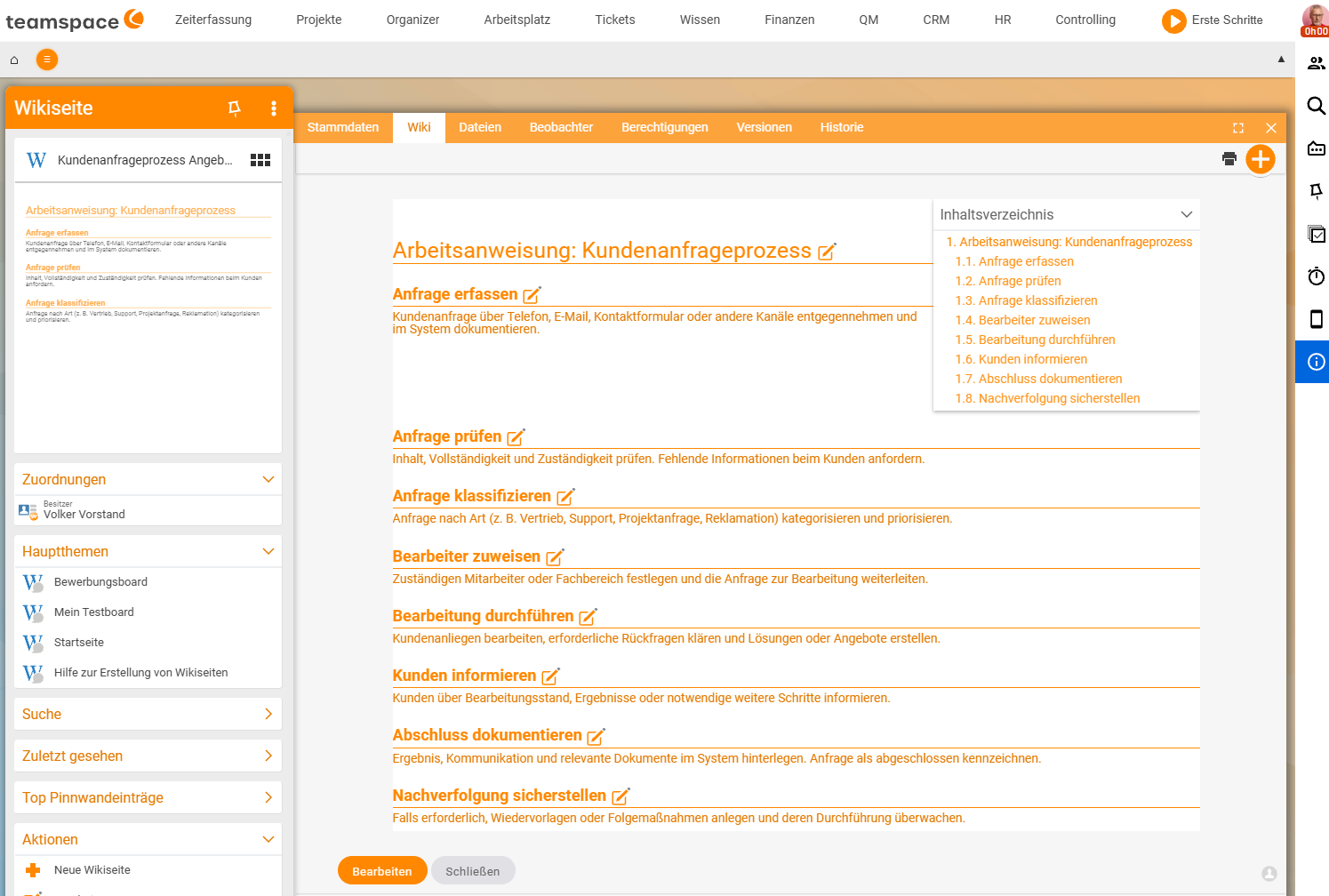
The wiki suits processes that evolve over time and should be linked to one another (e.g. “Onboarding” refers to “IT equipment” and “Safety briefing”).
- In the
Knowledge → Wiki pagestab, create a new page via the blue+button. - In the master data, decide whether the page becomes a main topic; write the content in wiki syntax. Details in Create and edit wiki pages.
- Link related pages so that a walkable process handbook emerges.
Wiki pages are also versioned and can be given watchers who are notified of changes (see Versions and watchers).
Variant B: Formal documents from QM templates
For binding documents that need approval (work instruction, process description as a PDF, Approval) you use a template and store the result as a controlled file.
- In file management, choose a QM template via
Actions→New document(e.g. Work instruction, Process description). Which templates exist is covered in QM document templates at a glance. - Fill in the document – teamspace partly fills templates with placeholders automatically from the context.
- Have the finished document reviewed and approved (see Review and approve a document).
ℹ Info. If no template appears under
New document, none has been stored yet in theSystem/Templatesdirectory. The administrator sets this up (see Set up document management).
Staying consistent
Consistent QM documents arise from templates:
- Wiki templates provide the structure and headers/footers (see Set up templates, headers and footers).
- File templates in the
System/Templatesdirectory supply the starting framework for Word/Excel/PDF.
This way, documents of the same kind look the same – an important criterion for audits.
Evidence and acknowledgement
If the team must be bound to know a work instruction, assign the review type For acknowledgement after approval (see Review and approve a document). The History tab then records who confirmed it and when.
Common questions & needs
| You want to … | How to |
|---|---|
| Describe a living, linked process | Create a wiki page and link sub-pages (Variant A). |
| Control a binding work instruction as a PDF | Generate it from a QM template and have it reviewed/approved (Variant B). |
| Be notified of changes | Set watchers on the wiki page (Versions and watchers). |
| Keep documents consistent | Use wiki or file templates. |
| Prove that everyone knows the instruction | Assign the review type For acknowledgement. |