


“Document management” sounds like bureaucracy, but in teamspace it means something very practical: a document is created from a suitable template, develops further (an idea becomes a proposal, which becomes an approval) and is findable at any time. Versions and approvals are tools here that safeguard further development – not the actual purpose.
The document lifecycle
The heart of it is the chain of document types. A project moves from stage to stage, and for each stage there is a template:
Idea → Proposal → Approval → Status report → Acceptance / Project gate- Idea – a first, non-binding thought (a concept).
- Proposal – the idea becomes a formal proposal: the concept takes shape and gains a goal, effort and benefit.
- Approval – the decision to implement the proposal.
- Status report – interim updates during implementation.
- Acceptance / Project gate – the formal completion or the gate decision.
This is how you turn a concept into a project proposal without starting from scratch: you build on the existing document or create the next stage from the suitable template and carry the content over. Which template is intended for what is described in QM document templates at a glance.
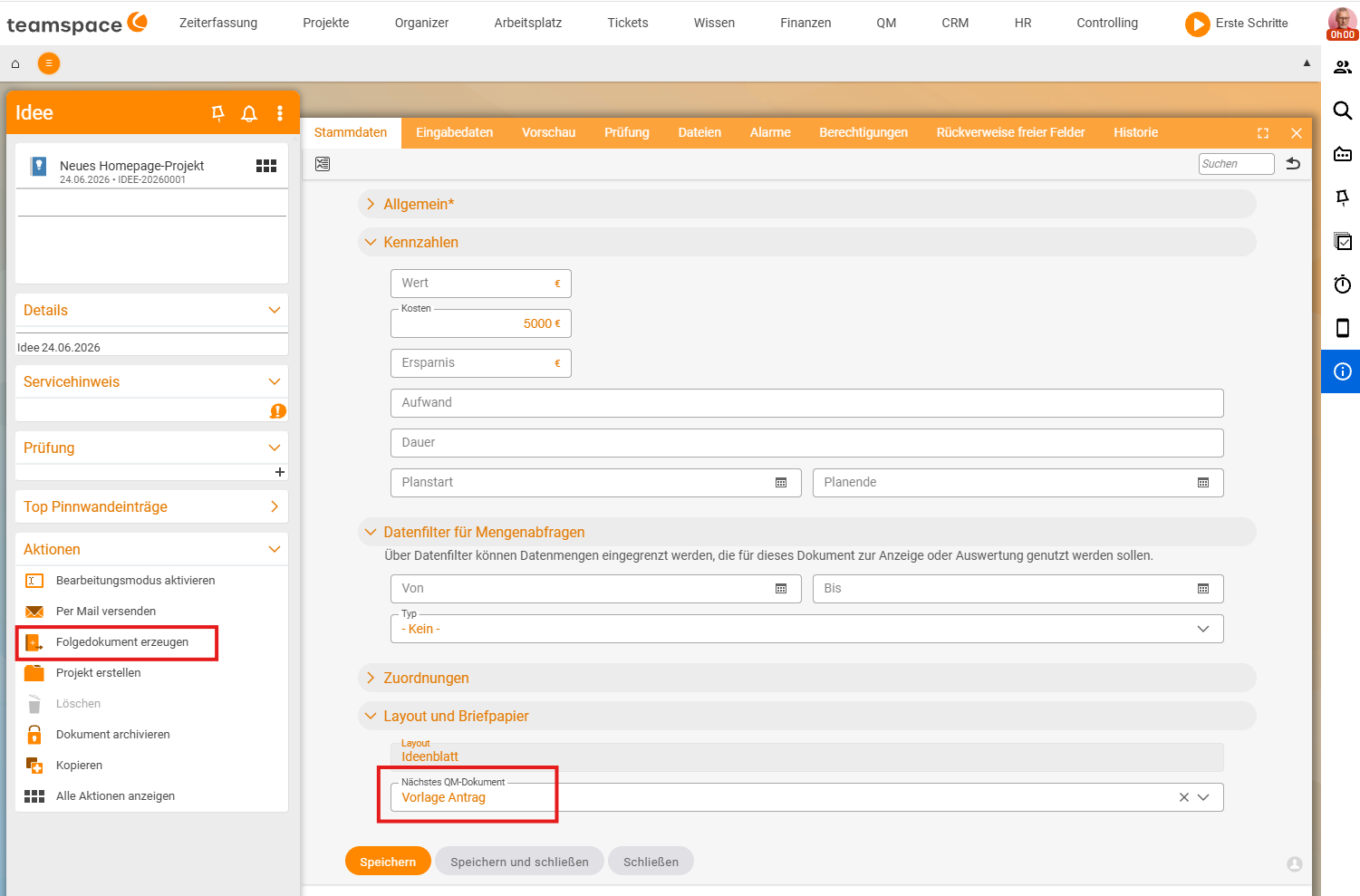
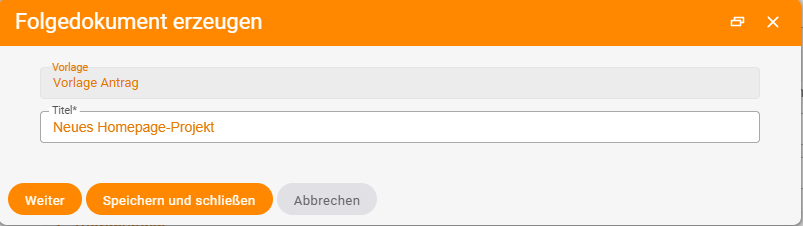
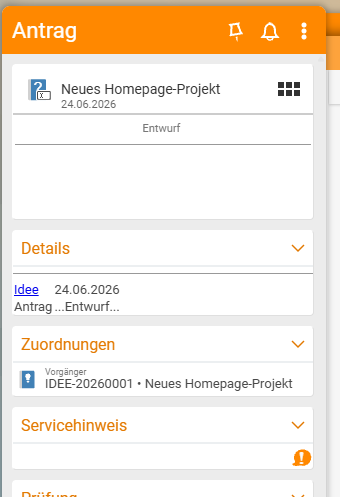
In teamspace the command for this is Create follow-up document: the idea gives rise to the next document (the proposal), and the new document keeps the idea linked as its predecessor.
Templates as a head start
No one should start from a blank page. A template provides structure and standard content; placeholders (customer name, project) are partly filled in automatically by teamspace from the context when you create the document. This is the “help with creating” part of QM: faster, more consistent and more complete than a free-form document. How to create documents from templates is described in Document processes & work instructions.
Versions support further development
teamspace versions files automatically. In QM this is not an end in itself but practical: you can revise a document safely – the previous version is retained should you need to go back. In all lists you always see the current version; you reach older ones in the detail manager on the Versions tab (details in Manage versions).
Where a version is meant to become binding, you have it reviewed and approved (Approval) or acknowledged (read confirmation) – see Have a document reviewed and approved. This is part of a document maturing, but it is not the main focus.
Finding instead of searching
A controlled document is only useful if you can find it again. Three levers:
- Structure: a clear directory (e.g. “QM” / “Manual”) with descriptive folders.
- File classes: the functional meaning (work instruction, process description), which allows targeted filtering.
- Search: full text plus metadata (description, keywords).
Covered in detail in Structure and find documents.
Traceability as a side effect
Anyone who needs it can see on a document’s History tab who uploaded, changed or approved it and when. This is a useful side effect of versioning – but teamspace is not a compliance/audit system and does not aim to be one. Regulated industries with a validation obligation need specialised tools (see Quality management with teamspace: the benefit for your company).
Related topics
- QM document templates at a glance Quality management Reference
- Document processes & work instructions Quality management How-to
- Structure and find documents Quality management How-to
- Manage versions (with video) File management How-to