


Product management has two strands that work independently of each other – the product manager with templates and data analysis, and the workflow helpers on the individual order item. If you use both, you have an automatic figure per customer and the red flag on the order when maintenance or a purchase order is missing. If you only need one strand, leave the other out – they only share the Product management section on the article and otherwise stay out of each other’s way.
Strand 1 – product manager with templates
The product manager analyses your documents in the background and gathers together what belongs to a product. You don’t define each sale individually as a product; instead, you describe via a template which articles count towards which product – the rest happens automatically.
Here is how the mechanism works:
- Article filter: In the template you store one or more articles. teamspace picks up all order and quote items that use these articles.
- Size and term: You can set this to
Calculated manuallyorCalculated automatically. With calculated automatically, teamspace adds up the active items per customer – that is the current licence or contract size. - Linking with child and parent items: As soon as an order item is linked, the corresponding quote and invoice items attach themselves automatically. You don’t have to connect each stage individually.
The result: one product entry per customer with current size, price and term. You see it in the customer list, on the contact itself and – if you set it up – in the Service note. How to create the template is covered in Generate products automatically with templates.
Strand 2 – workflow helpers on the sales article
The second strand sits within the individual order. On the sales article you set up what mandatorily belongs with the sale: a maintenance item, a purchase order with the supplier or a product entry in the product manager. As soon as someone adds the article to an order item, teamspace checks the Product management section on the item – and shows in red what is missing.
Three toggles on the article that act independently of each other:
Product is required: The sale must end up in a product entry. If the template doesn’t pull it in automatically, teamspace offers to link it manually or to create a product for you.Purchase order required: The sale needs a purchase order with a supplier. You additionally select the matching purchase article so teamspace knows what should be ordered. Details in Trigger a purchase order from an order.Maintenance article required: The sale needs an accompanying maintenance item. You additionally select the maintenance article and can optionally store a percentage price that derives the maintenance price automatically from the sales price. Details in Generate maintenance items for sales articles.
The Product is required toggle is the bridge to the first strand – it comes into play when the template doesn’t recognise a sale automatically and you still want to keep the product manager current. The Purchase order and Maintenance toggles work on their own; they function without templates too.
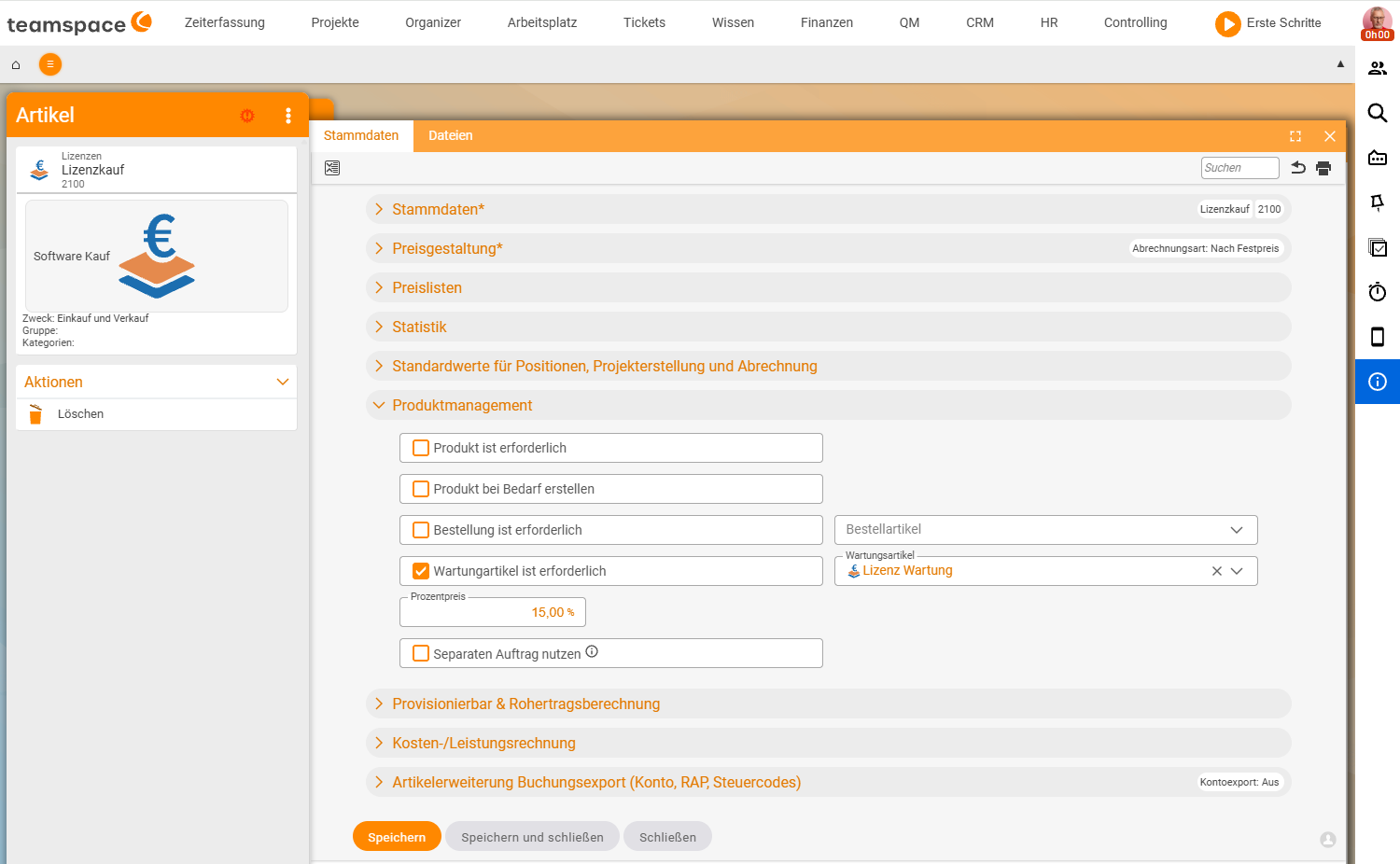
How a sale ends up on a product
Three ways an order item gets linked to a product – from fully automatic to manual:
- Via the template (fully automatic): The template analyses regularly in the background. If the item’s article is in the template, the product appears on the customer without anyone touching anything. The
Update automaticallytoggle on the template decides whether this runs in the background or you trigger it manually. - Via the article toggle
Product is required(semi-automatic): As soon as the article is on the order, teamspace asks for the product – you can have it created with a click. Useful when you haven’t built a template or the item falls outside the template filter. - Manually on the item: In the
Product managementarea of the item you link to an existing product yourself. As soon as the order item is linked, the link carries through automatically to the related quote and invoice items.
Note: If the template doesn’t recognise a sale, nobody has to clean it up by hand – you set the
Product is requiredtoggle on the article, and teamspace speaks up on the next order that uses this article.
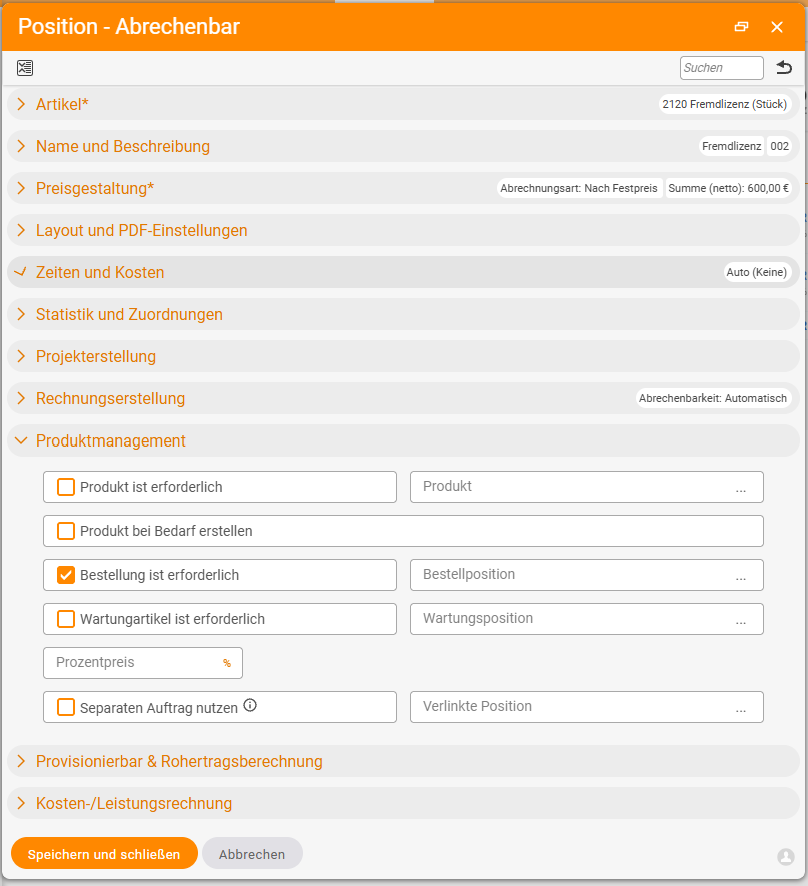
Where you change what
Three places, three jobs – all in Finance:
Configuration → Finance → Articles   → workflow toggles per sales article ("Product management" section)
Configuration → Finance → Products   → templates for the product manager
Order → "Items" tab → open item      → status, link manually, three-dots actions
What a “product” actually is
Definition: A
productin teamspace is not an article. The article is the master-data definition (What is sold? Which price? Which tax rate?). The product is a customer-related aggregate entry that arises from documents via a template or theProduct is requiredtoggle and updates itself automatically.
Once a product is attached to a customer, you can make it visible in three places: as a column in the CRM customer list, in the service note on the customer and in the product list on the contact. How to set this up is covered in Generate products automatically with templates.
Related topics
- Product management – introduction Product management Introduction
- Generate products automatically with templates Product management Configuration
- Articles and price lists Invoicing Concept
- Key account, VIP & service notes CRM Configuration