


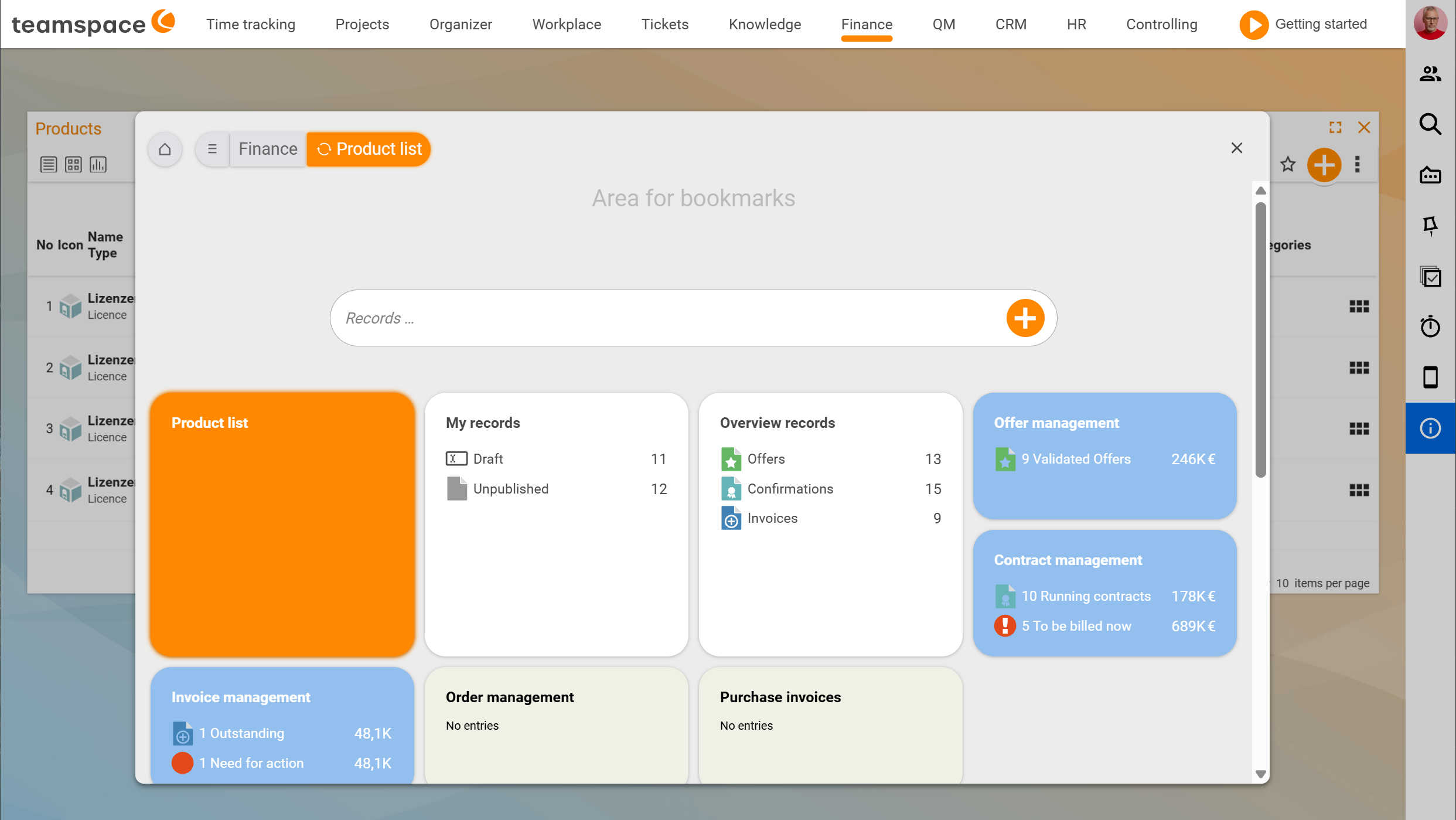
Product management shows you what a customer is currently using from you – across every order, licence and maintenance contract. Instead of leafing through ten orders, you see it on a single card on the customer: current licence size, monthly price, how long they have been a customer, whether maintenance is running. On top of that it helps at the level of the individual order item: it flags when a maintenance item or a purchase order with the supplier is missing, and creates either at the press of a button.
Two strands that run separately
Product management is two things in one module. The two strands work independently of each other – you can use one without ever touching the other.
Product manager with data analysis. A template analyses your documents in the background and gathers every item that belongs to a product. The result: one “product” per customer with its current size, price and term – even when the holding has grown across many orders and years. How to build a template is covered in Generate products automatically with templates.
Workflow helpers on the order item. On the sales article you set up once: does it need maintenance? A purchase order with the supplier? As soon as someone adds the article to an order, teamspace flags the missing part – and one click on the three-dots button creates the maintenance item or the purchase order with the right master data.
Both strands act at the same place on the article: the Product management section in the article master data. How they interact and when each strand carries is explained in the two strands.
When this pays off
You sell software licences that grow over the years. A customer starts with five, later buys three more, switches to a different edition. Four orders, three prices, one expansion quote. The question: how many licences do they have today?
Without product management you search through four documents every time. With a template you have the answer on the customer – calculated automatically, current every day.
The same goes for maintenance contracts. If you sell devices or licences and an annual maintenance belongs with them, the maintenance contract should not be forgotten in the order confirmation. The workflow helper shows the Maintenance missing badge in red as soon as the item is missing.
And for resale. You sell an SQL server but buy it in from a supplier. As soon as the order becomes valid, teamspace reminds you of the purchase order – one click creates it, the purchase order is linked to the order, and the purchase price flows back into your gross profit calculation.
Where the module sits in the program
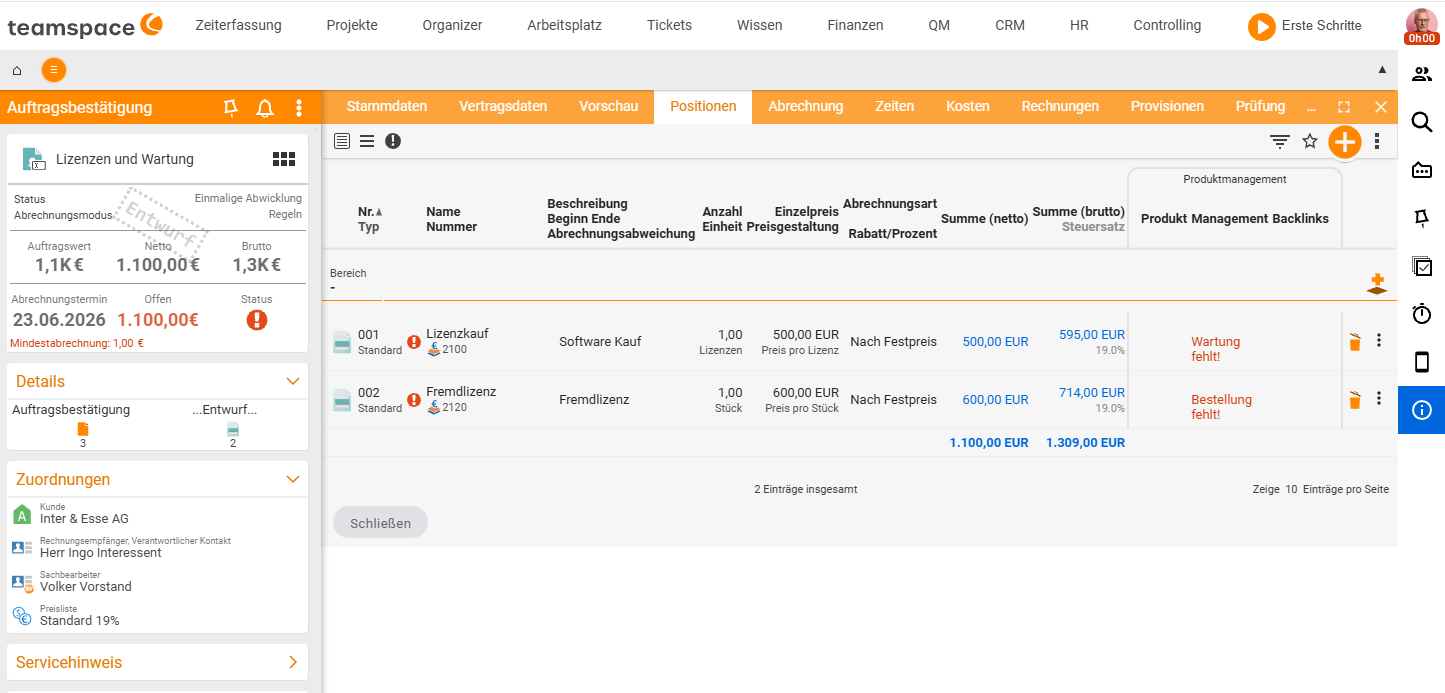
Product management acts in three places under the main menu item Finance:
Finance → Product list                       → the products per customer (size, price, term)
Finance → Purchase and contract management   → purchase orders and serial contracts
Order → "Items" tab                          → workflow helpers (red badges, three-dots actions)
Configuration → Finance → Products           → templates for the product manager
Configuration → Finance → Articles           → the workflow toggles on the article
The easiest way to tell whether the module is active for you is in the configuration: under Finance → Articles open any licence. If the Product management section is there, the module is on.
If the module is not active
Product management is available from the Enterprise edition and in every project edition. If you don’t see a Product management section on an article – or no product list under Finance – the module is probably off. To switch it on:
Configuration → General → Modules → Invoicing → Product managementAfter that the section appears on the article straight away, and on the order the Product management area appears in the items tab with the badges for a missing purchase order or maintenance.
Note: The two strands share the
Product managementsection on the article. If you only need the workflow helpers (maintenance, purchase order), simply leave theProduct is requiredfield empty – you then never touch the templates at all.
The typical task – one licence, one customer, one contract
Volker sells teamspace licences. Anna Müller from Agentur Riesig starts with five and, six months later, expands to eight. On the first call Volker wants to see where she stands before he sends the expansion quote.
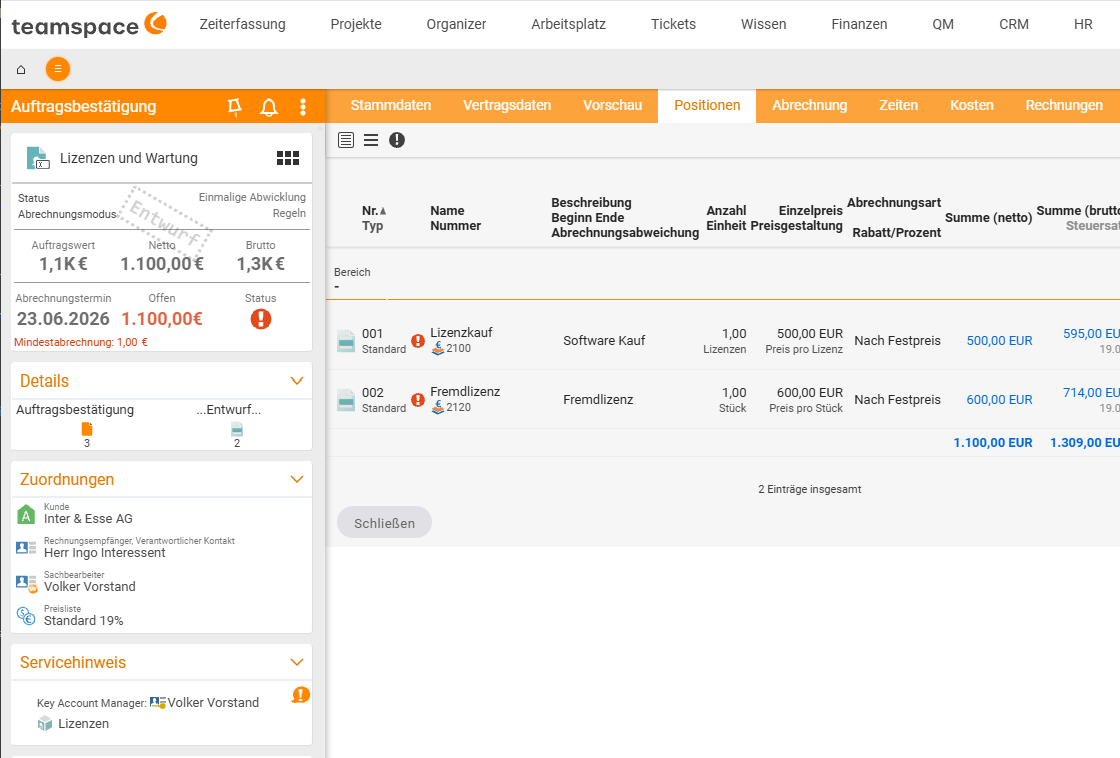
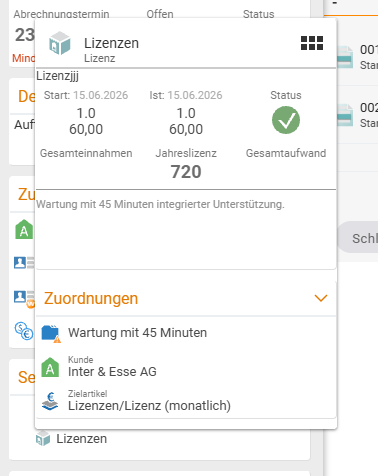
He opens the Agentur Riesig organisation in the CRM; the service note shows the product Licence L. Next to it is the current size – five. In the background the Licence L template has analysed and consolidated all previous items. Volker writes the quote for three additional licences, and as soon as the order is validated, the figure on the customer jumps to eight – without anyone updating the product.
Important: The template creates the product automatically when its filters match. If your sale runs through an article that isn’t in the template’s article list, it won’t appear. In that case also set the
Product is requiredtoggle on the article as a safety net – details in the two strands.
Related topics
- The two strands: product manager & workflow helpers Product management Concept
- Generate products automatically with templates (with video) Product management Configuration
- Invoicing – introduction Invoicing Introduction
- Product management for service providers