


For decision-makers, the Costs module isn’t a graveyard of documents but a steering instrument. The core idea: every single item – a hotel document, a material booking, a flat rate – is recorded once and kept on three accounts at the same time. From this come three levers: a real contribution margin per project, complete recharging to the customer and correct reimbursement to the employee – without double entry and without media breaks.
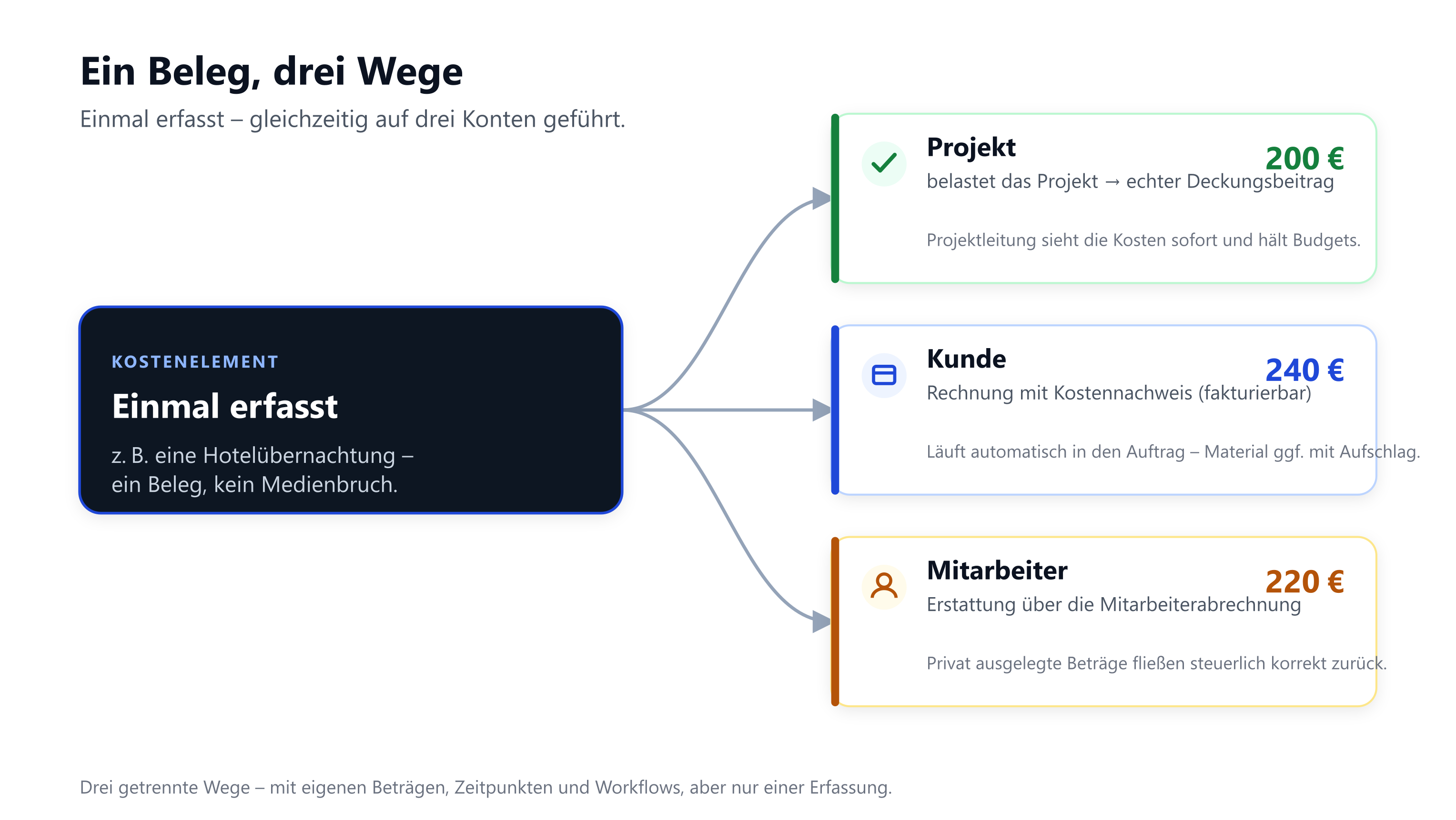
One document, three paths
The same hotel night can charge the project €200, be invoiced to the customer at €240 and be reimbursed to the employee at €220. teamspace tracks each path separately – with its own amounts, timings and even its own workflows. For steering this means:
- Project: The real costs are visible on the project immediately. The project manager sees the current contribution margin at any time and can keep budgets. Costs that aren’t recorded are missing from the project result – and flatter it.
- Customer: Billable costs land automatically in the order and go out with the next invoice, including a cost statement. Nothing gets “forgotten”; material runs with a mark-up where needed.
- Employee: Amounts laid out privately flow back via employee payroll in a tax-correct way – including the split for additional subsistence expenses.
Where money is lost – and how the model prevents it
| Risk without a system | Lever in teamspace |
|---|---|
| Travel costs aren’t recharged | billable amounts attach to the order automatically; cost statement in the invoice |
| The project result looks too good because costs are missing | every item charges the project immediately → real contribution margin |
| Employees wait for reimbursements | bundled employee payroll with a clear status flow |
| Flat rates are forgotten | cost rules generate them automatically from the times |
| Documents are recorded twice (accounting) | e-invoice/scan goes to the DATEV interface automatically |
Transparency for all roles
Everyone involved works on the same data basis: employees see the status of their statement, managers keep an eye on budgets and trips, accounting receives structured and reviewed data – without media breaks and double entry. Approval and review processes are documented seamlessly via the status lifecycles.
Cost accounting as a controlling layer
Anyone wanting finer control enables cost accounting (KLR): every cost element then carries cost category, cost centre and cost object – pre-filled rule-based. In evaluations, cost drivers and particularly profitable products can be identified. The limits are deliberately set: teamspace assigns primary costs but doesn’t run internal activity allocation via secondary costs and no overhead apportionment. Details in Set up cost types, supplements & document templates.
Integrated, not isolated
The Costs module isn’t an island tool but part of the teamspace platform: Time tracking supplies the hours, Project management the contribution margin, the invoicing software the customer invoice, HR the payout. This creates end-to-end processes instead of point solutions – the real efficiency lever.