


teamspace can digitise an entire company with many departments. That is a lot – which is why an overview pays off before you start. This article walks through the menu items once and says what the individual tiles are intended for. That way you can better judge what suits your start.
A note up front: The menu is fully configurable, and not every function is active in every edition (office, enterprise, projectfacts). Your teamspace may therefore look different from the order described here.
Time tracking
The first tiles revolve around time:
- Overview – a look at the last week or last month.
- My day – book times for a single day; shows your top projects and where you are assigned, so booking is quick.
- Time matrix – book for many days at once.
- Project times – a list of all booked times, freely structurable; your personal controlling tool (e.g. billable times).
- Targets – personal target values (e.g. “this much support” or “this much acquisition”) in relation to the booked times.
- My holiday – book holiday with graphical support (you see who else is off, so the whole department isn’t empty).
- Expenses & travel – entire trips with individual cost items, reimbursements, commissions and a view of the total payout.
Projects & capacities
- Project overview / My projects – all projects in which you have a role (e.g. assignee or contributor); the typical entry point when you are looking for a project.
- Structure elements – phases, sub-projects, work packages and milestones give a project its structure. The work packages usually sit at the bottom: that is where the actual work happens, and they are the basis for Scrum and boards.
- Capacity planning – distributes the available working time (e.g. 8 hours/day from the HR module) concretely across capacities and projects; this way you know what happens when and when something can be finished.
- Timesheets – only occasionally needed: if a customer wants to see an approved timesheet before the invoice, times can be released and locked via a workflow.
- Standard reports – project time, project time analysis (cumulated), area/category analysis and employee overview (for department heads, to steer employees).
Open points & boards
- Open points – to-dos with a due date, project-bound or in your own lists (e.g. “next time at the data centre”). Plus alarms/reminders.
- Boards – boards with freely definable columns (and optionally rows) into which you put any elements. Very broadly usable; their own menu items organise them. Details in the topic Boards.
Workplace
Created during the Covid period: reserve a parking space, book a fixed or mobile workplace and see where you can sit.
Tickets
A ticket is item-oriented communication: an incoming email automatically opens a ticket (status “new”), you assign someone to it, ask internally and reply to the customer – several items belonging to the same ticket.
- Ticket channels – tickets are organised in channels; for “your” channels you are notified about new tickets.
- Ticket elements / Ticket overview – all the individual messages sit one below the other as in Outlook and are therefore easy to search.
- Drafts – started messages that have not yet been sent.
- Reports – handling time, who replies the most and so on.
Knowledge: News, Forum, Files, Wiki
- News – a self-maintained internal “online newspaper”, managed by the editorial team.
- Forum – internal exchange in discussions; feeds can also be embedded.
- Wiki – your own, linkable knowledge pages in the protected teamspace area, with version control.
- File manager & private directory – store files (private or structured). Tip: most of the time you use the file managers directly in projects and with customers; in the central file manager you see the entire collection. Word/Excel files can be created and edited directly, files dragged in via drag & drop – all with version control.
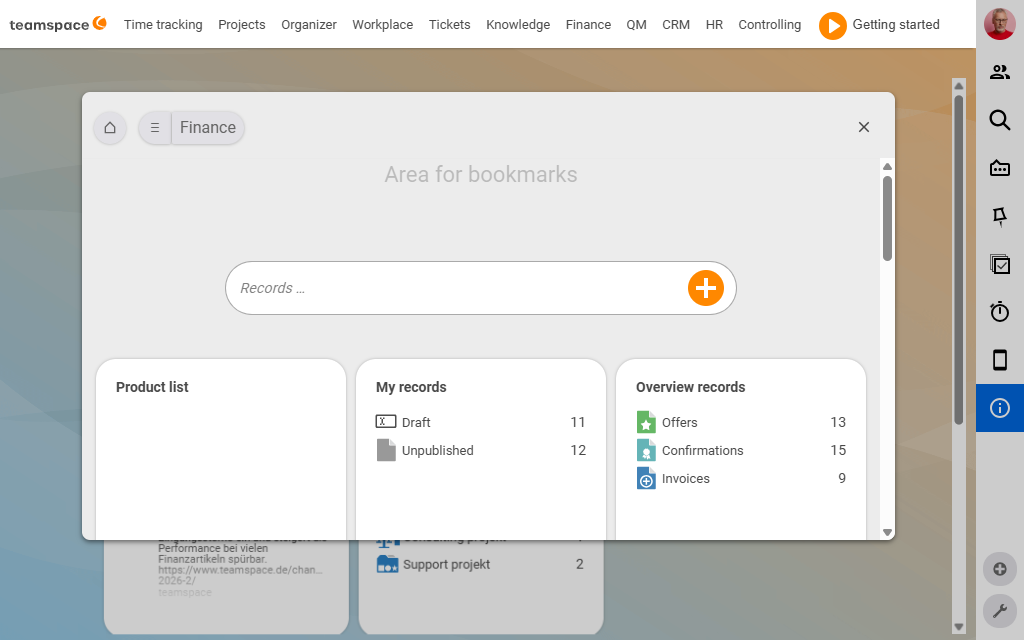
Finance / invoicing
A document in teamspace is a quote, an order, an invoice or a delivery note.
- Document overview plus specialised tiles: Quote tracking (which quotes are hot?), Order (what can I bill?), Invoice management (paid? reminder needed?).
- My documents – your own drafts, not yet validated.
- Travel costs & commission – checking the costs, monthly settlements and commissions.
- Reports – billing item and billing analysis (income situation, e.g. licence/hosting/consultant revenue in a year-on-year comparison); order analysis for the future income forecast; planning/planning overview for cost-performance accounting on cost centres/cost units.
CRM
- Organisation, Contact, Call list – the address data. An organisation is the parent group; customers, suppliers, prospects are views of it (something can be several of these at once). Contacts hang off organisations, activities off contacts.
- Sales opportunities – when something is brewing: time passes before the quote. In the sales funnel the opportunity moves down, the closing probability rises. An opportunity becomes a quote, order and project; the lead times feed into the contribution margin.
- Campaigns – doing something with many at once (invitations, newsletters, automatic follow-up emails).
- VIPs – valuable contacts with a follow-up/warning system (e.g. “contact every three months”).
- Follow-ups – different from an appointment: “I’ll get back to you next week” stays sharp until it is done.
- Reports – internal phone list, CRM analysis, analysis of the sales opportunities (where do people drop off?).
HR (personnel)
Central employee data: contract, overtime, holiday, skills, training, certificates. Plus holiday requests (approval by superiors), sick notes, organisation chart, overtime management, working days, employee payouts (per diems, commissions, advanced expenses) and reports (working-time analysis, holiday situation, employee analysis).
Controlling
A collection of reports across the company that cannot be clearly assigned to a single menu item (often time and costs at once).
Where to start?
You don’t have to use everything at once. The proven entry point is time tracking + invoicing + project management; once the employees have got used to it, further modules are added. The important thing is to bring the employees along – the best tool is no use if no one operates it. So think up a plan; see Rolling out teamspace in your company.