


This collection answers the most common general questions about teamspace and projectfacts. Questions about individual modules are found in the respective topic.
Browsers & devices
Which browsers does the system work with?
teamspace and projectfacts work with all current browsers. You will find a list of compatible browsers in the browser overview.
Can I work with several browser windows?
Yes, that is supported. It can, however, cause problems if the same data is edited “at the same time”. To be on the safe side, use different browsers simultaneously. With different computers there is nothing to watch out for – that always works.
App installation (PWA)
Is there an app for my smartphone?
You can install the system as a Progressive Web App (PWA) – on the computer too:
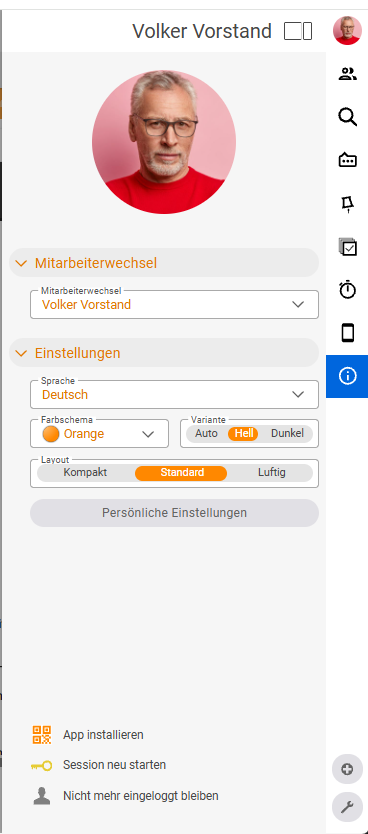
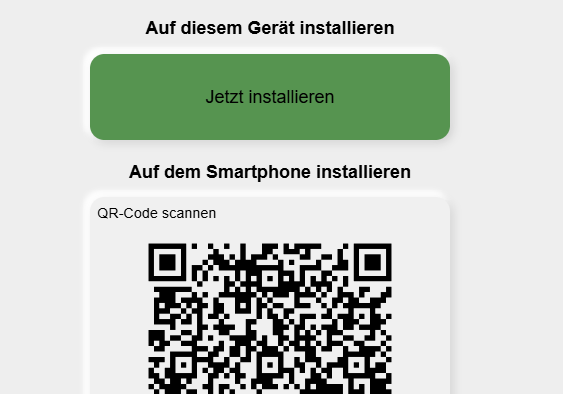
- Via QR code: Scan the QR code from your computer screen with the mobile device. You will find it in the sidebar under “Install app”.
- Via the mobile browser:
- Android: The browser asks whether you want to add the page to the home screen – or in the browser menu, “Add to home screen”.
- iOS: In the browser menu, go to Share and choose “Add to Home Screen”.
There is also the pfScan app, which lets you digitise documents and import them into the system.
🎬 A step-by-step guide is shown in the video “PWA installieren”.
I installed the PWA on the iPhone – why do I have to log in again?
Safari keeps the sessions of browser tabs and installed PWAs separate. That is why you need to log in again. Passwords saved in the keychain can, however, also be used to log in to the PWA.
Account & personal data
How do I update my profile (address, email, etc.)?
You update your personal data in the personal settings under Personal data – Contact data. There, as in the CRM, you can store as many phone numbers and addresses as you like.
How do I change my password or reset it?
You change the password in the personal settings under User account – Password and security settings. At login you can state that you have forgotten your password; you then receive a link to your login email address so you can set a new one.
Sharing data & interfaces
Can I share information from the software with my customer?
Yes, via a so-called public page – for example for a project. Before creating it, you define in the project view which information you want to share. The customer simply opens the link and sees the information you have set, without being able to change anything. Public pages are always up to date (if the status changes, for example, the customer sees that too). Public pages can be created for many areas.
Is there an API?
The API is still being developed and currently offers access mainly to resources around time tracking (project list, booking times, check-in/-out) as well as CRM (contacts, organisations, CRM items). For further questions, our development team is happy to help.
Is there an SAP interface?
There is no dedicated SAP interface, but there are interfaces through which a project can be created and project data exported. This runs by default via web services called by the external systems; we adapt the data structure to your requirements.
Licences & rollout
Can I add or reduce users during the term?
Yes. The surcharge is calculated pro rata to the remaining term of the main licence. Simply contact us.
How long does the rollout take?
As a rule we allow around one month; usually a budget is agreed jointly for layout adjustments, data migration, basic configuration and minor adaptations. An administrator should be trained to act as a point of contact and internal multiplier. For a standard user who only books times, 1–2 hours of training is enough. Details and the recommended approach are in Rolling out teamspace in your company.