


QM documentation has two homes in teamspace: the wiki for living, linked process descriptions and file management for formal, controlled documents (Word/PDF) with a review and approval flow. The two can be combined. This article shows you how to build a process description or work instruction and bring it into the QM cycle.
Variant A: Describe processes in the wiki
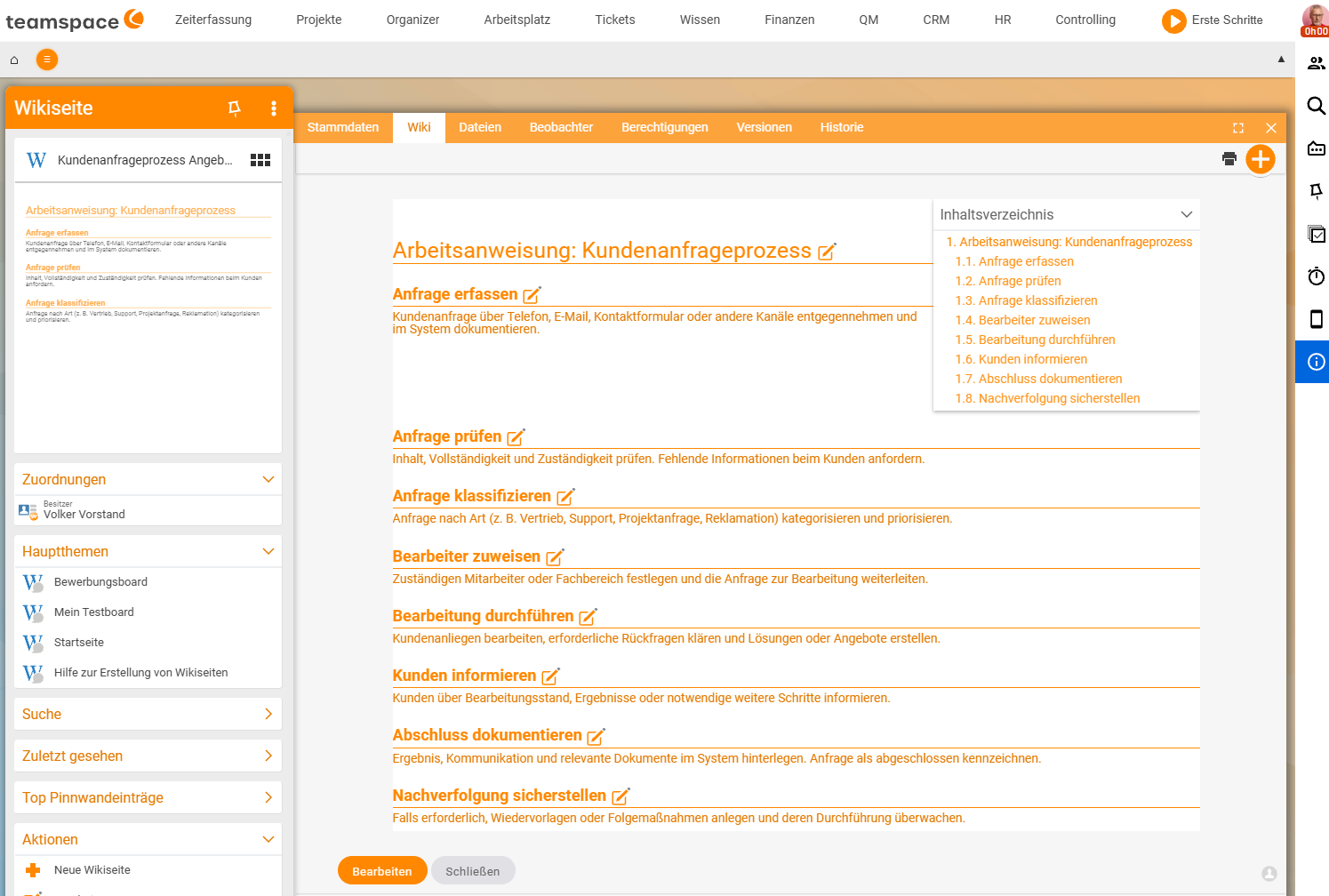
The wiki suits processes that evolve over time and should be linked to one another (e.g. “Onboarding” refers to “IT equipment” and “Safety briefing”).
- In the
Knowledge → Wiki pagestab, create a new page via the blue+button. - In the master data, decide whether the page becomes a main topic; write the content in wiki syntax. Details in Create and edit wiki pages.
- Link related pages so that a walkable process handbook emerges.
Wiki pages are also versioned and can be given watchers who are notified of changes (see Versions and watchers).
Variant B: Formal documents from QM templates
For binding documents that need approval (work instruction, process description as a PDF, Approval) you use a template and store the result as a controlled file.
- In file management, choose a QM template via
Actions→New document(e.g. Work instruction, Process description). Which templates exist is covered in QM document templates at a glance. - Fill in the document – teamspace partly fills templates with placeholders automatically from the context.
- Have the finished document reviewed and approved (see Review and approve a document).
ℹ Info. If no template appears under
New document, none has been stored yet in theSystem/Templatesdirectory. The administrator sets this up (see Set up document management).
Staying consistent
Consistent QM documents arise from templates:
- Wiki templates provide the structure and headers/footers (see Set up templates, headers and footers).
- File templates in the
System/Templatesdirectory supply the starting framework for Word/Excel/PDF.
This way, documents of the same kind look the same – an important criterion for audits.
Evidence and acknowledgement
If the team must be bound to know a work instruction, assign the review type For acknowledgement after approval (see Review and approve a document). The History tab then records who confirmed it and when.
Common problems
Why does no template appear under New document?
Then no QM template has been stored yet in the System/Templates directory. The administrator sets this up (see Set up document management).
Wiki or controlled file – which should I use? The wiki for living, linked processes that evolve over time (Variant A); a controlled file from a QM template for binding documents with a review and approval flow (Variant B). The two can be combined.
How do I prove that everyone knows a work instruction?
After approval, assign the review type For acknowledgement. The History tab then records who confirmed it and when.
Common questions & needs
| You want to … | How to |
|---|---|
| Describe a living, linked process | Create a wiki page and link sub-pages (Variant A). |
| Control a binding work instruction as a PDF | Generate it from a QM template and have it reviewed/approved (Variant B). |
| Be notified of changes | Set watchers on the wiki page (Versions and watchers). |
| Keep documents consistent | Use wiki or file templates. |
| Prove that everyone knows the instruction | Assign the review type For acknowledgement. |