


teamspace is all-in-one software: project management, time tracking, CRM, invoicing, a ticket system and HR sit in one system – fully integrated instead of standing side by side as loosely coupled tools. Instead of pushing data back and forth between several tools, you work on a single, shared database. That is the biggest advantage and at the same time the key to understanding teamspace.
One system for the whole process
teamspace accompanies the complete company process – from customer communication through order processing and project management to invoicing. Because all modules use the same data, a continuous chain emerges:
Sales opportunity → Quote → Order → Project → Time tracking → InvoiceEach step builds on the previous one. An order is created at the push of a button from the quote, a project from the order – without you re-entering any data. What this run-through looks like in concrete terms is shown in the article From quote to invoice.
The basic principle: everything is an item
In teamspace almost every element is an item (an “entity”): a contact, a project, a document, a ticket, an appointment. These items are linked to one another – a contact knows its quotes, a project knows its booked times, an invoice knows the services billed. This lets you move through the system the way you think: from customer to project, from project to invoice, from the invoice back to the booked time.
The same operation everywhere: teamspace has a great many functions, but all modules are operated in essentially the same way. Anyone who masters the three central interface elements – list, detail manager and action box – will find their way everywhere. That makes getting started easy. What you learn after that is the methodology behind the modules, no longer the operation. More on this in The 3 key interface elements.
Combine modules freely
You don’t have to use everything at once. The modules can be combined freely, and experience shows that time tracking, invoicing and project management are particularly well suited for getting started. Which modules exist and what makes sense to start with is explained in The modules at a glance.
Finding your way around
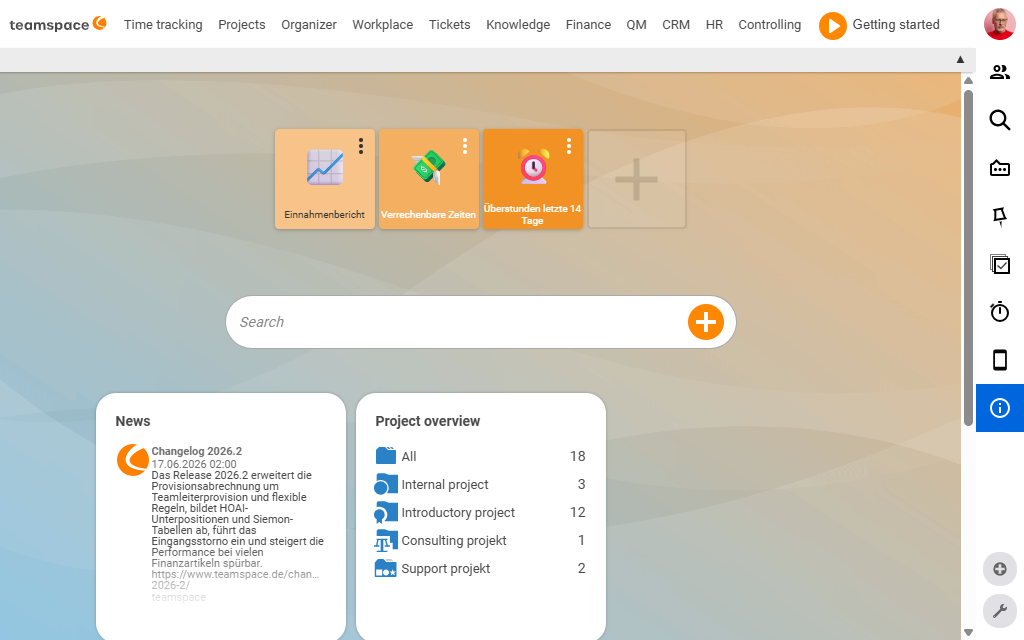
- Main menu: The modules are organised into menu items; beneath them sit tiles, each representing a concrete use case (e.g. “My day”, “Project overview”, “Invoice management”).
- Search bar per menu item: Within each menu item, a search bar searches all the tiles below it and their elements.
- Your own tiles (reading area): You can store frequently used, pre-filtered views as your own tile in the reading area.
Notes
- teamspace runs in the browser and works with all current browsers – without installation. You can additionally install it as an app (PWA); see Frequently asked questions (FAQ).
- Since 2025, teamspace has run in the revamped “Genua” interface: tidier, faster, with the same concepts. Existing customers will find the new features in The new “Genua” interface.
- teamspace and projectfacts are the same software under two brands – the content here applies to both.