


A time-duration item can carry an effort allowance: each period includes X minutes or hours, and everything beyond that is billed separately with an effort line item. The classic choice: monthly maintenance of €150, 45 minutes of free support per month, everything beyond at €100/hour.
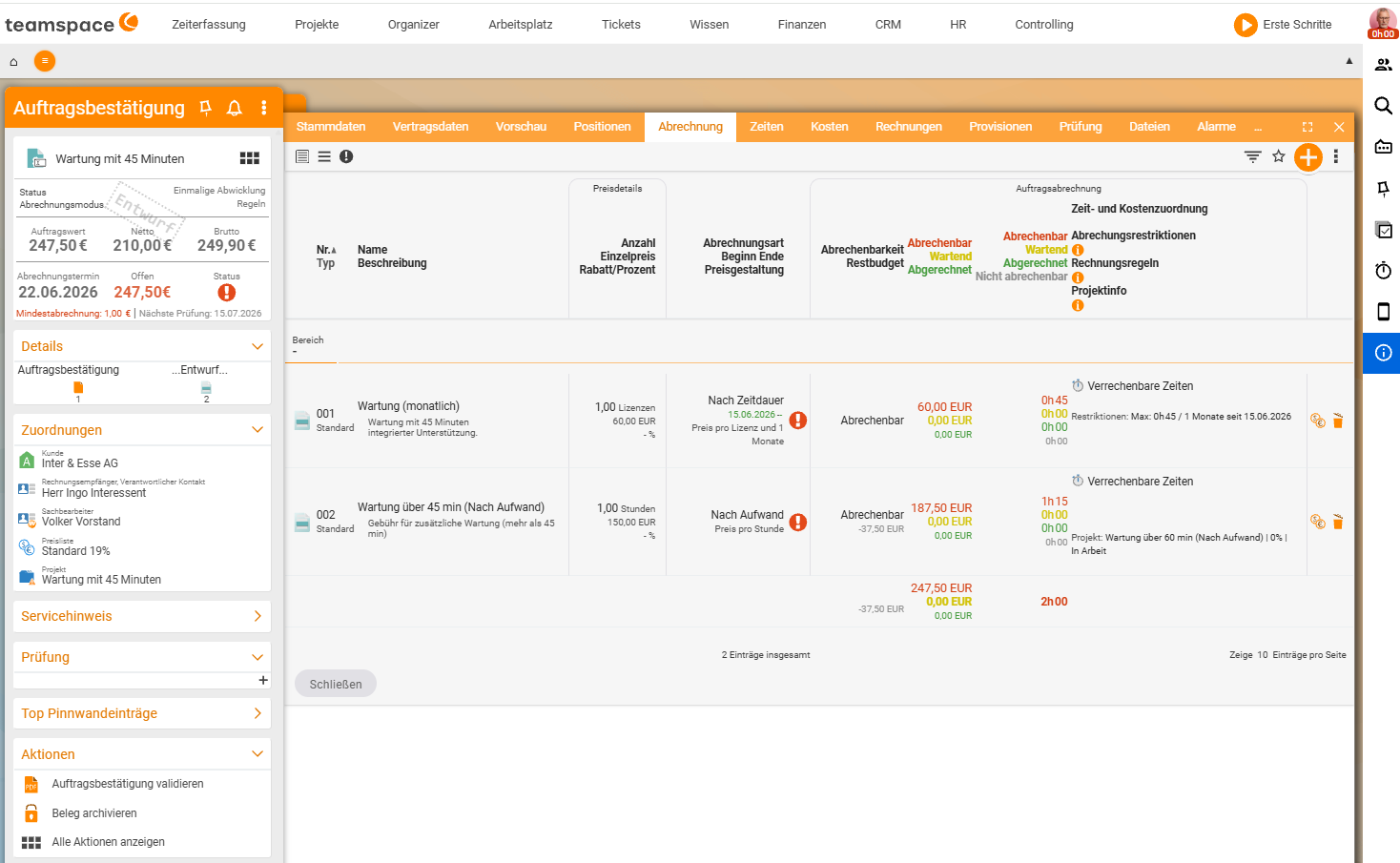
The setup – two articles, one mechanism
1. Article Support + 45 (time duration, monthly, €150). Under Pricing:
- Billing method
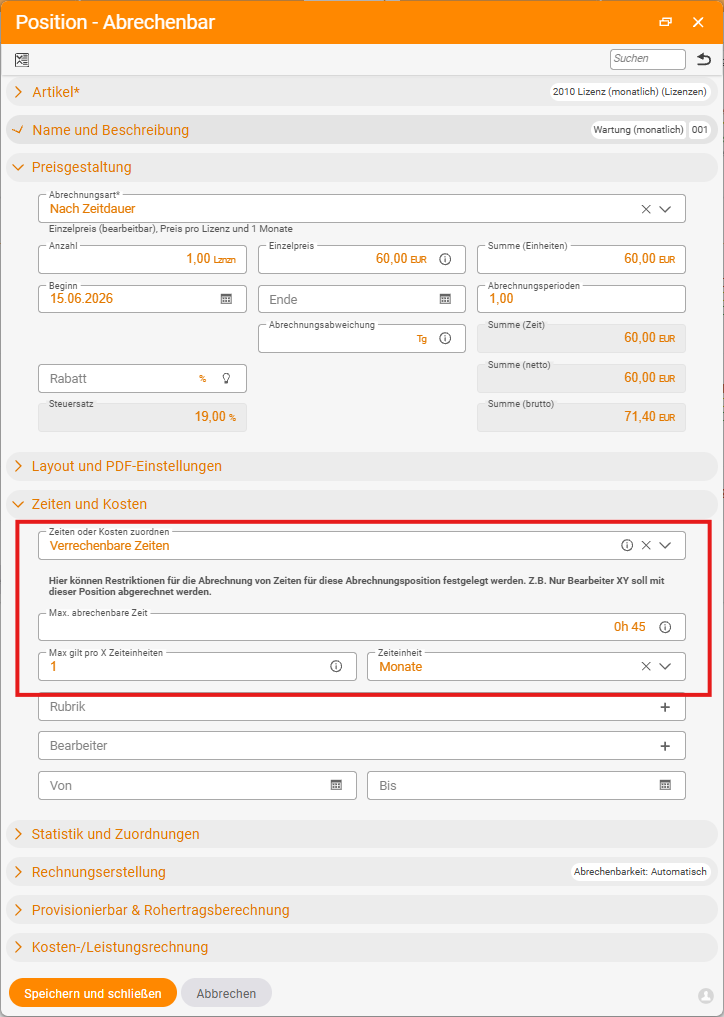
By time duration, period1 month, price€150. - Define the inclusive time in the
Time and costsarea:Max. billable time0h 45,Max applies per X time units=1month. - Set the article as a time collector – via the
Billable timeassignment (collect all time or only billable time). Project creation=Do not create a project.
2. Article Additional support (effort, €100/hour). Project creation = Do not create a project, Link = Main project.
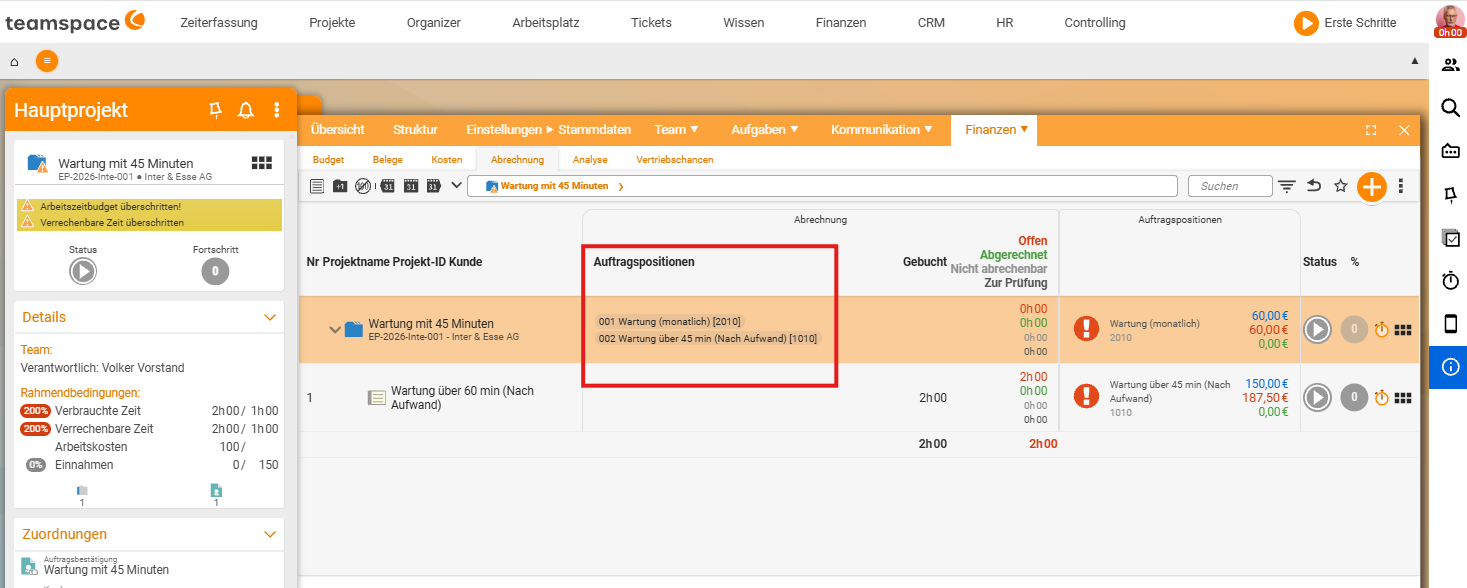
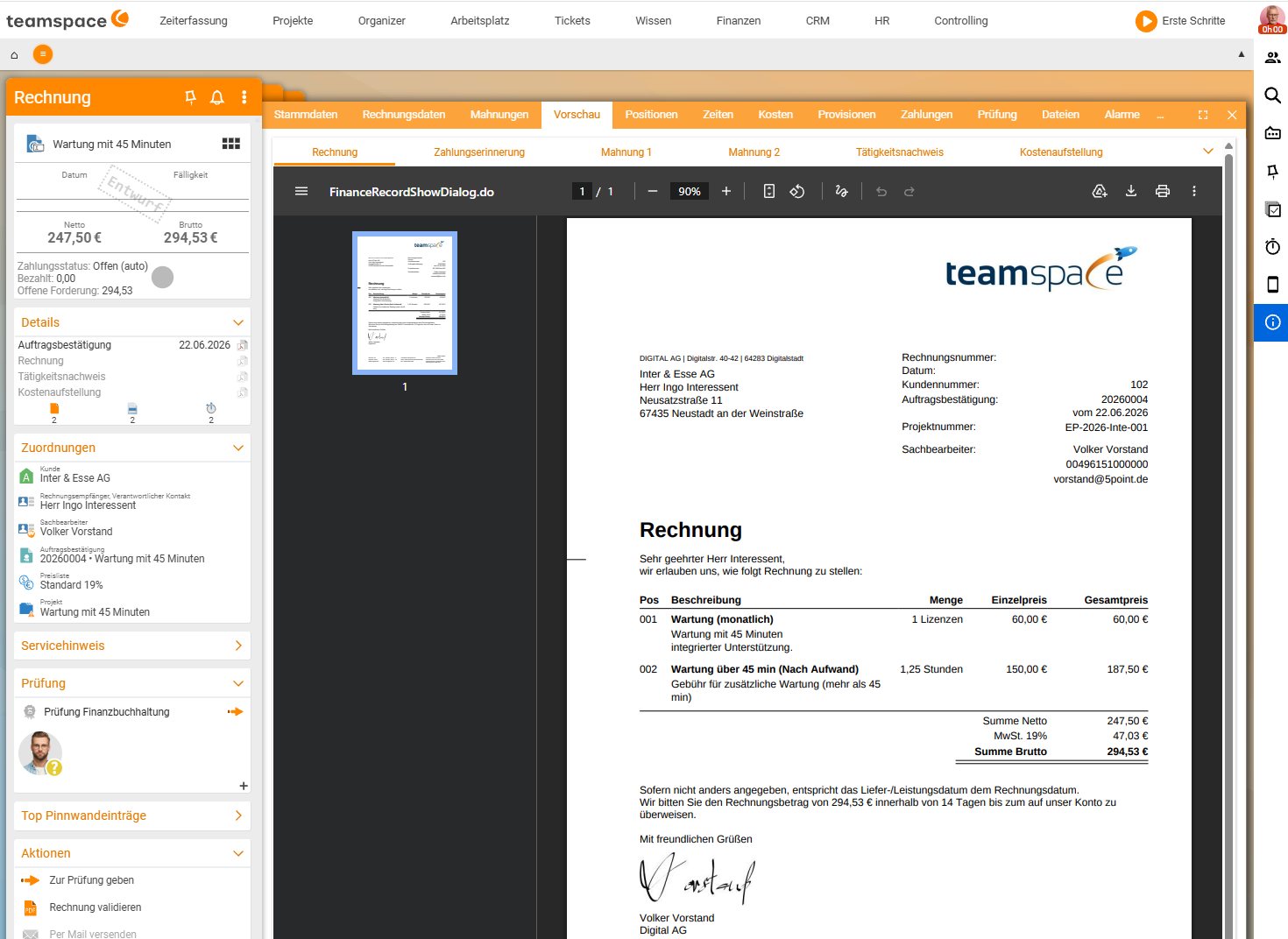
Both articles become line items in the order; from the order you create a main project. Make sure the support article registers itself with the main project – otherwise the additional line item bills first.
How the splitting works
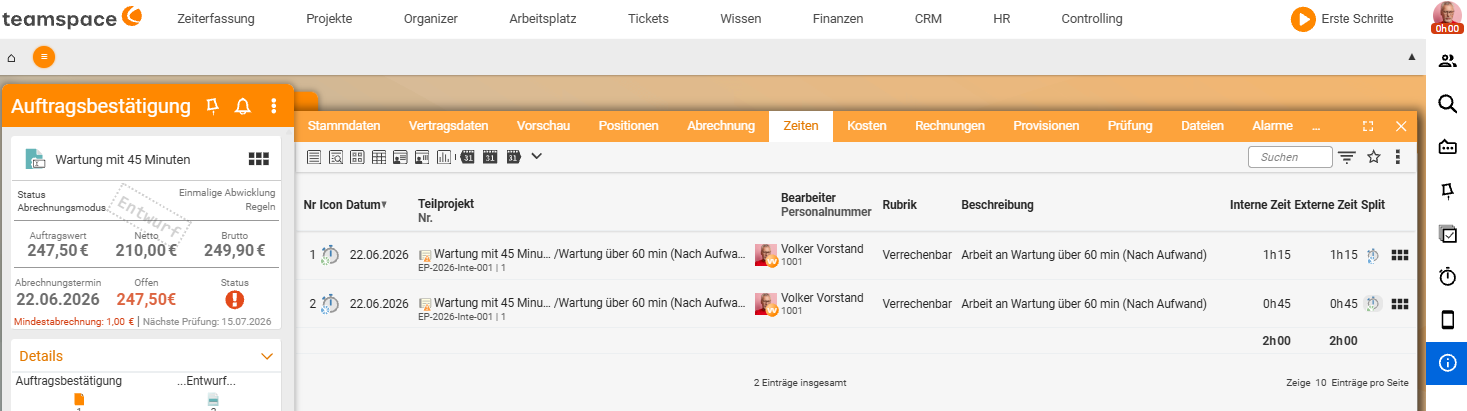
If the customer books 60 minutes of support, the system splits the booking: 45 minutes fall into the inclusive allowance (free, green circle), 15 minutes land on the additional line item (blue, billed at €25). If they book 30 minutes, all 30 are free. If they later book more time that fits exactly into the remaining allowance, the system merges the bookings back into one.
⚠ Project-time splitting must be active. The automatic splitting into “free” and “chargeable” is a configuration setting: in
Configuration → Finance → Settings(search for “Split”),Project-time splittingmust be enabled. Without this option, the system rejects a 60-minute booking entirely (it does not fit into 45 minutes), and you would have to split it by hand.
Show free time on the activity report
By default, only the billed time appears in the activity report. If the free support time should also appear, enable the Show activity report option on the time-collector article (Support + 45) in the PDF and dispatch area. Then the invoice lists both the 45 free minutes and the billed minutes.
Common questions & needs
| You want to … | How to |
|---|---|
| Give X minutes of support per month included | Inclusive time in the Pricing of the time-duration article, applies per month. |
| Split bookings automatically into free/chargeable | Enable Project-time splitting in Configuration → Finance → Settings. |
| Also show the free minutes on the invoice | Show activity report in the PDF and dispatch area of the collector article. |
| Bill additional hours at a separate rate | A second By effort article, Link = Main project. |
Related topics
- Recurring invoices (with video) Invoicing How-to
- How projects and orders work together Invoicing Concept
- The six billing methods Invoicing Concept
- Invoicing software