


You set the defaults for the file module in configuration mode – storage paths, the template directory, version and permission standards. Users then handle files as described in Working in the file manager.
Where the file settings live
Configuration → Files → Setting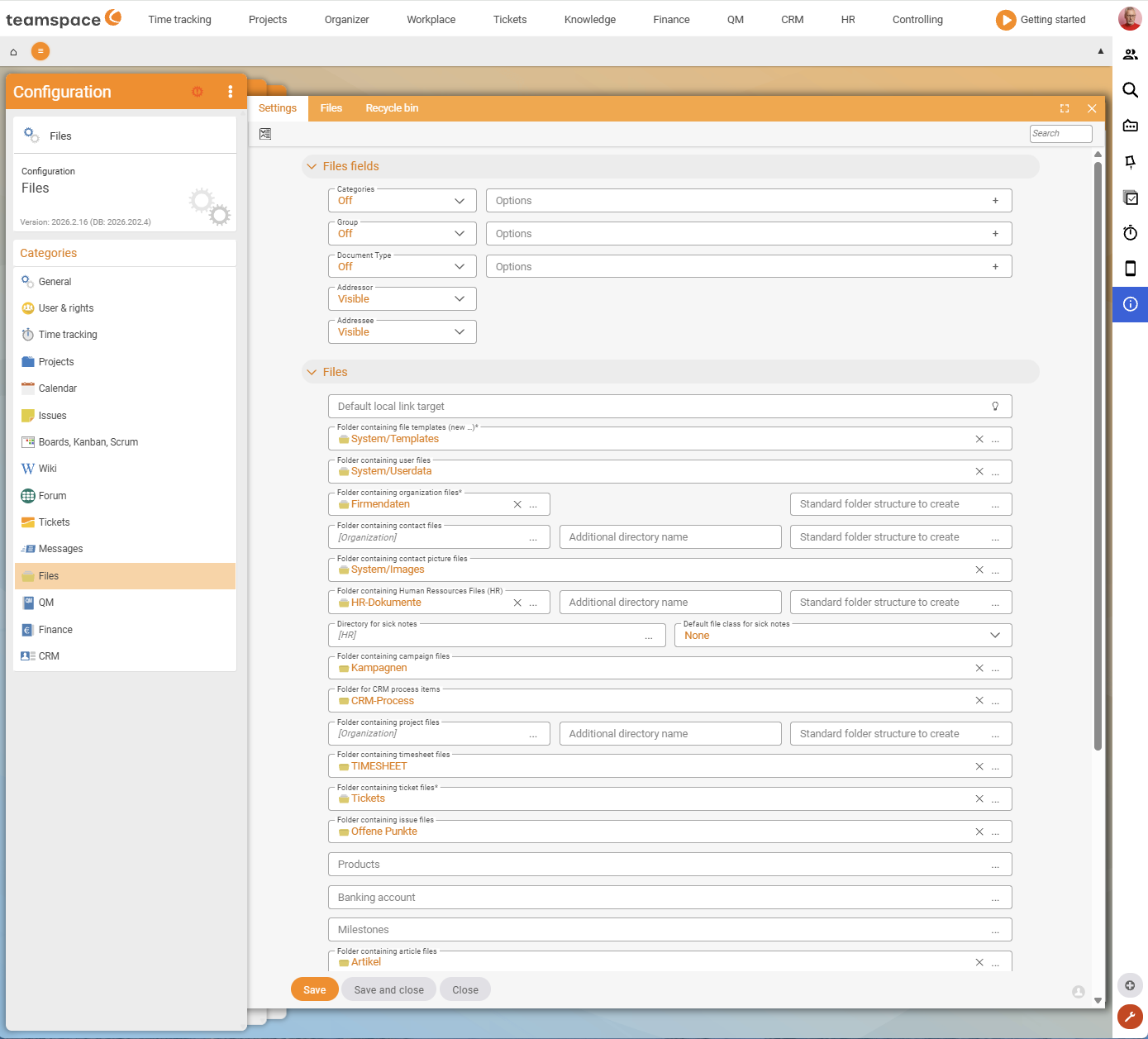
Here you define, among other things, how the path for individual files is built, what should happen when a file is created and whether templates are used. This controls, for example, how the automatically created document and project files are filed.
Template directory (System/Templates)
So that users can create files from templates via Actions → New document, at least one template must sit in the System/Templates directory:
- empty Word/Excel files as a starting framework, or
- prepared templates with placeholders (customer name, address, project) that teamspace fills automatically from the context when you create a document.
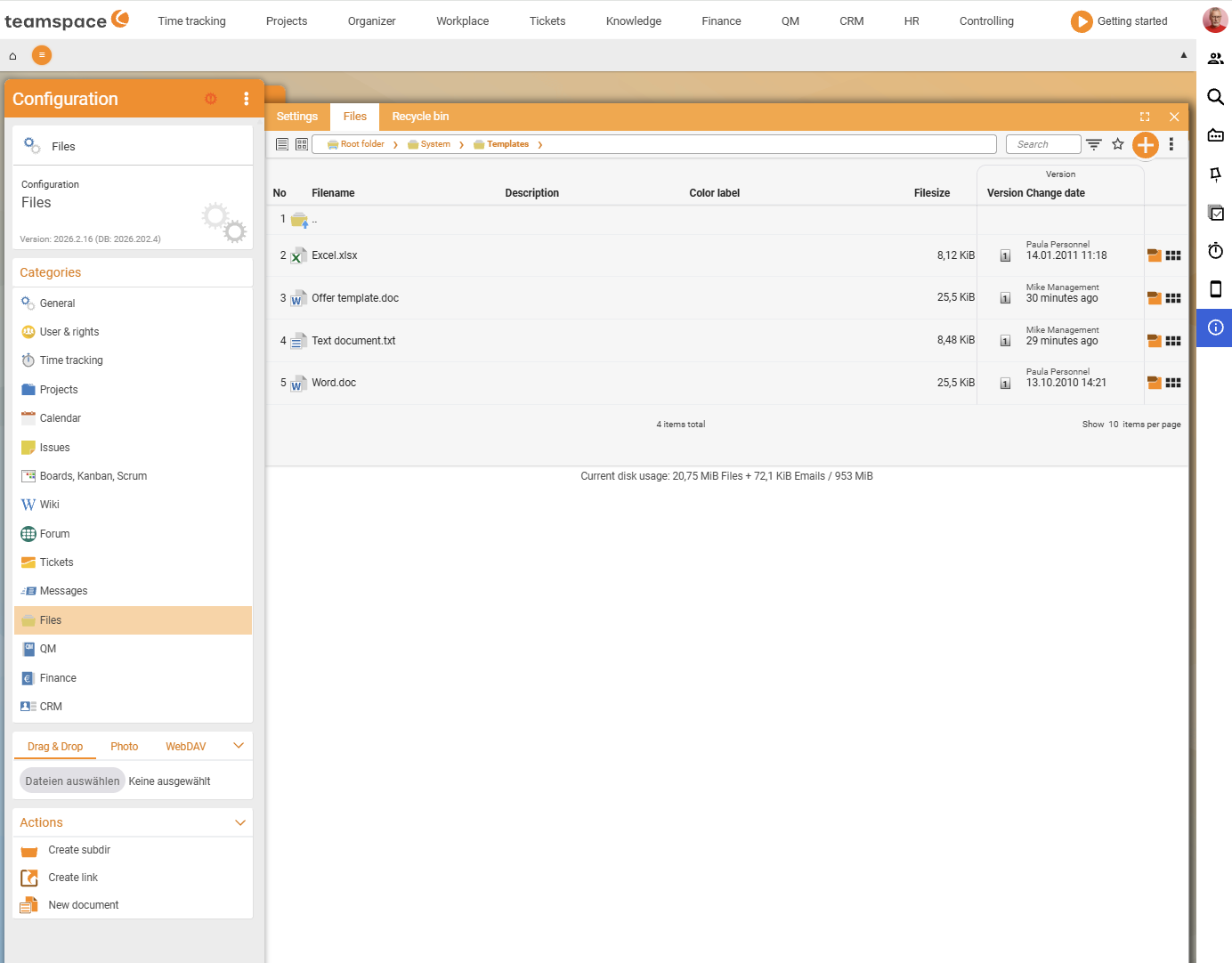
ℹ Info. If no template appears under
New document, it is missing fromSystem/Templates.
Version and permission defaults
- Version limit: You set the default value for
Maximum number(how many versions are kept per file) centrally here; it can be overridden per file (see Manage versions). - Permission defaults: the standard access modes for new directories and files. How the modes work is described in Control access to files; the overarching rights logic sits in the Permissions topic.
- Device passwords (WebDAV): users create their own device passwords under
Personal settings → Devices(see Connect via WebDAV).
Project templates: structure and starter files
Via project templates you define which directory structure a new project comes with and which files or systemic links it should already contain. Details are in the Project management topic under Project types and directories.
Audit-proof archiving (GoBD)
For the legally compliant, unalterable retention of documents subject to tax law, teamspace offers a GoBD mode (audit-proof archiving). Data processing takes place exclusively in the EU, in an ISO 27001-certified data centre in Frankfurt; the permission system works on a need-to-know basis.
ℹ Note (to verify). GoBD mode, the certifications and the data-centre location are taken from the product description on teamspace.de. The exact activation and the UI path in configuration mode have not yet been checked against the live interface in this version (
last_verified: null).
Common questions & needs
| You want to … | How to |
|---|---|
| Enable “New document” for users | Place template(s) in System/Templates. |
| Fill recurring documents automatically | Maintain templates with placeholders (name, address, project) in the template directory. |
| Set the default number of versions | Set the default for Maximum number under Configuration → Files → Setting. |
| Give new projects a fixed folder structure | Store the structure and starter files in the project template. |
| Archive documents in an audit-proof way | Use GoBD mode (verify the activation against the live configuration before use). |