


As soon as a tenant grows, flat groups are no longer enough. With inheritance you model hierarchies (sites, departments, teams); with user roles you hide special roles within a group without cluttering the group list. Both keep your permissions model lean and maintainable.
Inheritance through parent groups
If you set a parent group in the Parent group master-data field, the permissions are inherited upwards: anyone who is a member of the child group automatically appears in the parent group as well and receives its rights on top.
Site example:
- Create a
Colognegroup underAlland setAllas the parent group. Save –Colognenow sits underAll. - Add Finn Finance to
Cologne. Finn is thereby directly inCologneand, through inheritance, also inAll– you do not have to maintain him twice. - You can go as deep as you like:
Cologne → Site A → Team 1.
The most important rule: a member is actively in exactly one group on each level. Inheritance fills all the levels above automatically. This way the fewest people sit at the bottom, and everyone sits at the top in the collecting group.
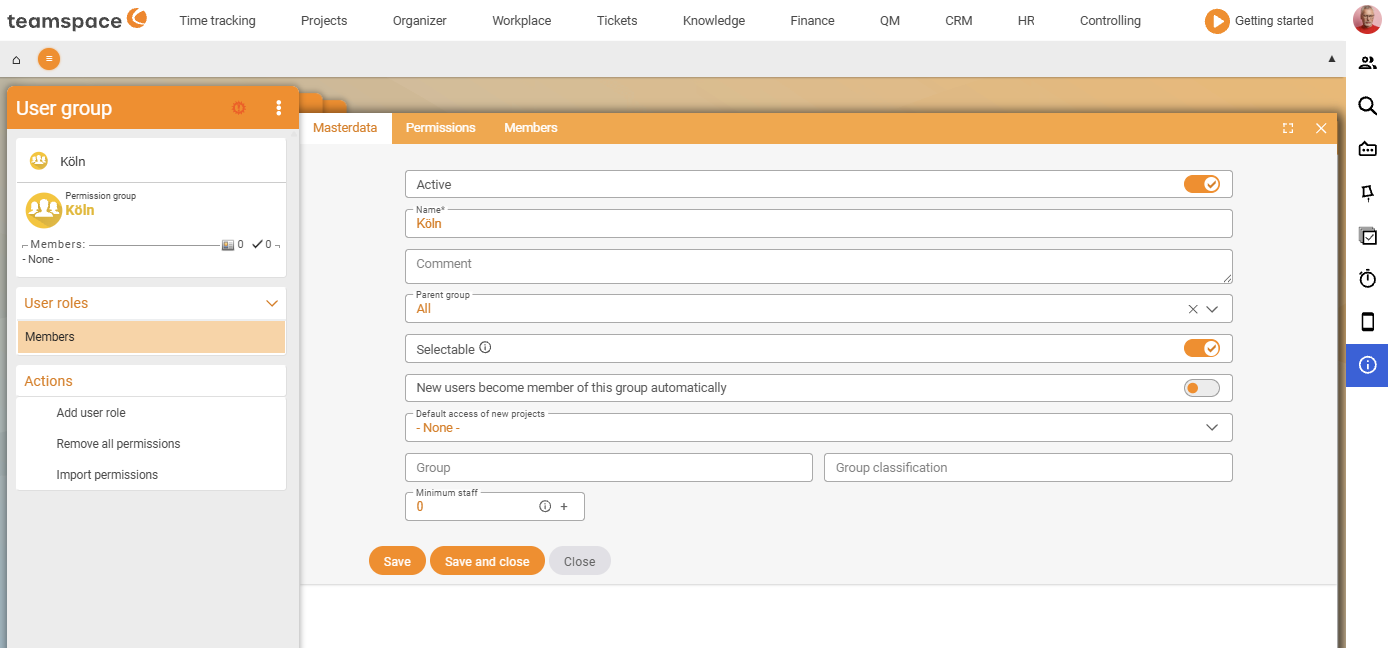
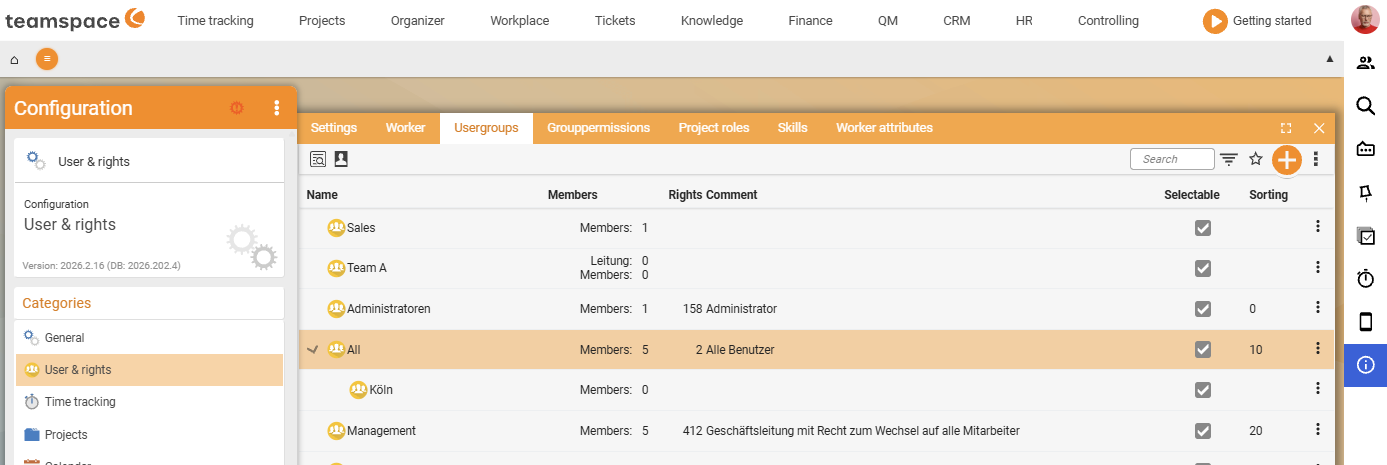
You can also give the hierarchical groups rights themselves. Then you know: at the very bottom sit the fewest people with the most specific rights, at the very top the most people with the broadest base rights.
User roles as hidden sub-groups
Some structures need a special role within a group – for example “the management of Team A” – without you wanting to create a separate, visible Management Team A group for it. Otherwise you end up with a hundred management groups in the list and nobody can keep track any more.
This is what user roles are for:
- Open the group (e.g.
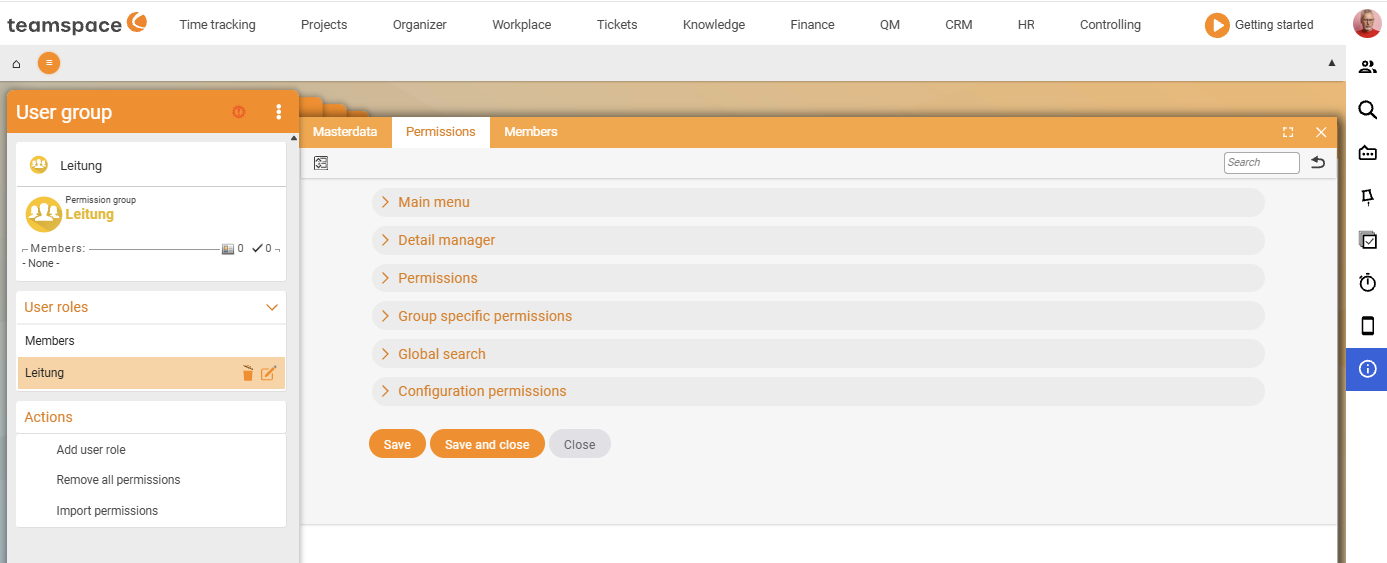
Team A) and use the Add user role action (Actions section). Name the role e.g.Management, thenSave and close. - From the group’s member view, switch to the
Managementrole and assign the relevant people (e.g. Finn Finance). - You can now give that person their own rights, which they have above their team – e.g. the group-specific right “View the team members’ times”.
Effect:
- The role does not appear as a separate group in the user group list – it only hangs off its parent group (a kind of hidden group).
- The assigned person remains a regular member of the parent group and is additionally in the role.
This keeps the group list lean, even when you model dozens of special constellations.
Three patterns for everyday use
- Function roles carry the rights. Create groups as roles in the company (
HR,Senior management,Finance) – the members change, the rights stay. When someone moves, you take them out of one role and put them into the next; the bundle of rights follows. - Team groups without rights. A group such as
Team Aonly collects members for the assignee assignment in the project – it carries no rights. You distribute the actual rights in parallel through the function roles. - Organisational hierarchies. Model sites/departments through inheritance when a member belongs to exactly one lowest level and is to be inherited upwards.
Why not bundles of people? A group “Anna, Ben, Clara” is worthless after a year, because nobody remembers why the three belong together. A
Financerole explains itself and survives any change of staff.
Common questions & needs
| You want to … | How to |
|---|---|
| Model sites/departments | Create sub-groups with a Parent group; add members only at the lowest level. |
| Maintain a person only once, but see them everywhere above | Add them to the lowest group – inheritance fills all the levels above. |
| A team lead with special rights, without a new group | Create a user role in the group and give the role its own rights. |
| Bundle a team just for the project setup | Create a team group without rights and use it as the assignee assignment. |
| The system to stay maintainable even after years | Create groups as roles, not as a collection of people. |
Related topics
- Create and manage user groups (with video) Permissions Configuration
- Set up group-specific permissions (with video) Permissions Configuration
- Plan your permissions concept Permissions Concept